Compare commits
2 Commits
Mobi-Rower
...
StartupWiz
| Author | SHA1 | Date | |
|---|---|---|---|

|
54cdd3aa0c | ||
|
|
ed73d115eb |
2
.github/FUNDING.yml
vendored
@@ -7,6 +7,6 @@ ko_fi: # Replace with a single Ko-fi username
|
||||
tidelift: # Replace with a single Tidelift platform-name/package-name e.g., npm/babel
|
||||
community_bridge: # Replace with a single Community Bridge project-name e.g., cloud-foundry
|
||||
liberapay: # Replace with a single Liberapay username
|
||||
issuehunt: cagnulein
|
||||
issuehunt: # Replace with a single IssueHunt username
|
||||
otechie: # Replace with a single Otechie username
|
||||
custom: ['https://www.buymeacoffee.com/cagnulein'] # Replace with up to 4 custom sponsorship URLs e.g., ['link1', 'link2']
|
||||
|
||||
17
.github/stale.yml
vendored
@@ -1,17 +0,0 @@
|
||||
# Number of days of inactivity before an issue becomes stale
|
||||
daysUntilStale: 15
|
||||
# Number of days of inactivity before a stale issue is closed
|
||||
daysUntilClose: 7
|
||||
# Issues with these labels will never be considered stale
|
||||
exemptLabels:
|
||||
- pinned
|
||||
- security
|
||||
# Label to use when marking an issue as stale
|
||||
staleLabel: wontfix
|
||||
# Comment to post when marking an issue as stale. Set to `false` to disable
|
||||
markComment: >
|
||||
This issue has been automatically marked as stale because it has not had
|
||||
recent activity. It will be closed if no further activity occurs. Thank you
|
||||
for your contributions.
|
||||
# Comment to post when closing a stale issue. Set to `false` to disable
|
||||
#closeComment: false
|
||||
1824
.github/workflows/main.yml
vendored
20
.gitignore
vendored
@@ -1,5 +1,3 @@
|
||||
src/qdomyos-zwift.pro.user
|
||||
|
||||
.idea/
|
||||
|
||||
src/Makefile
|
||||
@@ -20,14 +18,9 @@ src/build/*
|
||||
|
||||
src/debug-*
|
||||
|
||||
src/secret.h
|
||||
|
||||
*.swo
|
||||
*.swp
|
||||
|
||||
build-qdomyos-zwift-Android_Qt_5_15_2_Clang_Multi_Abi-Debug/*
|
||||
**/node_modules/*
|
||||
|
||||
template-examples/youtube-viewer/node_modules/*
|
||||
template-examples/youtube-viewer/*.json
|
||||
template-examples/youtube-viewer/.eslintrc.js
|
||||
@@ -40,16 +33,3 @@ template-examples/train-program-saver/*.json
|
||||
template-examples/train-program-saver/.eslintrc.js
|
||||
template-examples/train-program-saver/.jshintrc
|
||||
template-examples/train-program-saver/debug.js
|
||||
|
||||
google_test/*
|
||||
|
||||
# Qt-es
|
||||
*.pro.user
|
||||
*build-*
|
||||
!build-qdomyos-zwift-Qt_*_for_iOS-Debug # Needed for Apple Watch
|
||||
src/inner_templates/googlemaps/cesium-key.js
|
||||
*.autosave
|
||||
.vscode/settings.json
|
||||
/tst/Devices/.vs
|
||||
src/inner_templates/googlemaps/cesium-key.js
|
||||
src/qdomyos-zwift.pro.user.49de507
|
||||
|
||||
14
.gitmodules
vendored
@@ -3,16 +3,4 @@
|
||||
url = https://github.com/KDAB/android_openssl.git
|
||||
[submodule "src/smtpclient"]
|
||||
path = src/smtpclient
|
||||
url = https://github.com/cagnulein/SmtpClient-for-Qt.git
|
||||
branch = cagnulein-patch-2
|
||||
[submodule "tst/googletest"]
|
||||
path = tst/googletest
|
||||
url = https://github.com/google/googletest.git
|
||||
tag = release-1.12.1
|
||||
[submodule "src/qthttpserver"]
|
||||
path = src/qthttpserver
|
||||
url = https://github.com/qt-labs/qthttpserver
|
||||
[submodule "zwiftplay"]
|
||||
path = zwiftplay
|
||||
url = https://github.com/cagnulein/zwiftplay.git
|
||||
branch = lib
|
||||
url = https://github.com/bluetiger9/SmtpClient-for-Qt.git
|
||||
|
||||
16
.vscode/launch.json
vendored
@@ -1,16 +0,0 @@
|
||||
{
|
||||
"version": "0.2.0",
|
||||
"configurations": [
|
||||
{
|
||||
"name": "(Windows) Launch",
|
||||
"type": "cppvsdbg",
|
||||
"request": "launch",
|
||||
"program": "C://Users//violarob//Downloads//windows-msvc2019-binary-no-python (1)//output/qdomyos-zwift.exe",
|
||||
"symbolSearchPath": "C://Users//violarob//Downloads//windows-msvc2019-binary-no-python (1)//output/qdomyos-zwift.pdb",
|
||||
"sourceFileMap": {
|
||||
"d:/a/qdomyos-zwift/qdomyos-zwift": "c:/work/qdomyos-zwift/",
|
||||
"compiled_source_path": "C://Users//violarob//Downloads//windows-msvc2019-binary-no-python (1)//output/"
|
||||
}
|
||||
}
|
||||
]
|
||||
}
|
||||
374
CLAUDE.md
@@ -1,374 +0,0 @@
|
||||
# CLAUDE.md
|
||||
|
||||
This file provides guidance to Claude Code (claude.ai/code) when working with code in this repository.
|
||||
|
||||
## Project Overview
|
||||
|
||||
QDomyos-Zwift is a Qt-based application that bridges fitness equipment (treadmills, bikes, ellipticals, rowers) with virtual training platforms like Zwift. It acts as a Bluetooth intermediary, connecting physical equipment to fitness apps while providing enhanced features like Peloton integration, power zone training, and workout programs.
|
||||
|
||||
## Build System & Commands
|
||||
|
||||
### Build Commands
|
||||
```bash
|
||||
# Build entire project (use subdirs TEMPLATE)
|
||||
qmake
|
||||
make
|
||||
|
||||
# Build specific configurations
|
||||
qmake -r # Recursive build
|
||||
make debug # Debug build
|
||||
make release # Release build
|
||||
|
||||
# Clean build
|
||||
make clean
|
||||
make distclean
|
||||
```
|
||||
|
||||
### Platform-Specific Builds
|
||||
```bash
|
||||
# Android
|
||||
qmake -spec android-clang
|
||||
make
|
||||
|
||||
# iOS
|
||||
qmake -spec macx-ios-clang
|
||||
make
|
||||
|
||||
# Windows (MinGW)
|
||||
qmake -spec win32-g++
|
||||
make
|
||||
```
|
||||
|
||||
### Testing
|
||||
```bash
|
||||
# Build and run tests (requires main app built first)
|
||||
cd tst
|
||||
qmake
|
||||
make
|
||||
./qdomyos-zwift-tests
|
||||
|
||||
# Run with XML output for CI
|
||||
GTEST_OUTPUT=xml:test-results/ GTEST_COLOR=1 ./qdomyos-zwift-tests
|
||||
```
|
||||
|
||||
### No-GUI Mode
|
||||
```bash
|
||||
# Run application without GUI
|
||||
sudo ./qdomyos-zwift -no-gui
|
||||
```
|
||||
|
||||
## Architecture Overview
|
||||
|
||||
### Device Architecture
|
||||
The application follows a hierarchical device architecture:
|
||||
|
||||
1. **Base Class**: `bluetoothdevice` - Abstract base for all fitness devices
|
||||
- Manages Bluetooth connectivity via Qt's QLowEnergyController
|
||||
- Defines common metrics (speed, cadence, heart rate, power, distance)
|
||||
- Integrates with virtual devices for app connectivity
|
||||
|
||||
2. **Device Type Classes**: Inherit from `bluetoothdevice`
|
||||
- `bike` - Bike-specific features (resistance, gears, power zones)
|
||||
- `treadmill` - Treadmill features (speed control, inclination, pace)
|
||||
- `elliptical` - Combined bike/treadmill features
|
||||
- `rower` - Rowing metrics (stroke count, 500m pace)
|
||||
- `stairclimber` - Step counting and climbing metrics
|
||||
- `jumprope` - Jump sequence tracking
|
||||
|
||||
3. **Concrete Implementations**: Inherit from device type classes
|
||||
- Located in `src/devices/[devicename]/` folders
|
||||
- Examples: `domyosbike`, `pelotonbike`, `ftmsbike`
|
||||
|
||||
### Virtual Device System
|
||||
- `virtualdevice` - Abstract base for virtual representations
|
||||
- `virtualbike`, `virtualtreadmill`, etc. - Advertise to external apps
|
||||
- Enables bidirectional communication between physical and virtual devices
|
||||
|
||||
### Bluetooth Management
|
||||
- `bluetooth` class acts as device factory and connection manager
|
||||
- `discoveryoptions` configures device discovery process
|
||||
- Supports multiple connection types (Bluetooth LE, TCP, UDP)
|
||||
|
||||
## Key Development Areas
|
||||
|
||||
### Adding New Device Support
|
||||
1. Create device folder in `src/devices/[devicename]/`
|
||||
2. Implement device class inheriting from appropriate base type
|
||||
3. Add device detection logic to `bluetooth.cpp`
|
||||
4. Update `qdomyos-zwift.pri` with new source files
|
||||
5. Add tests in `tst/Devices/` following existing patterns
|
||||
|
||||
### Characteristics & Protocols
|
||||
- Bluetooth characteristics handlers in `src/characteristics/`
|
||||
- FTMS (Fitness Machine Service) protocol support
|
||||
- ANT+ integration for sensors
|
||||
- Custom protocol implementations for specific brands
|
||||
|
||||
### UI & QML
|
||||
- QML-based UI with Qt Quick Controls 2
|
||||
- Main QML files in `src/` (main.qml, settings.qml, etc.)
|
||||
- Platform-specific UI adaptations (iOS, Android, desktop)
|
||||
|
||||
### Integration Features
|
||||
- Peloton workout/resistance integration (`peloton.cpp`)
|
||||
- Zwift workout parsing (`zwiftworkout.cpp`)
|
||||
- GPX file support for route following (`gpx.cpp`)
|
||||
- Training program support (ZWO, XML formats)
|
||||
|
||||
## Platform-Specific Notes
|
||||
|
||||
### iOS
|
||||
- Swift bridge files in `src/ios/`
|
||||
- Apple Watch integration via `WatchKitConnection.swift`
|
||||
- HealthKit integration for fitness data
|
||||
- ConnectIQ SDK for Garmin devices
|
||||
|
||||
### Android
|
||||
- Java bridge files in `src/android/src/`
|
||||
- ANT+ integration via Android ANT SDK
|
||||
- Foreground service for background operation
|
||||
- USB serial support for wired connections
|
||||
|
||||
### Windows
|
||||
- ADB integration for Nordic Track iFit devices
|
||||
- PaddleOCR integration for Zwift workout detection
|
||||
- Windows-specific networking features
|
||||
|
||||
## File Structure Patterns
|
||||
|
||||
### Device Files
|
||||
```
|
||||
src/devices/[devicename]/
|
||||
├── [devicename].h # Header file
|
||||
├── [devicename].cpp # Implementation
|
||||
└── README.md # Device-specific documentation (optional)
|
||||
```
|
||||
|
||||
### Test Files
|
||||
```
|
||||
tst/Devices/
|
||||
├── DeviceTestData.h # Test data definitions
|
||||
├── Test[DeviceName].h # Device-specific test cases
|
||||
└── TestBluetooth.cpp # Main device detection test suite
|
||||
```
|
||||
|
||||
## Testing Framework
|
||||
|
||||
- Uses Google Test (gtest) with Google Mock
|
||||
- Comprehensive device detection testing
|
||||
- Configuration-based test scenarios
|
||||
- XML output support for CI/CD integration
|
||||
- Tests must be built after main application (links against libqdomyos-zwift.a)
|
||||
|
||||
## Configuration & Settings
|
||||
|
||||
- Settings managed via `qzsettings.cpp` (QSettings wrapper)
|
||||
- Platform-specific configuration paths
|
||||
- Profile system for multiple users/devices
|
||||
- Extensive customization options for device behavior
|
||||
|
||||
## External Dependencies
|
||||
|
||||
- Qt 5.15.2+ (Bluetooth, WebSockets, Charts, Quick, etc.)
|
||||
- Google Test (submodule for testing)
|
||||
- Platform SDKs (Android ANT+, iOS HealthKit, Windows ADB)
|
||||
- Protocol Buffers for Zwift API integration
|
||||
- MQTT client for IoT integration
|
||||
- Various fitness platform APIs (Strava, Garmin Connect, etc.)
|
||||
|
||||
## Adding New ProForm Treadmill Models
|
||||
|
||||
This section provides a complete guide for adding new ProForm treadmill models to the codebase, based on the ProForm 995i implementation.
|
||||
|
||||
### Prerequisites
|
||||
|
||||
1. **Bluetooth Frame Capture File**: A file containing raw Bluetooth frames from the target treadmill
|
||||
2. **Frame Analysis**: Understanding of which frames are initialization vs. sendPoll frames
|
||||
3. **BLE Header Knowledge**: Each frame has an 11-byte BLE header that must be removed
|
||||
|
||||
### Step-by-Step Implementation Process
|
||||
|
||||
#### 1. Process Bluetooth Frames
|
||||
|
||||
First, process the raw Bluetooth frames by removing the first 11 bytes (BLE header) from each frame:
|
||||
|
||||
```bash
|
||||
# Example: if you have "proform_model.c" with raw frames
|
||||
# Process each frame by removing first 11 bytes
|
||||
# Separate initialization frames from sendPoll frames
|
||||
```
|
||||
|
||||
**Key Requirements:**
|
||||
- Remove exactly 11 bytes from each frame (BLE header)
|
||||
- Identify the boundary between initialization and sendPoll frames
|
||||
- Initialization frames come first, sendPoll frames follow
|
||||
- Document which packet number starts the sendPoll sequence
|
||||
|
||||
#### 2. Add Boolean Flag to Header File
|
||||
|
||||
Add the new model flag to `src/devices/proformtreadmill/proformtreadmill.h`:
|
||||
|
||||
```cpp
|
||||
// Add before #ifdef Q_OS_IOS section
|
||||
bool proform_treadmill_newmodel = false;
|
||||
```
|
||||
|
||||
#### 3. Add Settings Support
|
||||
|
||||
Update the following files for settings integration:
|
||||
|
||||
**In `src/qzsettings.h`:**
|
||||
```cpp
|
||||
static const QString proform_treadmill_newmodel;
|
||||
static constexpr bool default_proform_treadmill_newmodel = false;
|
||||
```
|
||||
|
||||
**In `src/qzsettings.cpp`:**
|
||||
```cpp
|
||||
const QString QZSettings::proform_treadmill_newmodel = QStringLiteral("proform_treadmill_newmodel");
|
||||
```
|
||||
|
||||
* Update the `allSettingsCount` in `qzsettings.cpp`
|
||||
|
||||
#### 4. Update QML Settings UI
|
||||
|
||||
**In `src/settings.qml`:**
|
||||
|
||||
1. Add property at the END of properties list:
|
||||
```qml
|
||||
property bool proform_treadmill_newmodel: false
|
||||
```
|
||||
|
||||
2. Update ComboBox model array:
|
||||
```qml
|
||||
model: ["Disabled", "Proform New Model", ...]
|
||||
```
|
||||
|
||||
3. Add case selection logic (find next available case number):
|
||||
```qml
|
||||
currentIndex: settings.proform_treadmill_newmodel ? XX : 0;
|
||||
```
|
||||
|
||||
4. Add reset logic:
|
||||
```qml
|
||||
settings.proform_treadmill_newmodel = false;
|
||||
```
|
||||
|
||||
5. Add switch case:
|
||||
```qml
|
||||
case XX: settings.proform_treadmill_newmodel = true; break;
|
||||
```
|
||||
|
||||
#### 5. Implement Device Logic
|
||||
|
||||
**In `src/devices/proformtreadmill/proformtreadmill.cpp`:**
|
||||
|
||||
1. **Load Settings** (in constructor):
|
||||
```cpp
|
||||
proform_treadmill_newmodel = settings.value(QZSettings::proform_treadmill_newmodel, QZSettings::default_proform_treadmill_newmodel).toBool();
|
||||
```
|
||||
|
||||
2. **Add Initialization Case** (in `btinit()` method):
|
||||
```cpp
|
||||
} else if (proform_treadmill_newmodel) {
|
||||
// ALL initialization frames go here
|
||||
uint8_t initData1[] = {0x00, 0xfe, 0x02, 0x08, 0x02};
|
||||
writeCharacteristic(initData1, sizeof(initData1), QStringLiteral("init"), false, true);
|
||||
// ... continue with ALL init frames from capture file
|
||||
// Use frames from beginning until sendPoll boundary
|
||||
}
|
||||
```
|
||||
|
||||
3. **Add SendPoll Case** (in `sendPoll()` method):
|
||||
```cpp
|
||||
} else if (proform_treadmill_newmodel) {
|
||||
switch (counterPoll) {
|
||||
case 0:
|
||||
// First sendPoll frame
|
||||
break;
|
||||
case 1:
|
||||
// Second sendPoll frame
|
||||
break;
|
||||
// ... continue with pattern from sendPoll frames
|
||||
default:
|
||||
// Reset counter and cycle
|
||||
counterPoll = -1;
|
||||
break;
|
||||
}
|
||||
}
|
||||
```
|
||||
|
||||
4. **Update Force Functions** - Add flag to conditional checks in `forceIncline()` and `forceSpeed()`:
|
||||
```cpp
|
||||
} else if (proform_treadmill_8_0 || ... || proform_treadmill_newmodel) {
|
||||
write[14] = write[11] + write[12] + 0x12;
|
||||
}
|
||||
```
|
||||
|
||||
### Implementation Requirements
|
||||
|
||||
#### Frame Processing Rules
|
||||
- **Exactly 11 bytes** must be removed from each frame (BLE header)
|
||||
- **All initialization frames** must be included in the btinit() case
|
||||
- **All sendPoll frames** must be included in the sendPoll() switch statement
|
||||
- **Frame order** must be preserved exactly as captured
|
||||
|
||||
#### Settings Integration Rules
|
||||
- **Property placement**: Always add new properties at the END of the properties list in settings.qml
|
||||
- **Case numbering**: Find the next available case number in the ComboBox switch statement
|
||||
- **Naming convention**: Use descriptive names following existing patterns
|
||||
|
||||
#### Code Organization Rules
|
||||
- **Initialization**: All init frames go in btinit() method
|
||||
- **Communication**: All sendPoll frames go in sendPoll() method with switch/case structure
|
||||
- **Force functions**: Add new model flag to existing conditional chains
|
||||
|
||||
### Common Pitfalls and Solutions
|
||||
|
||||
#### Incorrect Byte Removal
|
||||
- **Problem**: Removing wrong number of bytes (12 instead of 11)
|
||||
- **Solution**: Always remove exactly 11 bytes (BLE header)
|
||||
|
||||
#### Wrong SendPoll Boundary
|
||||
- **Problem**: Using initialization frames in sendPoll logic
|
||||
- **Solution**: Identify exact packet number where sendPoll starts
|
||||
|
||||
#### Incomplete Initialization
|
||||
- **Problem**: Missing initialization frames
|
||||
- **Solution**: Include ALL frames from start until sendPoll boundary
|
||||
|
||||
#### Settings Placement
|
||||
- **Problem**: Adding property in wrong location in settings.qml
|
||||
- **Solution**: Always add at END of properties list
|
||||
|
||||
### Verification Checklist
|
||||
|
||||
- [ ] All 11 bytes removed from each frame
|
||||
- [ ] Initialization frames correctly identified and included
|
||||
- [ ] SendPoll frames correctly identified and implemented
|
||||
- [ ] Settings properly integrated in all required files
|
||||
- [ ] ComboBox updated with new model option
|
||||
- [ ] Force functions updated with new model flag
|
||||
- [ ] Property added at END of settings.qml properties list
|
||||
|
||||
### Example Reference
|
||||
|
||||
The ProForm 995i implementation serves as the reference example:
|
||||
- 25 initialization frames (pkt4658-pkt4756)
|
||||
- 33 sendPoll frames (pkt4761-pkt4897)
|
||||
- 6-case sendPoll switch statement with cycling logic
|
||||
- Complete settings integration across all required files
|
||||
|
||||
## Development Tips
|
||||
|
||||
- Use Qt Creator for development with proper project file support
|
||||
- The project uses Qt's signal/slot mechanism extensively
|
||||
- Device implementations should follow existing patterns for consistency
|
||||
- Add comprehensive logging using the project's logging framework
|
||||
- Test device detection thoroughly using the existing test infrastructure
|
||||
- Consider platform differences when adding new features
|
||||
|
||||
## Additional Memories
|
||||
|
||||
- When adding a new setting in QML (setting-tiles.qml), you must:
|
||||
* Add the property at the END of the properties list
|
||||
@@ -1,128 +0,0 @@
|
||||
# Contributor Covenant Code of Conduct
|
||||
|
||||
## Our Pledge
|
||||
|
||||
We as members, contributors, and leaders pledge to make participation in our
|
||||
community a harassment-free experience for everyone, regardless of age, body
|
||||
size, visible or invisible disability, ethnicity, sex characteristics, gender
|
||||
identity and expression, level of experience, education, socio-economic status,
|
||||
nationality, personal appearance, race, religion, or sexual identity
|
||||
and orientation.
|
||||
|
||||
We pledge to act and interact in ways that contribute to an open, welcoming,
|
||||
diverse, inclusive, and healthy community.
|
||||
|
||||
## Our Standards
|
||||
|
||||
Examples of behavior that contributes to a positive environment for our
|
||||
community include:
|
||||
|
||||
* Demonstrating empathy and kindness toward other people
|
||||
* Being respectful of differing opinions, viewpoints, and experiences
|
||||
* Giving and gracefully accepting constructive feedback
|
||||
* Accepting responsibility and apologizing to those affected by our mistakes,
|
||||
and learning from the experience
|
||||
* Focusing on what is best not just for us as individuals, but for the
|
||||
overall community
|
||||
|
||||
Examples of unacceptable behavior include:
|
||||
|
||||
* The use of sexualized language or imagery, and sexual attention or
|
||||
advances of any kind
|
||||
* Trolling, insulting or derogatory comments, and personal or political attacks
|
||||
* Public or private harassment
|
||||
* Publishing others' private information, such as a physical or email
|
||||
address, without their explicit permission
|
||||
* Other conduct which could reasonably be considered inappropriate in a
|
||||
professional setting
|
||||
|
||||
## Enforcement Responsibilities
|
||||
|
||||
Community leaders are responsible for clarifying and enforcing our standards of
|
||||
acceptable behavior and will take appropriate and fair corrective action in
|
||||
response to any behavior that they deem inappropriate, threatening, offensive,
|
||||
or harmful.
|
||||
|
||||
Community leaders have the right and responsibility to remove, edit, or reject
|
||||
comments, commits, code, wiki edits, issues, and other contributions that are
|
||||
not aligned to this Code of Conduct, and will communicate reasons for moderation
|
||||
decisions when appropriate.
|
||||
|
||||
## Scope
|
||||
|
||||
This Code of Conduct applies within all community spaces, and also applies when
|
||||
an individual is officially representing the community in public spaces.
|
||||
Examples of representing our community include using an official e-mail address,
|
||||
posting via an official social media account, or acting as an appointed
|
||||
representative at an online or offline event.
|
||||
|
||||
## Enforcement
|
||||
|
||||
Instances of abusive, harassing, or otherwise unacceptable behavior may be
|
||||
reported to the community leaders responsible for enforcement at
|
||||
roberto.viola83@gmail.com.
|
||||
All complaints will be reviewed and investigated promptly and fairly.
|
||||
|
||||
All community leaders are obligated to respect the privacy and security of the
|
||||
reporter of any incident.
|
||||
|
||||
## Enforcement Guidelines
|
||||
|
||||
Community leaders will follow these Community Impact Guidelines in determining
|
||||
the consequences for any action they deem in violation of this Code of Conduct:
|
||||
|
||||
### 1. Correction
|
||||
|
||||
**Community Impact**: Use of inappropriate language or other behavior deemed
|
||||
unprofessional or unwelcome in the community.
|
||||
|
||||
**Consequence**: A private, written warning from community leaders, providing
|
||||
clarity around the nature of the violation and an explanation of why the
|
||||
behavior was inappropriate. A public apology may be requested.
|
||||
|
||||
### 2. Warning
|
||||
|
||||
**Community Impact**: A violation through a single incident or series
|
||||
of actions.
|
||||
|
||||
**Consequence**: A warning with consequences for continued behavior. No
|
||||
interaction with the people involved, including unsolicited interaction with
|
||||
those enforcing the Code of Conduct, for a specified period of time. This
|
||||
includes avoiding interactions in community spaces as well as external channels
|
||||
like social media. Violating these terms may lead to a temporary or
|
||||
permanent ban.
|
||||
|
||||
### 3. Temporary Ban
|
||||
|
||||
**Community Impact**: A serious violation of community standards, including
|
||||
sustained inappropriate behavior.
|
||||
|
||||
**Consequence**: A temporary ban from any sort of interaction or public
|
||||
communication with the community for a specified period of time. No public or
|
||||
private interaction with the people involved, including unsolicited interaction
|
||||
with those enforcing the Code of Conduct, is allowed during this period.
|
||||
Violating these terms may lead to a permanent ban.
|
||||
|
||||
### 4. Permanent Ban
|
||||
|
||||
**Community Impact**: Demonstrating a pattern of violation of community
|
||||
standards, including sustained inappropriate behavior, harassment of an
|
||||
individual, or aggression toward or disparagement of classes of individuals.
|
||||
|
||||
**Consequence**: A permanent ban from any sort of public interaction within
|
||||
the community.
|
||||
|
||||
## Attribution
|
||||
|
||||
This Code of Conduct is adapted from the [Contributor Covenant][homepage],
|
||||
version 2.0, available at
|
||||
https://www.contributor-covenant.org/version/2/0/code_of_conduct.html.
|
||||
|
||||
Community Impact Guidelines were inspired by [Mozilla's code of conduct
|
||||
enforcement ladder](https://github.com/mozilla/diversity).
|
||||
|
||||
[homepage]: https://www.contributor-covenant.org
|
||||
|
||||
For answers to common questions about this code of conduct, see the FAQ at
|
||||
https://www.contributor-covenant.org/faq. Translations are available at
|
||||
https://www.contributor-covenant.org/translations.
|
||||
@@ -1,437 +0,0 @@
|
||||
/** NimBLE_Server Demo:
|
||||
*
|
||||
This is working to broadcast Power and Cadence under the Cycling Power Service Profile
|
||||
Data tested against Edge and Phone
|
||||
*
|
||||
*/
|
||||
#include <Arduino.h>
|
||||
#include <NimBLEDevice.h>
|
||||
|
||||
short powerInstantaneous = 0;
|
||||
short cadenceInstantaneous = 0;
|
||||
short speedInstantaneous = 0;
|
||||
float powerScale = 1.28; // incoming power is multiplied by this value for correction
|
||||
short resistance = 0; //Not currently doing anything with this value after receiving it
|
||||
bool notify = false;
|
||||
|
||||
// Define stuff for the Client that will receive data from Fitness Machine
|
||||
// The remote service we wish to connect to.
|
||||
static BLEUUID serviceUUID("1826"); // Fitness Machine
|
||||
// The characteristic of the remote service we are interested in.
|
||||
static BLEUUID charUUID("2ad2"); // Indoor Bike (Fitness Machine)
|
||||
|
||||
|
||||
static BLEUUID HRserviceUUID("180D"); // HR Service
|
||||
static BLEUUID HRcharUUID("2a37"); // HR Measuremente
|
||||
|
||||
static boolean doConnect = false;
|
||||
static boolean connected = false;
|
||||
static boolean doScan = false;
|
||||
static BLERemoteCharacteristic *pRemoteCharacteristic;
|
||||
static BLEAdvertisedDevice *myDevice;
|
||||
/*
|
||||
* Server Stuff
|
||||
*/
|
||||
static NimBLEServer *pServer;
|
||||
/** None of these are required as they will be handled by the library with defaults. **
|
||||
** Remove as you see fit for your needs */
|
||||
class ServerCallbacks : public NimBLEServerCallbacks
|
||||
{
|
||||
void onConnect(NimBLEServer *pServer)
|
||||
{
|
||||
Serial.println("Client connected");
|
||||
Serial.println("Multi-connect support: start advertising");
|
||||
NimBLEDevice::startAdvertising();
|
||||
};
|
||||
/** Alternative onConnect() method to extract details of the connection.
|
||||
* See: src/ble_gap.h for the details of the ble_gap_conn_desc struct.
|
||||
*/
|
||||
void onConnect(NimBLEServer *pServer, ble_gap_conn_desc *desc)
|
||||
{
|
||||
Serial.print("Client address: ");
|
||||
Serial.println(NimBLEAddress(desc->peer_ota_addr).toString().c_str());
|
||||
/** We can use the connection handle here to ask for different connection parameters.
|
||||
* Args: connection handle, min connection interval, max connection interval
|
||||
* latency, supervision timeout.
|
||||
* Units; Min/Max Intervals: 1.25 millisecond increments.
|
||||
* Latency: number of intervals allowed to skip.
|
||||
* Timeout: 10 millisecond increments, try for 5x interval time for best results.
|
||||
*/
|
||||
pServer->updateConnParams(desc->conn_handle, 24, 48, 0, 60);
|
||||
};
|
||||
void onDisconnect(NimBLEServer *pServer)
|
||||
{
|
||||
Serial.println("Client disconnected - start advertising");
|
||||
NimBLEDevice::startAdvertising();
|
||||
};
|
||||
void onMTUChange(uint16_t MTU, ble_gap_conn_desc *desc)
|
||||
{
|
||||
Serial.printf("MTU updated: %u for connection ID: %u\n", MTU, desc->conn_handle);
|
||||
};
|
||||
};
|
||||
|
||||
/** Handler class for characteristic actions */
|
||||
class CharacteristicCallbacks : public NimBLECharacteristicCallbacks
|
||||
{
|
||||
void onRead(NimBLECharacteristic *pCharacteristic)
|
||||
{
|
||||
Serial.print(pCharacteristic->getUUID().toString().c_str());
|
||||
Serial.print(": onRead(), value: ");
|
||||
Serial.println(pCharacteristic->getValue().c_str());
|
||||
};
|
||||
|
||||
void onWrite(NimBLECharacteristic *pCharacteristic)
|
||||
{
|
||||
Serial.print(pCharacteristic->getUUID().toString().c_str());
|
||||
Serial.print(": onWrite(), value: ");
|
||||
Serial.println(pCharacteristic->getValue().c_str());
|
||||
};
|
||||
/** Called before notification or indication is sent,
|
||||
* the value can be changed here before sending if desired.
|
||||
*/
|
||||
void onNotify(NimBLECharacteristic *pCharacteristic)
|
||||
{
|
||||
Serial.println("Sending notification to clients");
|
||||
};
|
||||
|
||||
/** The status returned in status is defined in NimBLECharacteristic.h.
|
||||
* The value returned in code is the NimBLE host return code.
|
||||
*/
|
||||
void onStatus(NimBLECharacteristic *pCharacteristic, Status status, int code)
|
||||
{
|
||||
String str = ("Notification/Indication status code: ");
|
||||
str += status;
|
||||
str += ", return code: ";
|
||||
str += code;
|
||||
str += ", ";
|
||||
str += NimBLEUtils::returnCodeToString(code);
|
||||
Serial.println(str);
|
||||
};
|
||||
|
||||
void onSubscribe(NimBLECharacteristic *pCharacteristic, ble_gap_conn_desc *desc, uint16_t subValue)
|
||||
{
|
||||
String str = "Client ID: ";
|
||||
str += desc->conn_handle;
|
||||
str += " Address: ";
|
||||
str += std::string(NimBLEAddress(desc->peer_ota_addr)).c_str();
|
||||
if (subValue == 0)
|
||||
{
|
||||
str += " Unsubscribed to ";
|
||||
}
|
||||
else if (subValue == 1)
|
||||
{
|
||||
str += " Subscribed to notifications for ";
|
||||
}
|
||||
else if (subValue == 2)
|
||||
{
|
||||
str += " Subscribed to indications for ";
|
||||
}
|
||||
else if (subValue == 3)
|
||||
{
|
||||
str += " Subscribed to notifications and indications for ";
|
||||
}
|
||||
str += std::string(pCharacteristic->getUUID()).c_str();
|
||||
|
||||
Serial.println(str);
|
||||
};
|
||||
};
|
||||
|
||||
/** Handler class for descriptor actions */
|
||||
class DescriptorCallbacks : public NimBLEDescriptorCallbacks
|
||||
{
|
||||
void onWrite(NimBLEDescriptor *pDescriptor)
|
||||
{
|
||||
std::string dscVal((char *)pDescriptor->getValue(), pDescriptor->getLength());
|
||||
Serial.print("Descriptor witten value:");
|
||||
Serial.println(dscVal.c_str());
|
||||
};
|
||||
|
||||
void onRead(NimBLEDescriptor *pDescriptor)
|
||||
{
|
||||
Serial.print(pDescriptor->getUUID().toString().c_str());
|
||||
Serial.println(" Descriptor read");
|
||||
};
|
||||
};
|
||||
/*
|
||||
* Client Stuff
|
||||
*/
|
||||
// This callback is for when data is received from Server
|
||||
static void notifyCallback(
|
||||
BLERemoteCharacteristic *pBLERemoteCharacteristic,
|
||||
uint8_t *pData,
|
||||
size_t length,
|
||||
bool isNotify)
|
||||
{
|
||||
powerInstantaneous = pData[8] | pData[9] << 8; // 2 bytes of power
|
||||
cadenceInstantaneous = 60; //(pData[4] | pData[5] << 8) / 2; // 2 bytes of power in 0.5 resolution RPM, convert to RPM
|
||||
resistance = pData[6]; // 1 byte of resistance
|
||||
Serial.printf("Power = %d | Cadence = %d | Resistance = %d\n", powerInstantaneous, cadenceInstantaneous, resistance);
|
||||
}
|
||||
|
||||
/** None of these are required as they will be handled by the library with defaults. **
|
||||
** Remove as you see fit for your needs */
|
||||
class MyClientCallback : public BLEClientCallbacks
|
||||
{
|
||||
void onConnect(BLEClient *pclient)
|
||||
{
|
||||
}
|
||||
|
||||
void onDisconnect(BLEClient *pclient)
|
||||
{
|
||||
connected = false;
|
||||
Serial.println("onDisconnect");
|
||||
}
|
||||
};
|
||||
|
||||
bool connectToServer()
|
||||
{
|
||||
Serial.print("Forming a connection to ");
|
||||
Serial.println(myDevice->getAddress().toString().c_str());
|
||||
|
||||
BLEClient *pClient = BLEDevice::createClient();
|
||||
Serial.println(" - Created client");
|
||||
|
||||
pClient->setClientCallbacks(new MyClientCallback());
|
||||
|
||||
// Connect to the remove BLE Server.
|
||||
pClient->connect(myDevice); // if you pass BLEAdvertisedDevice instead of address, it will be recognized type of peer device address (public or private)
|
||||
Serial.println(" - Connected to server");
|
||||
|
||||
// Obtain a reference to the service we are after in the remote BLE server.
|
||||
BLERemoteService *pRemoteService = pClient->getService(serviceUUID);
|
||||
if (pRemoteService == nullptr)
|
||||
{
|
||||
Serial.print("Failed to find our service UUID: ");
|
||||
Serial.println(serviceUUID.toString().c_str());
|
||||
pClient->disconnect();
|
||||
return false;
|
||||
}
|
||||
Serial.println(" - Found our service");
|
||||
|
||||
// Obtain a reference to the characteristic in the service of the remote BLE server.
|
||||
pRemoteCharacteristic = pRemoteService->getCharacteristic(charUUID);
|
||||
if (pRemoteCharacteristic == nullptr)
|
||||
{
|
||||
Serial.print("Failed to find our characteristic UUID: ");
|
||||
Serial.println(charUUID.toString().c_str());
|
||||
pClient->disconnect();
|
||||
return false;
|
||||
}
|
||||
Serial.println(" - Found our characteristic");
|
||||
|
||||
// Read the value of the characteristic.
|
||||
if (pRemoteCharacteristic->canRead())
|
||||
{
|
||||
std::string value = pRemoteCharacteristic->readValue();
|
||||
Serial.print("The characteristic value was: ");
|
||||
Serial.println(value.c_str());
|
||||
}
|
||||
|
||||
if (pRemoteCharacteristic->canNotify())
|
||||
pRemoteCharacteristic->registerForNotify(notifyCallback);
|
||||
|
||||
connected = true;
|
||||
return true;
|
||||
}
|
||||
|
||||
/**
|
||||
* Scan for BLE servers and find the first one that advertises the service we are looking for.
|
||||
*/
|
||||
class MyAdvertisedDeviceCallbacks : public BLEAdvertisedDeviceCallbacks
|
||||
{
|
||||
/**
|
||||
* Called for each advertising BLE server.
|
||||
*/
|
||||
|
||||
/*** Only a reference to the advertised device is passed now
|
||||
void onResult(BLEAdvertisedDevice advertisedDevice) { **/
|
||||
void onResult(BLEAdvertisedDevice *advertisedDevice)
|
||||
{
|
||||
Serial.print("BLE Advertised Device found: ");
|
||||
Serial.println(advertisedDevice->toString().c_str());
|
||||
|
||||
// We have found a device, let us now see if it contains the service we are looking for.
|
||||
/********************************************************************************
|
||||
if (advertisedDevice.haveServiceUUID() && advertisedDevice.isAdvertisingService(serviceUUID)) {
|
||||
********************************************************************************/
|
||||
if (advertisedDevice->haveServiceUUID() && advertisedDevice->isAdvertisingService(serviceUUID))
|
||||
{
|
||||
|
||||
BLEDevice::getScan()->stop();
|
||||
/*******************************************************************
|
||||
myDevice = new BLEAdvertisedDevice(advertisedDevice);
|
||||
*******************************************************************/
|
||||
myDevice = advertisedDevice; /** Just save the reference now, no need to copy the object */
|
||||
doConnect = true;
|
||||
doScan = true;
|
||||
|
||||
} // Found our server
|
||||
} // onResult
|
||||
}; // MyAdvertisedDeviceCallbacks
|
||||
|
||||
//delays for X ms, should not block execution
|
||||
void softDelay(unsigned long delayTime)
|
||||
{
|
||||
unsigned long startTime = millis();
|
||||
while ((millis() - startTime) < delayTime)
|
||||
{
|
||||
//wait
|
||||
}
|
||||
}
|
||||
|
||||
/** Define callback instances globally to use for multiple Characteristics \ Descriptors */
|
||||
// This section is for the Server that will broadcast the data as Cycling Power
|
||||
static DescriptorCallbacks dscCallbacks;
|
||||
static CharacteristicCallbacks chrCallbacks;
|
||||
NimBLECharacteristic *CyclingPowerFeature = NULL;
|
||||
NimBLECharacteristic *CyclingPowerMeasurement = NULL;
|
||||
NimBLECharacteristic *CyclingPowerSensorLocation = NULL;
|
||||
NimBLECharacteristic *HRMeasurement = NULL;
|
||||
unsigned char bleBuffer[8];
|
||||
unsigned char slBuffer[1];
|
||||
unsigned char fBuffer[4];
|
||||
unsigned short revolutions = 0;
|
||||
unsigned short timestamp = 0;
|
||||
unsigned short flags = 0x20;
|
||||
byte sensorlocation = 0x0D;
|
||||
long lastNotify = 0;
|
||||
long lastRevolution = 0;
|
||||
|
||||
void setup()
|
||||
{
|
||||
Serial.begin(115200);
|
||||
Serial.println("Starting NimBLE Server");
|
||||
|
||||
/** sets device name */
|
||||
NimBLEDevice::init("QZESP");
|
||||
/** Optional: set the transmit power, default is 3db */
|
||||
NimBLEDevice::setPower(ESP_PWR_LVL_P9); /** +9db */
|
||||
|
||||
pServer = NimBLEDevice::createServer();
|
||||
pServer->setCallbacks(new ServerCallbacks());
|
||||
|
||||
fBuffer[0] = 0x00;
|
||||
fBuffer[1] = 0x00;
|
||||
fBuffer[2] = 0x00;
|
||||
fBuffer[3] = 0x08;
|
||||
|
||||
slBuffer[0] = sensorlocation & 0xff;
|
||||
|
||||
NimBLEService *pDeadService = pServer->createService("1818");
|
||||
CyclingPowerFeature = pDeadService->createCharacteristic(
|
||||
"2A65",
|
||||
NIMBLE_PROPERTY::READ);
|
||||
CyclingPowerSensorLocation = pDeadService->createCharacteristic(
|
||||
"2A5D",
|
||||
NIMBLE_PROPERTY::READ);
|
||||
CyclingPowerMeasurement = pDeadService->createCharacteristic(
|
||||
"2A63",
|
||||
NIMBLE_PROPERTY::READ | NIMBLE_PROPERTY::NOTIFY);
|
||||
|
||||
CyclingPowerFeature->setValue(fBuffer, 4);
|
||||
CyclingPowerSensorLocation->setValue(slBuffer, 1);
|
||||
CyclingPowerMeasurement->setValue(slBuffer, 1);
|
||||
|
||||
/** Start the services when finished creating all Characteristics and Descriptors */
|
||||
pDeadService->start();
|
||||
|
||||
#if 0
|
||||
// HR service
|
||||
NimBLEService *pHRService = pServer->createService("180D");
|
||||
HRMeasurement = pHRService->createCharacteristic(
|
||||
"2A37",
|
||||
NIMBLE_PROPERTY::READ | NIMBLE_PROPERTY::NOTIFY);
|
||||
|
||||
HRMeasurement->setValue(fBuffer, 2);
|
||||
|
||||
/** Start the services when finished creating all Characteristics and Descriptors */
|
||||
pHRService->start();
|
||||
#endif
|
||||
|
||||
NimBLEAdvertising *pAdvertising = NimBLEDevice::getAdvertising();
|
||||
/** Add the services to the advertisement data **/
|
||||
// pAdvertising->addServiceUUID(pHRService->getUUID());
|
||||
pAdvertising->addServiceUUID(pDeadService->getUUID());
|
||||
pAdvertising->setScanResponse(true);
|
||||
pAdvertising->start();
|
||||
|
||||
Serial.println("Advertising Started");
|
||||
|
||||
Serial.println("Starting Arduino BLE Client application...");
|
||||
BLEDevice::init("");
|
||||
|
||||
// Retrieve a Scanner and set the callback we want to use to be informed when we
|
||||
// have detected a new device. Specify that we want active scanning and start the
|
||||
// scan to run for 5 seconds.
|
||||
BLEScan *pBLEScan = BLEDevice::getScan();
|
||||
pBLEScan->setAdvertisedDeviceCallbacks(new MyAdvertisedDeviceCallbacks());
|
||||
pBLEScan->setInterval(1349);
|
||||
pBLEScan->setWindow(449);
|
||||
pBLEScan->setActiveScan(true);
|
||||
pBLEScan->start(5, false);
|
||||
}
|
||||
|
||||
void loop()
|
||||
{
|
||||
// If the flag "doConnect" is true then we have scanned for and found the desired
|
||||
// BLE Server with which we wish to connect. Now we connect to it. Once we are
|
||||
// connected we set the connected flag to be true.
|
||||
if (doConnect == true)
|
||||
{
|
||||
if (connectToServer())
|
||||
{
|
||||
Serial.println("We are now connected to the BLE Server.");
|
||||
}
|
||||
else
|
||||
{
|
||||
Serial.println("We have failed to connect to the server; there is nothing more we will do.");
|
||||
}
|
||||
doConnect = false;
|
||||
}
|
||||
// If we are connected to a peer BLE Server, update the characteristic each time we are reached
|
||||
// with the current time since boot.
|
||||
if (connected)
|
||||
{
|
||||
//Stuff to do when connected to Client
|
||||
}
|
||||
else if (doScan)
|
||||
{
|
||||
BLEDevice::getScan()->start(0); // this is just sample to start scan after disconnect, most likely there is better way to do it in arduino
|
||||
}
|
||||
|
||||
// convert RPM to timestamp
|
||||
if (cadenceInstantaneous != 0 && (millis()) >= (lastRevolution + (60000 / cadenceInstantaneous)))
|
||||
{
|
||||
revolutions++; // One crank revolution should have passed, add one revolution
|
||||
timestamp = (unsigned short)(((millis() * 1024) / 1000) % 65536); // create timestamp and format
|
||||
lastRevolution = millis();
|
||||
}
|
||||
|
||||
if (millis() - lastNotify >= 1000) // do this every second
|
||||
{
|
||||
//if (pServer->getConnectedCount() > 0)
|
||||
{
|
||||
bleBuffer[0] = flags & 0xff;
|
||||
bleBuffer[1] = (flags >> 8) & 0xff;
|
||||
bleBuffer[2] = powerInstantaneous & 0xff;
|
||||
bleBuffer[3] = (powerInstantaneous >> 8) & 0xff;
|
||||
bleBuffer[4] = revolutions & 0xff;
|
||||
bleBuffer[5] = (revolutions >> 8) & 0xff;
|
||||
bleBuffer[6] = timestamp & 0xff;
|
||||
bleBuffer[7] = (timestamp >> 8) & 0xff;
|
||||
CyclingPowerMeasurement->setValue(bleBuffer, 8);
|
||||
CyclingPowerMeasurement->notify();
|
||||
|
||||
/*bleBuffer[0] = 0;
|
||||
bleBuffer[1] = powerInstantaneous;
|
||||
|
||||
HRMeasurement->setValue(bleBuffer, 2);
|
||||
HRMeasurement->notify();*/
|
||||
lastNotify = millis();
|
||||
}
|
||||
}
|
||||
/*if (pServer->getConnectedCount() == 0)
|
||||
{
|
||||
powerInstantaneous = 0;
|
||||
}*/
|
||||
}
|
||||
@@ -1,53 +0,0 @@
|
||||
#include <NimBLEDevice.h>
|
||||
|
||||
#define INDOOR_BIKE_DATA_UUID "00002AD2-0000-1000-8000-00805f9b34fb"
|
||||
#define CUSTOM_SERVICE_UUID "ce060000-43e5-11e4-916c-0800200c9a66"
|
||||
|
||||
NimBLEServer* pServer = nullptr;
|
||||
NimBLECharacteristic* pIndoorBikeDataChar = nullptr;
|
||||
|
||||
class ServerCallbacks: public NimBLEServerCallbacks {
|
||||
void onConnect(NimBLEServer* pServer) {
|
||||
Serial.println("Client connected");
|
||||
};
|
||||
|
||||
void onDisconnect(NimBLEServer* pServer) {
|
||||
Serial.println("Client disconnected");
|
||||
}
|
||||
};
|
||||
|
||||
void setup() {
|
||||
Serial.begin(115200);
|
||||
Serial.println("Starting NimBLE Server");
|
||||
|
||||
NimBLEDevice::init("PM5 431431183 Row");
|
||||
|
||||
pServer = NimBLEDevice::createServer();
|
||||
pServer->setCallbacks(new ServerCallbacks());
|
||||
|
||||
NimBLEService* pFtmService = pServer->createService("1826");
|
||||
//NimBLEService* pCustomService = pServer->createService(CUSTOM_SERVICE_UUID);
|
||||
|
||||
pIndoorBikeDataChar = pFtmService->createCharacteristic(
|
||||
INDOOR_BIKE_DATA_UUID,
|
||||
NIMBLE_PROPERTY::READ |
|
||||
NIMBLE_PROPERTY::NOTIFY
|
||||
);
|
||||
|
||||
pFtmService->start();
|
||||
//pCustomService->start();
|
||||
|
||||
NimBLEAdvertising* pAdvertising = NimBLEDevice::getAdvertising();
|
||||
pAdvertising->addServiceUUID(pFtmService->getUUID());
|
||||
//pAdvertising->addServiceUUID(CUSTOM_SERVICE_UUID);
|
||||
const std::string data = { 0x01, 0x10, 0x00 }; // Imposta i valori desiderati
|
||||
pAdvertising->setServiceData(pFtmService->getUUID(), data);
|
||||
pAdvertising->start();
|
||||
|
||||
Serial.println("Advertising started");
|
||||
}
|
||||
|
||||
void loop() {
|
||||
// Metti qui il tuo codice principale, da eseguire ripetutamente
|
||||
// Ad esempio, potresti aggiornare il valore della caratteristica Indoor Bike Data
|
||||
}
|
||||
131
README.md
@@ -7,125 +7,58 @@ Zwift bridge for Treadmills and Bike!
|
||||
[<img src="docs/img/app_store.png">](https://apps.apple.com/app/id1543684531?fbclid=IwAR10H6y3mEgwkTlGJON3e8voYOh2wt3kLFOpFzoIXaYZ_N0y0pDvKxHMUaM)
|
||||
<a href="https://www.buymeacoffee.com/cagnulein" target="_blank"><img src="https://www.buymeacoffee.com/assets/img/custom_images/orange_img.png" alt="Buy Me A Coffee" style="height: 41px !important;width: 174px !important;box-shadow: 0px 3px 2px 0px rgba(190, 190, 190, 0.5) !important;-webkit-box-shadow: 0px 3px 2px 0px rgba(190, 190, 190, 0.5) !important;" ></a>
|
||||
|
||||
<table>
|
||||
<tr>
|
||||
<td>
|
||||
<img src="icons/AppScreen/iOS%20Phones%20-%206.5_/screenshot1.jpeg" style="height: 400px !important; box-shadow: 0px 3px 2px 0px rgba(190, 190, 190, 0.5) !important;-webkit-box-shadow: 0px 3px 2px 0px rgba(190, 190, 190, 0.5) !important;" >
|
||||
</td>
|
||||
<td>
|
||||
<img src="icons/AppScreen/iOS%20Phones%20-%206.5_/screenshot2.jpeg" style="height: 400px !important; box-shadow: 0px 3px 2px 0px rgba(190, 190, 190, 0.5) !important;-webkit-box-shadow: 0px 3px 2px 0px rgba(190, 190, 190, 0.5) !important;" >
|
||||
</td>
|
||||
<td>
|
||||
<img src="icons/AppScreen/iOS%20Phones%20-%206.5_/screenshot3.jpeg" style="height: 400px !important; box-shadow: 0px 3px 2px 0px rgba(190, 190, 190, 0.5) !important;-webkit-box-shadow: 0px 3px 2px 0px rgba(190, 190, 190, 0.5) !important;" >
|
||||
</td>
|
||||
<td>
|
||||
<img src="icons/AppScreen/iOS%20Phones%20-%206.5_/screenshot4.jpeg" style="height: 400px !important; box-shadow: 0px 3px 2px 0px rgba(190, 190, 190, 0.5) !important;-webkit-box-shadow: 0px 3px 2px 0px rgba(190, 190, 190, 0.5) !important;" >
|
||||
</td>
|
||||
<td>
|
||||
<img src="icons/AppScreen/iOS%20Phones%20-%206.5_/screenshot5.jpeg" style="height: 400px !important; box-shadow: 0px 3px 2px 0px rgba(190, 190, 190, 0.5) !important;-webkit-box-shadow: 0px 3px 2px 0px rgba(190, 190, 190, 0.5) !important;" >
|
||||
</td>
|
||||
</tr>
|
||||
</table>
|
||||

|
||||
|
||||
[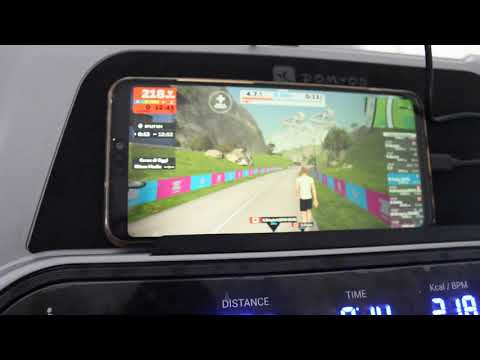](https://www.youtube.com/watch?v=GgG3dMhmo2Y)
|
||||
|
||||

|
||||

|
||||
|
||||
UI on Linux
|
||||
|
||||

|
||||
|
||||
UI on MacOS
|
||||
|
||||
### Features
|
||||
|
||||
# UI Features
|
||||
|
||||
|Feature|Bike|Treadmill|Elliptical|Rower|Notes|
|
||||
|:---|:---:|:---:|:---:|:---:|---:|
|
||||
|Tiles Customization|X|X|X|X|Order and visibility of each tile|
|
||||
|Profiles|X|X|X|X|Different user or different fitness device profiles|
|
||||
|UI Zoom Customization|X|X|X|X||
|
||||
|
||||
# Peloton Features
|
||||
|
||||
|Feature|Bike|Treadmill|Elliptical|Rower|Notes|
|
||||
|:---|:---:|:---:|:---:|:---:|---:|
|
||||
|Bike metrics on the peloton app|X||X|||
|
||||
|Power zone with auto resistance|X|||||
|
||||
|Peloton real-time resistance conversion|X||X||with the possibility to customize it|
|
||||
|Peloton real-time auto-resistance|X||X||with the possibility to customize it|
|
||||
|Peloton auto speed and auto inclination||X|X||with the possibility to customize it|
|
||||
|
||||
# Heart Rate Features
|
||||
|
||||
|Feature|Bike|Treadmill|Elliptical|Rower|Notes|
|
||||
|:---|:---:|:---:|:---:|:---:|---:|
|
||||
|Heart Rate support|X|X|X|X|Apple Watch, ANT+ devices and Bluetooth devices|
|
||||
|Heart Rate Zones Customizations|X|X|X|X||
|
||||
|Ability to calculate Wattage from HR and Cadence|X||||for the bikes that doesn't have a power sensor|
|
||||
|
||||
# 3rd Apps Compatibility
|
||||
|
||||
|Feature|Bike|Treadmill|Elliptical|Rower|Notes|
|
||||
|:---|:---:|:---:|:---:|:---:|---:|
|
||||
|Zwift Compatibility|X|X|X|X||
|
||||
|Zwift Auto resistance|X||X|||
|
||||
|Zwift Auto inclination and speed||X|X||https://www.youtube.com/watch?v=KTQ2n7yeDbo|
|
||||
|Wahoo RGT Compatibility|X|X|X|X||
|
||||
|VzFit Compatibility|X|X|X|X||
|
||||
|Rouvy Compatibility|X|X|X|X||
|
||||
|IFIT app Compatibility|X|||||
|
||||
|Echelon app Compatibility|X|||||
|
||||
|Wahoo Dircon Compatibility|X|X|X|X|in order to send data to Zwift or RGT with Wifi only!|
|
||||
|One device only support for Zwift and Wahoo RGT|X|X|X|X|using Wahoo Dircon https://www.youtube.com/watch?v=gYYUXNWFAok|
|
||||
|BitGym Compatibility|X|X|X|X||
|
||||
|
||||
# Training Program
|
||||
|Feature|Bike|Treadmill|Elliptical|Rower|Notes|
|
||||
|:---|:---:|:---:|:---:|:---:|---:|
|
||||
|Builtin video support (Kinomap like)|X|X|X|X|Files could be local or on the cloud!|
|
||||
|GPX auto following|X|X|X|X||
|
||||
|2D/3D maps for GPX|X|X|X|X||
|
||||
|ZWO (Zwift workout file) compatibility|X|X|X|X||
|
||||
|XML Workout file compatibility|X|X|X|X||
|
||||
|Auto follow workout based on your heart rate|X|X|X|X||
|
||||
|Random workout|X|X|X|X||
|
||||
|
||||
|
||||
# Statistics
|
||||
|
||||
|Feature|Bike|Treadmill|Elliptical|Rower|Notes|
|
||||
|:---|:---:|:---:|:---:|:---:|---:|
|
||||
|E-Mail report|X|X|X|X|at the end of the workout|
|
||||
|Strava integration|X|X|X|X|press stop at the end of the workout to auto upload it|
|
||||
|
||||
# Misc
|
||||
|
||||
|Feature|Bike|Treadmill|Elliptical|Rower|Notes|
|
||||
|:---|:---:|:---:|:---:|:---:|---:|
|
||||
|Resistance shifting with bluetooth remote|X||X|||
|
||||
|TTS support|X|X|X|X||
|
||||
|Zwift Play & Click support|X|||||
|
||||
|MQTT integration|X|X|X|X||
|
||||
|OpenSoundControl integration|X|X|X|X||
|
||||
1. Domyos compatible
|
||||
2. Toorx TRX Route Key compatible
|
||||
3. Echelon Connect Sport compatible
|
||||
4. Zwift compatible
|
||||
5. Create, load and save train programs
|
||||
6. Measure distance, elevation gain and watts
|
||||
7. Gpx import (with difficulty slider)
|
||||
8. Realtime Charts
|
||||
|
||||

|
||||
|
||||
### Installation
|
||||
|
||||
You can install it on multiple platforms.
|
||||
Read the [installation procedure](docs/10_Installation.md)
|
||||
You can install on multiple platforms.
|
||||
Read the [installation procedure](docs/10_Installation.md)
|
||||
|
||||
|
||||
### Tested on
|
||||
|
||||
The QDomyos-Zwift application can run on [Macintosh or Linux devices](docs/10_Installation.md) iOS, and Android.
|
||||
It supports any [FTMS-compatible application](docs/20_supported_devices_and_applications.md) software and most [bluetooth enabled device](docs/20_supported_devices_and_applications.md).
|
||||
You can run the app on [Macintosh or Linux devices](docs/10_Installation.md). IOS and Android are also supported.
|
||||
|
||||
### No GUI version
|
||||
QDomyos-Zwift works on every [FTMS-compatible application](docs/20_supported_devices_and_applications.md), and virtually any [bluetooth enabled device](docs/20_supported_devices_and_applications.md).
|
||||
|
||||
### No gui version
|
||||
|
||||
run as
|
||||
|
||||
$ sudo ./qdomyos-zwift -no-gui
|
||||
$ sudo ./qdomyos-zwift -no-gui
|
||||
|
||||
### Reference
|
||||
|
||||
=> GitHub Repository: [QDomyos-Zwift on GitHub](https://github.com/ProH4Ck/treadmill-bridge)
|
||||
https://github.com/ProH4Ck/treadmill-bridge
|
||||
|
||||
=> Treadmill Incline Reference: [What Is 10 Degrees in Incline on a Treadmill?](https://www.livestrong.com/article/422012-what-is-10-degrees-in-incline-on-a-treadmill/)
|
||||
https://www.livestrong.com/article/422012-what-is-10-degrees-in-incline-on-a-treadmill/
|
||||
|
||||
=> Icon Attribution: Icons used in this documentation are from [Flaticon.com](https://www.flaticon.com)
|
||||
Icons used in this documentation comes from [flaticon.com](https://www.flaticon.com)
|
||||
|
||||
### Blog
|
||||
|
||||
=> Related Blog: [Roberto Viola's Blog](https://robertoviola.cloud)
|
||||
https://robertoviola.cloud
|
||||
|
||||
@@ -1,84 +0,0 @@
|
||||
//
|
||||
// QZWidget.swift
|
||||
// QZWidget
|
||||
//
|
||||
// Created by Roberto Viola on 04/10/25.
|
||||
//
|
||||
|
||||
import WidgetKit
|
||||
import SwiftUI
|
||||
|
||||
struct Provider: TimelineProvider {
|
||||
func placeholder(in context: Context) -> SimpleEntry {
|
||||
SimpleEntry(date: Date(), emoji: "😀")
|
||||
}
|
||||
|
||||
func getSnapshot(in context: Context, completion: @escaping (SimpleEntry) -> ()) {
|
||||
let entry = SimpleEntry(date: Date(), emoji: "😀")
|
||||
completion(entry)
|
||||
}
|
||||
|
||||
func getTimeline(in context: Context, completion: @escaping (Timeline<Entry>) -> ()) {
|
||||
var entries: [SimpleEntry] = []
|
||||
|
||||
// Generate a timeline consisting of five entries an hour apart, starting from the current date.
|
||||
let currentDate = Date()
|
||||
for hourOffset in 0 ..< 5 {
|
||||
let entryDate = Calendar.current.date(byAdding: .hour, value: hourOffset, to: currentDate)!
|
||||
let entry = SimpleEntry(date: entryDate, emoji: "😀")
|
||||
entries.append(entry)
|
||||
}
|
||||
|
||||
let timeline = Timeline(entries: entries, policy: .atEnd)
|
||||
completion(timeline)
|
||||
}
|
||||
|
||||
// func relevances() async -> WidgetRelevances<Void> {
|
||||
// // Generate a list containing the contexts this widget is relevant in.
|
||||
// }
|
||||
}
|
||||
|
||||
struct SimpleEntry: TimelineEntry {
|
||||
let date: Date
|
||||
let emoji: String
|
||||
}
|
||||
|
||||
struct QZWidgetEntryView : View {
|
||||
var entry: Provider.Entry
|
||||
|
||||
var body: some View {
|
||||
VStack {
|
||||
Text("Time:")
|
||||
Text(entry.date, style: .time)
|
||||
|
||||
Text("Emoji:")
|
||||
Text(entry.emoji)
|
||||
}
|
||||
}
|
||||
}
|
||||
|
||||
struct QZWidget: Widget {
|
||||
let kind: String = "QZWidget"
|
||||
|
||||
var body: some WidgetConfiguration {
|
||||
StaticConfiguration(kind: kind, provider: Provider()) { entry in
|
||||
if #available(iOS 17.0, *) {
|
||||
QZWidgetEntryView(entry: entry)
|
||||
.containerBackground(.fill.tertiary, for: .widget)
|
||||
} else {
|
||||
QZWidgetEntryView(entry: entry)
|
||||
.padding()
|
||||
.background()
|
||||
}
|
||||
}
|
||||
.configurationDisplayName("My Widget")
|
||||
.description("This is an example widget.")
|
||||
}
|
||||
}
|
||||
|
||||
#Preview(as: .systemSmall) {
|
||||
QZWidget()
|
||||
} timeline: {
|
||||
SimpleEntry(date: .now, emoji: "😀")
|
||||
SimpleEntry(date: .now, emoji: "🤩")
|
||||
}
|
||||
@@ -1,18 +0,0 @@
|
||||
//
|
||||
// QZWidgetBundle.swift
|
||||
// QZWidget
|
||||
//
|
||||
// Created by Roberto Viola on 04/10/25.
|
||||
//
|
||||
|
||||
import WidgetKit
|
||||
import SwiftUI
|
||||
|
||||
@main
|
||||
struct QZWidgetBundle: WidgetBundle {
|
||||
var body: some Widget {
|
||||
QZWidget()
|
||||
QZWidgetControl()
|
||||
QZWidgetLiveActivity()
|
||||
}
|
||||
}
|
||||
@@ -1,54 +0,0 @@
|
||||
//
|
||||
// QZWidgetControl.swift
|
||||
// QZWidget
|
||||
//
|
||||
// Created by Roberto Viola on 04/10/25.
|
||||
//
|
||||
|
||||
import AppIntents
|
||||
import SwiftUI
|
||||
import WidgetKit
|
||||
|
||||
struct QZWidgetControl: ControlWidget {
|
||||
var body: some ControlWidgetConfiguration {
|
||||
StaticControlConfiguration(
|
||||
kind: "org.cagnulein.qdomyoszwift.QZWidget",
|
||||
provider: Provider()
|
||||
) { value in
|
||||
ControlWidgetToggle(
|
||||
"Start Timer",
|
||||
isOn: value,
|
||||
action: StartTimerIntent()
|
||||
) { isRunning in
|
||||
Label(isRunning ? "On" : "Off", systemImage: "timer")
|
||||
}
|
||||
}
|
||||
.displayName("Timer")
|
||||
.description("A an example control that runs a timer.")
|
||||
}
|
||||
}
|
||||
|
||||
extension QZWidgetControl {
|
||||
struct Provider: ControlValueProvider {
|
||||
var previewValue: Bool {
|
||||
false
|
||||
}
|
||||
|
||||
func currentValue() async throws -> Bool {
|
||||
let isRunning = true // Check if the timer is running
|
||||
return isRunning
|
||||
}
|
||||
}
|
||||
}
|
||||
|
||||
struct StartTimerIntent: SetValueIntent {
|
||||
static let title: LocalizedStringResource = "Start a timer"
|
||||
|
||||
@Parameter(title: "Timer is running")
|
||||
var value: Bool
|
||||
|
||||
func perform() async throws -> some IntentResult {
|
||||
// Start / stop the timer based on `value`.
|
||||
return .result()
|
||||
}
|
||||
}
|
||||
@@ -1,174 +0,0 @@
|
||||
//
|
||||
// QZWidgetLiveActivity.swift
|
||||
// QDomyos-Zwift Live Activity Widget
|
||||
//
|
||||
// Displays workout metrics on Dynamic Island and Lock Screen
|
||||
//
|
||||
|
||||
import ActivityKit
|
||||
import WidgetKit
|
||||
import SwiftUI
|
||||
|
||||
// QZWorkoutAttributes is defined in QZWorkoutAttributes.swift (shared file)
|
||||
|
||||
// MARK: - Live Activity Widget
|
||||
@available(iOS 16.1, *)
|
||||
struct QZWidgetLiveActivity: Widget {
|
||||
var body: some WidgetConfiguration {
|
||||
ActivityConfiguration(for: QZWorkoutAttributes.self) { context in
|
||||
// Lock screen/banner UI
|
||||
LockScreenLiveActivityView(context: context)
|
||||
} dynamicIsland: { context in
|
||||
DynamicIsland {
|
||||
// Expanded UI
|
||||
DynamicIslandExpandedRegion(.leading) {
|
||||
VStack(alignment: .leading, spacing: 4) {
|
||||
let speed = context.attributes.useMiles ? context.state.speed * 0.621371 : context.state.speed
|
||||
let speedUnit = context.attributes.useMiles ? "mph" : "km/h"
|
||||
Label("\(Int(speed)) \(speedUnit)", systemImage: "speedometer")
|
||||
.font(.caption)
|
||||
Label("\(context.state.heartRate) bpm", systemImage: "heart.fill")
|
||||
.font(.caption)
|
||||
.foregroundColor(.red)
|
||||
}
|
||||
}
|
||||
|
||||
DynamicIslandExpandedRegion(.trailing) {
|
||||
VStack(alignment: .trailing, spacing: 4) {
|
||||
Label("\(Int(context.state.power)) W", systemImage: "bolt.fill")
|
||||
.font(.caption)
|
||||
.foregroundColor(.yellow)
|
||||
Label("\(Int(context.state.cadence)) rpm", systemImage: "arrow.clockwise")
|
||||
.font(.caption)
|
||||
}
|
||||
}
|
||||
|
||||
DynamicIslandExpandedRegion(.center) {
|
||||
// Empty or can add more info
|
||||
}
|
||||
|
||||
DynamicIslandExpandedRegion(.bottom) {
|
||||
HStack {
|
||||
let distanceKm = context.state.distance / 1000.0
|
||||
let distance = context.attributes.useMiles ? distanceKm * 0.621371 : distanceKm
|
||||
let distanceUnit = context.attributes.useMiles ? "mi" : "km"
|
||||
Label(String(format: "%.2f \(distanceUnit)", distance), systemImage: "map")
|
||||
Spacer()
|
||||
Label("\(Int(context.state.kcal)) kcal", systemImage: "flame.fill")
|
||||
.foregroundColor(.orange)
|
||||
}
|
||||
.font(.caption)
|
||||
.padding(.horizontal)
|
||||
}
|
||||
} compactLeading: {
|
||||
// Compact leading (left side of Dynamic Island)
|
||||
HStack(spacing: 2) {
|
||||
Image(systemName: "heart.fill")
|
||||
.foregroundColor(.red)
|
||||
Text("\(context.state.heartRate)")
|
||||
.font(.caption2)
|
||||
}
|
||||
} compactTrailing: {
|
||||
// Compact trailing (right side of Dynamic Island)
|
||||
HStack(spacing: 2) {
|
||||
Image(systemName: "bolt.fill")
|
||||
.foregroundColor(.yellow)
|
||||
Text("\(Int(context.state.power))")
|
||||
.font(.caption2)
|
||||
}
|
||||
} minimal: {
|
||||
// Minimal view (when multiple activities)
|
||||
Image(systemName: "figure.run")
|
||||
}
|
||||
}
|
||||
}
|
||||
}
|
||||
|
||||
// MARK: - Lock Screen View
|
||||
@available(iOS 16.1, *)
|
||||
struct LockScreenLiveActivityView: View {
|
||||
let context: ActivityViewContext<QZWorkoutAttributes>
|
||||
|
||||
var body: some View {
|
||||
VStack(alignment: .leading, spacing: 8) {
|
||||
HStack {
|
||||
Image(systemName: "figure.indoor.cycle")
|
||||
.foregroundColor(.blue)
|
||||
Text(context.attributes.deviceName)
|
||||
.font(.headline)
|
||||
Spacer()
|
||||
}
|
||||
|
||||
HStack(spacing: 16) {
|
||||
let speed = context.attributes.useMiles ? context.state.speed * 0.621371 : context.state.speed
|
||||
let speedUnit = context.attributes.useMiles ? "mph" : "km/h"
|
||||
MetricView(icon: "speedometer", value: String(format: "%.1f", speed), unit: speedUnit)
|
||||
MetricView(icon: "heart.fill", value: "\(context.state.heartRate)", unit: "bpm", color: .red)
|
||||
MetricView(icon: "bolt.fill", value: "\(Int(context.state.power))", unit: "W", color: .yellow)
|
||||
}
|
||||
|
||||
HStack(spacing: 16) {
|
||||
let distanceKm = context.state.distance / 1000.0
|
||||
let distance = context.attributes.useMiles ? distanceKm * 0.621371 : distanceKm
|
||||
let distanceUnit = context.attributes.useMiles ? "mi" : "km"
|
||||
MetricView(icon: "arrow.clockwise", value: "\(Int(context.state.cadence))", unit: "rpm")
|
||||
MetricView(icon: "map", value: String(format: "%.2f", distance), unit: distanceUnit)
|
||||
MetricView(icon: "flame.fill", value: "\(Int(context.state.kcal))", unit: "kcal", color: .orange)
|
||||
}
|
||||
}
|
||||
.padding()
|
||||
}
|
||||
}
|
||||
|
||||
// MARK: - Metric View Component
|
||||
struct MetricView: View {
|
||||
let icon: String
|
||||
let value: String
|
||||
let unit: String
|
||||
var color: Color = .primary
|
||||
|
||||
var body: some View {
|
||||
VStack(spacing: 2) {
|
||||
Image(systemName: icon)
|
||||
.foregroundColor(color)
|
||||
.font(.caption)
|
||||
Text(value)
|
||||
.font(.system(.body, design: .rounded))
|
||||
.fontWeight(.semibold)
|
||||
Text(unit)
|
||||
.font(.caption2)
|
||||
.foregroundColor(.secondary)
|
||||
}
|
||||
.frame(maxWidth: .infinity)
|
||||
}
|
||||
}
|
||||
|
||||
// MARK: - Preview
|
||||
@available(iOS 16.1, *)
|
||||
struct QZWidgetLiveActivity_Previews: PreviewProvider {
|
||||
static let attributes = QZWorkoutAttributes(deviceName: "QZ Bike", useMiles: false)
|
||||
static let contentState = QZWorkoutAttributes.ContentState(
|
||||
speed: 25.5,
|
||||
cadence: 85,
|
||||
power: 200,
|
||||
heartRate: 145,
|
||||
distance: 12500, // meters (will be displayed as 12.50 km or 7.77 mi)
|
||||
kcal: 320,
|
||||
useMiles: false
|
||||
)
|
||||
|
||||
static var previews: some View {
|
||||
attributes
|
||||
.previewContext(contentState, viewKind: .dynamicIsland(.compact))
|
||||
.previewDisplayName("Island Compact")
|
||||
attributes
|
||||
.previewContext(contentState, viewKind: .dynamicIsland(.expanded))
|
||||
.previewDisplayName("Island Expanded")
|
||||
attributes
|
||||
.previewContext(contentState, viewKind: .dynamicIsland(.minimal))
|
||||
.previewDisplayName("Minimal")
|
||||
attributes
|
||||
.previewContext(contentState, viewKind: .content)
|
||||
.previewDisplayName("Lock Screen")
|
||||
}
|
||||
}
|
||||
@@ -1,41 +0,0 @@
|
||||
//
|
||||
// QZWorkoutAttributes.swift
|
||||
// QDomyos-Zwift
|
||||
//
|
||||
// Shared attributes for Live Activities
|
||||
// MUST be included in both qdomyoszwift and QZWidget targets
|
||||
//
|
||||
|
||||
import Foundation
|
||||
import ActivityKit
|
||||
|
||||
@available(iOS 16.1, *)
|
||||
public struct QZWorkoutAttributes: ActivityAttributes {
|
||||
public struct ContentState: Codable, Hashable {
|
||||
public var speed: Double
|
||||
public var cadence: Double
|
||||
public var power: Double
|
||||
public var heartRate: Int
|
||||
public var distance: Double
|
||||
public var kcal: Double
|
||||
public var useMiles: Bool
|
||||
|
||||
public init(speed: Double, cadence: Double, power: Double, heartRate: Int, distance: Double, kcal: Double, useMiles: Bool) {
|
||||
self.speed = speed
|
||||
self.cadence = cadence
|
||||
self.power = power
|
||||
self.heartRate = heartRate
|
||||
self.distance = distance
|
||||
self.kcal = kcal
|
||||
self.useMiles = useMiles
|
||||
}
|
||||
}
|
||||
|
||||
public var deviceName: String
|
||||
public var useMiles: Bool
|
||||
|
||||
public init(deviceName: String, useMiles: Bool) {
|
||||
self.deviceName = deviceName
|
||||
self.useMiles = useMiles
|
||||
}
|
||||
}
|
||||
@@ -2,4 +2,3 @@
|
||||
// Use this file to import your target's public headers that you would like to expose to Swift.
|
||||
//
|
||||
|
||||
#import "swiftDebug.h"
|
||||
|
||||
@@ -53,17 +53,12 @@ qdomyoszwift.xcodeproj/project.pbxproj: ../src/qdomyos-zwift.pro ../../Qt/5.15.2
|
||||
../../Qt/5.15.2/ios/mkspecs/modules/qt_lib_accessibility_support_private.pri \
|
||||
../../Qt/5.15.2/ios/mkspecs/modules/qt_lib_bluetooth.pri \
|
||||
../../Qt/5.15.2/ios/mkspecs/modules/qt_lib_bluetooth_private.pri \
|
||||
../../Qt/5.15.2/ios/mkspecs/modules/qt_lib_bodymovin_private.pri \
|
||||
../../Qt/5.15.2/ios/mkspecs/modules/qt_lib_bootstrap_private.pri \
|
||||
../../Qt/5.15.2/ios/mkspecs/modules/qt_lib_charts.pri \
|
||||
../../Qt/5.15.2/ios/mkspecs/modules/qt_lib_charts_private.pri \
|
||||
../../Qt/5.15.2/ios/mkspecs/modules/qt_lib_clipboard_support_private.pri \
|
||||
../../Qt/5.15.2/ios/mkspecs/modules/qt_lib_concurrent.pri \
|
||||
../../Qt/5.15.2/ios/mkspecs/modules/qt_lib_concurrent_private.pri \
|
||||
../../Qt/5.15.2/ios/mkspecs/modules/qt_lib_core.pri \
|
||||
../../Qt/5.15.2/ios/mkspecs/modules/qt_lib_core_private.pri \
|
||||
../../Qt/5.15.2/ios/mkspecs/modules/qt_lib_datavisualization.pri \
|
||||
../../Qt/5.15.2/ios/mkspecs/modules/qt_lib_datavisualization_private.pri \
|
||||
../../Qt/5.15.2/ios/mkspecs/modules/qt_lib_devicediscovery_support_private.pri \
|
||||
../../Qt/5.15.2/ios/mkspecs/modules/qt_lib_edid_support_private.pri \
|
||||
../../Qt/5.15.2/ios/mkspecs/modules/qt_lib_eventdispatcher_support_private.pri \
|
||||
@@ -76,9 +71,6 @@ qdomyoszwift.xcodeproj/project.pbxproj: ../src/qdomyos-zwift.pro ../../Qt/5.15.2
|
||||
../../Qt/5.15.2/ios/mkspecs/modules/qt_lib_gui_private.pri \
|
||||
../../Qt/5.15.2/ios/mkspecs/modules/qt_lib_help.pri \
|
||||
../../Qt/5.15.2/ios/mkspecs/modules/qt_lib_help_private.pri \
|
||||
../../Qt/5.15.2/ios/mkspecs/modules-inst/qt_lib_httpserver.pri \
|
||||
../../Qt/5.15.2/ios/mkspecs/modules-inst/qt_lib_httpserver_private.pri \
|
||||
../../Qt/5.15.2/ios/mkspecs/modules/qt_lib_httpserver.pri \
|
||||
../../Qt/5.15.2/ios/mkspecs/modules/qt_lib_location.pri \
|
||||
../../Qt/5.15.2/ios/mkspecs/modules/qt_lib_location_private.pri \
|
||||
../../Qt/5.15.2/ios/mkspecs/modules/qt_lib_macextras.pri \
|
||||
@@ -103,8 +95,6 @@ qdomyoszwift.xcodeproj/project.pbxproj: ../src/qdomyos-zwift.pro ../../Qt/5.15.2
|
||||
../../Qt/5.15.2/ios/mkspecs/modules/qt_lib_positioning_private.pri \
|
||||
../../Qt/5.15.2/ios/mkspecs/modules/qt_lib_positioningquick.pri \
|
||||
../../Qt/5.15.2/ios/mkspecs/modules/qt_lib_positioningquick_private.pri \
|
||||
../../Qt/5.15.2/ios/mkspecs/modules/qt_lib_purchasing.pri \
|
||||
../../Qt/5.15.2/ios/mkspecs/modules/qt_lib_purchasing_private.pri \
|
||||
../../Qt/5.15.2/ios/mkspecs/modules/qt_lib_qml.pri \
|
||||
../../Qt/5.15.2/ios/mkspecs/modules/qt_lib_qml_private.pri \
|
||||
../../Qt/5.15.2/ios/mkspecs/modules/qt_lib_qmldebug_private.pri \
|
||||
@@ -117,16 +107,6 @@ qdomyoszwift.xcodeproj/project.pbxproj: ../src/qdomyos-zwift.pro ../../Qt/5.15.2
|
||||
../../Qt/5.15.2/ios/mkspecs/modules/qt_lib_qmlworkerscript_private.pri \
|
||||
../../Qt/5.15.2/ios/mkspecs/modules/qt_lib_qtmultimediaquicktools_private.pri \
|
||||
../../Qt/5.15.2/ios/mkspecs/modules/qt_lib_quick.pri \
|
||||
../../Qt/5.15.2/ios/mkspecs/modules/qt_lib_quick3d.pri \
|
||||
../../Qt/5.15.2/ios/mkspecs/modules/qt_lib_quick3d_private.pri \
|
||||
../../Qt/5.15.2/ios/mkspecs/modules/qt_lib_quick3dassetimport.pri \
|
||||
../../Qt/5.15.2/ios/mkspecs/modules/qt_lib_quick3dassetimport_private.pri \
|
||||
../../Qt/5.15.2/ios/mkspecs/modules/qt_lib_quick3drender.pri \
|
||||
../../Qt/5.15.2/ios/mkspecs/modules/qt_lib_quick3drender_private.pri \
|
||||
../../Qt/5.15.2/ios/mkspecs/modules/qt_lib_quick3druntimerender.pri \
|
||||
../../Qt/5.15.2/ios/mkspecs/modules/qt_lib_quick3druntimerender_private.pri \
|
||||
../../Qt/5.15.2/ios/mkspecs/modules/qt_lib_quick3dutils.pri \
|
||||
../../Qt/5.15.2/ios/mkspecs/modules/qt_lib_quick3dutils_private.pri \
|
||||
../../Qt/5.15.2/ios/mkspecs/modules/qt_lib_quick_private.pri \
|
||||
../../Qt/5.15.2/ios/mkspecs/modules/qt_lib_quickcontrols2.pri \
|
||||
../../Qt/5.15.2/ios/mkspecs/modules/qt_lib_quickcontrols2_private.pri \
|
||||
@@ -140,21 +120,12 @@ qdomyoszwift.xcodeproj/project.pbxproj: ../src/qdomyos-zwift.pro ../../Qt/5.15.2
|
||||
../../Qt/5.15.2/ios/mkspecs/modules/qt_lib_remoteobjects_private.pri \
|
||||
../../Qt/5.15.2/ios/mkspecs/modules/qt_lib_repparser.pri \
|
||||
../../Qt/5.15.2/ios/mkspecs/modules/qt_lib_repparser_private.pri \
|
||||
../../Qt/5.15.2/ios/mkspecs/modules/qt_lib_script.pri \
|
||||
../../Qt/5.15.2/ios/mkspecs/modules/qt_lib_script_private.pri \
|
||||
../../Qt/5.15.2/ios/mkspecs/modules/qt_lib_scripttools.pri \
|
||||
../../Qt/5.15.2/ios/mkspecs/modules/qt_lib_scripttools_private.pri \
|
||||
../../Qt/5.15.2/ios/mkspecs/modules/qt_lib_scxml.pri \
|
||||
../../Qt/5.15.2/ios/mkspecs/modules/qt_lib_scxml_private.pri \
|
||||
../../Qt/5.15.2/ios/mkspecs/modules/qt_lib_sensors.pri \
|
||||
../../Qt/5.15.2/ios/mkspecs/modules/qt_lib_sensors_private.pri \
|
||||
../../Qt/5.15.2/ios/mkspecs/modules/qt_lib_serialbus.pri \
|
||||
../../Qt/5.15.2/ios/mkspecs/modules/qt_lib_serialbus_private.pri \
|
||||
../../Qt/5.15.2/ios/mkspecs/modules/qt_lib_sql.pri \
|
||||
../../Qt/5.15.2/ios/mkspecs/modules/qt_lib_sql_private.pri \
|
||||
../../Qt/5.15.2/ios/mkspecs/modules-inst/qt_lib_sslserver.pri \
|
||||
../../Qt/5.15.2/ios/mkspecs/modules-inst/qt_lib_sslserver_private.pri \
|
||||
../../Qt/5.15.2/ios/mkspecs/modules/qt_lib_sslserver.pri \
|
||||
../../Qt/5.15.2/ios/mkspecs/modules/qt_lib_svg.pri \
|
||||
../../Qt/5.15.2/ios/mkspecs/modules/qt_lib_svg_private.pri \
|
||||
../../Qt/5.15.2/ios/mkspecs/modules/qt_lib_testlib.pri \
|
||||
@@ -165,8 +136,6 @@ qdomyoszwift.xcodeproj/project.pbxproj: ../src/qdomyos-zwift.pro ../../Qt/5.15.2
|
||||
../../Qt/5.15.2/ios/mkspecs/modules/qt_lib_uiplugin.pri \
|
||||
../../Qt/5.15.2/ios/mkspecs/modules/qt_lib_uitools.pri \
|
||||
../../Qt/5.15.2/ios/mkspecs/modules/qt_lib_uitools_private.pri \
|
||||
../../Qt/5.15.2/ios/mkspecs/modules/qt_lib_virtualkeyboard.pri \
|
||||
../../Qt/5.15.2/ios/mkspecs/modules/qt_lib_virtualkeyboard_private.pri \
|
||||
../../Qt/5.15.2/ios/mkspecs/modules/qt_lib_webchannel.pri \
|
||||
../../Qt/5.15.2/ios/mkspecs/modules/qt_lib_webchannel_private.pri \
|
||||
../../Qt/5.15.2/ios/mkspecs/modules/qt_lib_websockets.pri \
|
||||
@@ -225,26 +194,15 @@ qdomyoszwift.xcodeproj/project.pbxproj: ../src/qdomyos-zwift.pro ../../Qt/5.15.2
|
||||
../../Qt/5.15.2/ios/mkspecs/modules/qt_plugin_qtiff.pri \
|
||||
../../Qt/5.15.2/ios/mkspecs/modules/qt_plugin_qtmedia_audioengine.pri \
|
||||
../../Qt/5.15.2/ios/mkspecs/modules/qt_plugin_qtmultimedia_m3u.pri \
|
||||
../../Qt/5.15.2/ios/mkspecs/modules/qt_plugin_qtpassthrucanbus.pri \
|
||||
../../Qt/5.15.2/ios/mkspecs/modules/qt_plugin_qtpeakcanbus.pri \
|
||||
../../Qt/5.15.2/ios/mkspecs/modules/qt_plugin_qtposition_cl.pri \
|
||||
../../Qt/5.15.2/ios/mkspecs/modules/qt_plugin_qtposition_positionpoll.pri \
|
||||
../../Qt/5.15.2/ios/mkspecs/modules/qt_plugin_qtsensorgestures_plugin.pri \
|
||||
../../Qt/5.15.2/ios/mkspecs/modules/qt_plugin_qtsensorgestures_shakeplugin.pri \
|
||||
../../Qt/5.15.2/ios/mkspecs/modules/qt_plugin_qtsensors_generic.pri \
|
||||
../../Qt/5.15.2/ios/mkspecs/modules/qt_plugin_qtsensors_ios.pri \
|
||||
../../Qt/5.15.2/ios/mkspecs/modules/qt_plugin_qttinycanbus.pri \
|
||||
../../Qt/5.15.2/ios/mkspecs/modules/qt_plugin_qtuiotouchplugin.pri \
|
||||
../../Qt/5.15.2/ios/mkspecs/modules/qt_plugin_qtvirtualcanbus.pri \
|
||||
../../Qt/5.15.2/ios/mkspecs/modules/qt_plugin_qtvirtualkeyboard_hangul.pri \
|
||||
../../Qt/5.15.2/ios/mkspecs/modules/qt_plugin_qtvirtualkeyboard_openwnn.pri \
|
||||
../../Qt/5.15.2/ios/mkspecs/modules/qt_plugin_qtvirtualkeyboard_pinyin.pri \
|
||||
../../Qt/5.15.2/ios/mkspecs/modules/qt_plugin_qtvirtualkeyboard_tcime.pri \
|
||||
../../Qt/5.15.2/ios/mkspecs/modules/qt_plugin_qtvirtualkeyboard_thai.pri \
|
||||
../../Qt/5.15.2/ios/mkspecs/modules/qt_plugin_qtvirtualkeyboardplugin.pri \
|
||||
../../Qt/5.15.2/ios/mkspecs/modules/qt_plugin_qtwebview_darwin.pri \
|
||||
../../Qt/5.15.2/ios/mkspecs/modules/qt_plugin_qwbmp.pri \
|
||||
../../Qt/5.15.2/ios/mkspecs/modules/qt_plugin_qwebgl.pri \
|
||||
../../Qt/5.15.2/ios/mkspecs/modules/qt_plugin_qwebp.pri \
|
||||
../../Qt/5.15.2/ios/mkspecs/modules/qt_plugin_scene2d.pri \
|
||||
../../Qt/5.15.2/ios/mkspecs/features/qt_functions.prf \
|
||||
@@ -261,9 +219,6 @@ qdomyoszwift.xcodeproj/project.pbxproj: ../src/qdomyos-zwift.pro ../../Qt/5.15.2
|
||||
../../Qt/5.15.2/ios/mkspecs/features/default_pre.prf \
|
||||
../../Qt/5.15.2/ios/mkspecs/features/mac/default_pre.prf \
|
||||
../../Qt/5.15.2/ios/mkspecs/features/uikit/default_pre.prf \
|
||||
../defaults.pri \
|
||||
../src/purchasing/purchasing.pri \
|
||||
../src/qdomyos-zwift.pri \
|
||||
../../Qt/5.15.2/ios/mkspecs/features/resolve_config.prf \
|
||||
../../Qt/5.15.2/ios/mkspecs/features/uikit/resolve_config.prf \
|
||||
../../Qt/5.15.2/ios/mkspecs/features/default_post.prf \
|
||||
@@ -271,9 +226,6 @@ qdomyoszwift.xcodeproj/project.pbxproj: ../src/qdomyos-zwift.pro ../../Qt/5.15.2
|
||||
../../Qt/5.15.2/ios/mkspecs/features/uikit/default_post.prf \
|
||||
../../Qt/5.15.2/ios/mkspecs/macx-ios-clang/features/default_post.prf \
|
||||
../../Qt/5.15.2/ios/mkspecs/features/mac/objective_c.prf \
|
||||
../../Qt/5.15.2/ios/mkspecs/features/qmltypes.prf \
|
||||
../../Qt/5.15.2/ios/mkspecs/features/metatypes.prf \
|
||||
../../Qt/5.15.2/ios/mkspecs/features/ltcg.prf \
|
||||
../../Qt/5.15.2/ios/mkspecs/features/qml_debug.prf \
|
||||
../../Qt/5.15.2/ios/mkspecs/features/mac/mac.prf \
|
||||
../../Qt/5.15.2/ios/mkspecs/features/uikit/bitcode.prf \
|
||||
@@ -312,18 +264,6 @@ qdomyoszwift.xcodeproj/project.pbxproj: ../src/qdomyos-zwift.pro ../../Qt/5.15.2
|
||||
../../Qt/5.15.2/ios/lib/libqtharfbuzz_debug.prl \
|
||||
../../Qt/5.15.2/ios/lib/libQt5Core_debug.prl \
|
||||
../../Qt/5.15.2/ios/lib/libqtpcre2_debug.prl \
|
||||
../../Qt/5.15.2/ios/plugins/mediaservice/libqavfmediaplayer_debug.prl \
|
||||
../../Qt/5.15.2/ios/plugins/geoservices/libqtgeoservices_esri_debug.prl \
|
||||
../../Qt/5.15.2/ios/plugins/geoservices/libqtgeoservices_itemsoverlay_debug.prl \
|
||||
../../Qt/5.15.2/ios/plugins/geoservices/libqtgeoservices_mapbox_debug.prl \
|
||||
../../Qt/5.15.2/ios/plugins/geoservices/libqtgeoservices_mapboxgl_debug.prl \
|
||||
../../Qt/5.15.2/ios/plugins/geoservices/libqtgeoservices_nokia_debug.prl \
|
||||
../../Qt/5.15.2/ios/plugins/geoservices/libqtgeoservices_osm_debug.prl \
|
||||
../../Qt/5.15.2/ios/plugins/webview/libqtwebview_darwin_debug.prl \
|
||||
../../Qt/5.15.2/ios/plugins/mediaservice/libqavfcamera_debug.prl \
|
||||
../../Qt/5.15.2/ios/plugins/mediaservice/libqtmedia_audioengine_debug.prl \
|
||||
../../Qt/5.15.2/ios/plugins/audio/libqtaudio_coreaudio_debug.prl \
|
||||
../../Qt/5.15.2/ios/plugins/playlistformats/libqtmultimedia_m3u_debug.prl \
|
||||
../../Qt/5.15.2/ios/plugins/imageformats/libqgif_debug.prl \
|
||||
../../Qt/5.15.2/ios/plugins/imageformats/libqicns_debug.prl \
|
||||
../../Qt/5.15.2/ios/plugins/imageformats/libqico_debug.prl \
|
||||
@@ -348,51 +288,32 @@ qdomyoszwift.xcodeproj/project.pbxproj: ../src/qdomyos-zwift.pro ../../Qt/5.15.2
|
||||
../../Qt/5.15.2/ios/plugins/qmltooling/libqmldbg_server_debug.prl \
|
||||
../../Qt/5.15.2/ios/plugins/qmltooling/libqmldbg_tcp_debug.prl \
|
||||
../../Qt/5.15.2/ios/plugins/bearer/libqgenericbearer_debug.prl \
|
||||
../../Qt/5.15.2/ios/plugins/texttospeech/libqtexttospeech_speechios_debug.prl \
|
||||
../../Qt/5.15.2/ios/plugins/sqldrivers/libqsqlite_debug.prl \
|
||||
../../Qt/5.15.2/ios/lib/libQt5HttpServer_debug.prl \
|
||||
../../Qt/5.15.2/ios/lib/libQt5SslServer_debug.prl \
|
||||
../../Qt/5.15.2/ios/lib/libQt5Charts_debug.prl \
|
||||
../../Qt/5.15.2/ios/lib/libQt5Widgets_debug.prl \
|
||||
../../Qt/5.15.2/ios/lib/libQt5Location_debug.prl \
|
||||
../../Qt/5.15.2/ios/lib/libQt5PositioningQuick_debug.prl \
|
||||
../../Qt/5.15.2/ios/lib/libQt5QuickControls2_debug.prl \
|
||||
../../Qt/5.15.2/ios/lib/libQt5Quick_debug.prl \
|
||||
../../Qt/5.15.2/ios/lib/libQt5Multimedia_debug.prl \
|
||||
../../Qt/5.15.2/ios/lib/libQt5WebView_debug.prl \
|
||||
../../Qt/5.15.2/ios/lib/libQt5Bluetooth_debug.prl \
|
||||
../../Qt/5.15.2/ios/lib/libQt5Xml_debug.prl \
|
||||
../../Qt/5.15.2/ios/lib/libQt5Positioning_debug.prl \
|
||||
../../Qt/5.15.2/ios/lib/libQt5QmlModels_debug.prl \
|
||||
../../Qt/5.15.2/ios/lib/libQt5Qml_debug.prl \
|
||||
../../Qt/5.15.2/ios/lib/libQt5NetworkAuth_debug.prl \
|
||||
../../Qt/5.15.2/ios/lib/libQt5WebSockets_debug.prl \
|
||||
../../Qt/5.15.2/ios/lib/libQt5Network_debug.prl \
|
||||
../../Qt/5.15.2/ios/lib/libQt5TextToSpeech_debug.prl \
|
||||
../../Qt/5.15.2/ios/lib/libQt5Concurrent_debug.prl \
|
||||
../../Qt/5.15.2/ios/qml/QtQuick.2/libqtquick2plugin_debug.prl \
|
||||
../../Qt/5.15.2/ios/qml/QtQuick/Layouts/libqquicklayoutsplugin_debug.prl \
|
||||
../../Qt/5.15.2/ios/qml/QtQuick/Controls.2/libqtquickcontrols2plugin_debug.prl \
|
||||
../../Qt/5.15.2/ios/qml/Qt/labs/settings/libqmlsettingsplugin_debug.prl \
|
||||
../../Qt/5.15.2/ios/qml/QtQuick/Controls.2/Material/libqtquickcontrols2materialstyleplugin_debug.prl \
|
||||
../../Qt/5.15.2/ios/qml/QtGraphicalEffects/libqtgraphicaleffectsplugin_debug.prl \
|
||||
../../Qt/5.15.2/ios/qml/QtQuick/Window.2/libwindowplugin_debug.prl \
|
||||
../../Qt/5.15.2/ios/qml/QtQml/libqmlplugin_debug.prl \
|
||||
../../Qt/5.15.2/ios/qml/QtQuick/Templates.2/libqtquicktemplates2plugin_debug.prl \
|
||||
../../Qt/5.15.2/ios/qml/QtGraphicalEffects/private/libqtgraphicaleffectsprivate_debug.prl \
|
||||
../../Qt/5.15.2/ios/qml/QtQml/Models.2/libmodelsplugin_debug.prl \
|
||||
../../Qt/5.15.2/ios/qml/QtQml/WorkerScript.2/libworkerscriptplugin_debug.prl \
|
||||
../../Qt/5.15.2/ios/qml/QtQuick/Window.2/libwindowplugin_debug.prl \
|
||||
../../Qt/5.15.2/ios/qml/QtQuick/Controls.2/Material/libqtquickcontrols2materialstyleplugin_debug.prl \
|
||||
../../Qt/5.15.2/ios/qml/QtWebView/libdeclarative_webview_debug.prl \
|
||||
../../Qt/5.15.2/ios/qml/QtCharts/libqtchartsqml2_debug.prl \
|
||||
../../Qt/5.15.2/ios/qml/Qt/labs/folderlistmodel/libqmlfolderlistmodelplugin_debug.prl \
|
||||
../../Qt/5.15.2/ios/qml/QtQuick/Dialogs/libdialogplugin_debug.prl \
|
||||
../../Qt/5.15.2/ios/qml/QtPositioning/libdeclarative_positioning_debug.prl \
|
||||
../../Qt/5.15.2/ios/qml/QtLocation/libdeclarative_location_debug.prl \
|
||||
../../Qt/5.15.2/ios/qml/Qt/labs/folderlistmodel/libqmlfolderlistmodelplugin_debug.prl \
|
||||
../../Qt/5.15.2/ios/qml/Qt/labs/settings/libqmlsettingsplugin_debug.prl \
|
||||
../../Qt/5.15.2/ios/qml/QtQuick/Dialogs/Private/libdialogsprivateplugin_debug.prl \
|
||||
../../Qt/5.15.2/ios/qml/QtQuick/Controls/libqtquickcontrolsplugin_debug.prl \
|
||||
../../Qt/5.15.2/ios/qml/QtQuick/PrivateWidgets/libwidgetsplugin_debug.prl \
|
||||
../../Qt/5.15.2/ios/qml/QtGraphicalEffects/libqtgraphicaleffectsplugin_debug.prl \
|
||||
../../Qt/5.15.2/ios/qml/Qt/labs/platform/libqtlabsplatformplugin_debug.prl \
|
||||
../../Qt/5.15.2/ios/qml/QtMultimedia/libdeclarative_multimedia_debug.prl \
|
||||
../../Qt/5.15.2/ios/qml/QtGraphicalEffects/private/libqtgraphicaleffectsprivate_debug.prl \
|
||||
../../Qt/5.15.2/ios/qml/QtQuick/Layouts/libqquicklayoutsplugin_debug.prl \
|
||||
../../Qt/5.15.2/ios/qml/QtQuick/Controls.2/Fusion/libqtquickcontrols2fusionstyleplugin_debug.prl \
|
||||
../../Qt/5.15.2/ios/qml/QtQuick/Controls.2/Universal/libqtquickcontrols2universalstyleplugin_debug.prl \
|
||||
../../Qt/5.15.2/ios/qml/QtQuick/Controls.2/Imagine/libqtquickcontrols2imaginestyleplugin_debug.prl
|
||||
@@ -440,17 +361,12 @@ qdomyoszwift.xcodeproj/project.pbxproj: ../src/qdomyos-zwift.pro ../../Qt/5.15.2
|
||||
../../Qt/5.15.2/ios/mkspecs/modules/qt_lib_accessibility_support_private.pri:
|
||||
../../Qt/5.15.2/ios/mkspecs/modules/qt_lib_bluetooth.pri:
|
||||
../../Qt/5.15.2/ios/mkspecs/modules/qt_lib_bluetooth_private.pri:
|
||||
../../Qt/5.15.2/ios/mkspecs/modules/qt_lib_bodymovin_private.pri:
|
||||
../../Qt/5.15.2/ios/mkspecs/modules/qt_lib_bootstrap_private.pri:
|
||||
../../Qt/5.15.2/ios/mkspecs/modules/qt_lib_charts.pri:
|
||||
../../Qt/5.15.2/ios/mkspecs/modules/qt_lib_charts_private.pri:
|
||||
../../Qt/5.15.2/ios/mkspecs/modules/qt_lib_clipboard_support_private.pri:
|
||||
../../Qt/5.15.2/ios/mkspecs/modules/qt_lib_concurrent.pri:
|
||||
../../Qt/5.15.2/ios/mkspecs/modules/qt_lib_concurrent_private.pri:
|
||||
../../Qt/5.15.2/ios/mkspecs/modules/qt_lib_core.pri:
|
||||
../../Qt/5.15.2/ios/mkspecs/modules/qt_lib_core_private.pri:
|
||||
../../Qt/5.15.2/ios/mkspecs/modules/qt_lib_datavisualization.pri:
|
||||
../../Qt/5.15.2/ios/mkspecs/modules/qt_lib_datavisualization_private.pri:
|
||||
../../Qt/5.15.2/ios/mkspecs/modules/qt_lib_devicediscovery_support_private.pri:
|
||||
../../Qt/5.15.2/ios/mkspecs/modules/qt_lib_edid_support_private.pri:
|
||||
../../Qt/5.15.2/ios/mkspecs/modules/qt_lib_eventdispatcher_support_private.pri:
|
||||
@@ -463,9 +379,6 @@ qdomyoszwift.xcodeproj/project.pbxproj: ../src/qdomyos-zwift.pro ../../Qt/5.15.2
|
||||
../../Qt/5.15.2/ios/mkspecs/modules/qt_lib_gui_private.pri:
|
||||
../../Qt/5.15.2/ios/mkspecs/modules/qt_lib_help.pri:
|
||||
../../Qt/5.15.2/ios/mkspecs/modules/qt_lib_help_private.pri:
|
||||
../../Qt/5.15.2/ios/mkspecs/modules-inst/qt_lib_httpserver.pri:
|
||||
../../Qt/5.15.2/ios/mkspecs/modules-inst/qt_lib_httpserver_private.pri:
|
||||
../../Qt/5.15.2/ios/mkspecs/modules/qt_lib_httpserver.pri:
|
||||
../../Qt/5.15.2/ios/mkspecs/modules/qt_lib_location.pri:
|
||||
../../Qt/5.15.2/ios/mkspecs/modules/qt_lib_location_private.pri:
|
||||
../../Qt/5.15.2/ios/mkspecs/modules/qt_lib_macextras.pri:
|
||||
@@ -490,8 +403,6 @@ qdomyoszwift.xcodeproj/project.pbxproj: ../src/qdomyos-zwift.pro ../../Qt/5.15.2
|
||||
../../Qt/5.15.2/ios/mkspecs/modules/qt_lib_positioning_private.pri:
|
||||
../../Qt/5.15.2/ios/mkspecs/modules/qt_lib_positioningquick.pri:
|
||||
../../Qt/5.15.2/ios/mkspecs/modules/qt_lib_positioningquick_private.pri:
|
||||
../../Qt/5.15.2/ios/mkspecs/modules/qt_lib_purchasing.pri:
|
||||
../../Qt/5.15.2/ios/mkspecs/modules/qt_lib_purchasing_private.pri:
|
||||
../../Qt/5.15.2/ios/mkspecs/modules/qt_lib_qml.pri:
|
||||
../../Qt/5.15.2/ios/mkspecs/modules/qt_lib_qml_private.pri:
|
||||
../../Qt/5.15.2/ios/mkspecs/modules/qt_lib_qmldebug_private.pri:
|
||||
@@ -504,16 +415,6 @@ qdomyoszwift.xcodeproj/project.pbxproj: ../src/qdomyos-zwift.pro ../../Qt/5.15.2
|
||||
../../Qt/5.15.2/ios/mkspecs/modules/qt_lib_qmlworkerscript_private.pri:
|
||||
../../Qt/5.15.2/ios/mkspecs/modules/qt_lib_qtmultimediaquicktools_private.pri:
|
||||
../../Qt/5.15.2/ios/mkspecs/modules/qt_lib_quick.pri:
|
||||
../../Qt/5.15.2/ios/mkspecs/modules/qt_lib_quick3d.pri:
|
||||
../../Qt/5.15.2/ios/mkspecs/modules/qt_lib_quick3d_private.pri:
|
||||
../../Qt/5.15.2/ios/mkspecs/modules/qt_lib_quick3dassetimport.pri:
|
||||
../../Qt/5.15.2/ios/mkspecs/modules/qt_lib_quick3dassetimport_private.pri:
|
||||
../../Qt/5.15.2/ios/mkspecs/modules/qt_lib_quick3drender.pri:
|
||||
../../Qt/5.15.2/ios/mkspecs/modules/qt_lib_quick3drender_private.pri:
|
||||
../../Qt/5.15.2/ios/mkspecs/modules/qt_lib_quick3druntimerender.pri:
|
||||
../../Qt/5.15.2/ios/mkspecs/modules/qt_lib_quick3druntimerender_private.pri:
|
||||
../../Qt/5.15.2/ios/mkspecs/modules/qt_lib_quick3dutils.pri:
|
||||
../../Qt/5.15.2/ios/mkspecs/modules/qt_lib_quick3dutils_private.pri:
|
||||
../../Qt/5.15.2/ios/mkspecs/modules/qt_lib_quick_private.pri:
|
||||
../../Qt/5.15.2/ios/mkspecs/modules/qt_lib_quickcontrols2.pri:
|
||||
../../Qt/5.15.2/ios/mkspecs/modules/qt_lib_quickcontrols2_private.pri:
|
||||
@@ -527,21 +428,12 @@ qdomyoszwift.xcodeproj/project.pbxproj: ../src/qdomyos-zwift.pro ../../Qt/5.15.2
|
||||
../../Qt/5.15.2/ios/mkspecs/modules/qt_lib_remoteobjects_private.pri:
|
||||
../../Qt/5.15.2/ios/mkspecs/modules/qt_lib_repparser.pri:
|
||||
../../Qt/5.15.2/ios/mkspecs/modules/qt_lib_repparser_private.pri:
|
||||
../../Qt/5.15.2/ios/mkspecs/modules/qt_lib_script.pri:
|
||||
../../Qt/5.15.2/ios/mkspecs/modules/qt_lib_script_private.pri:
|
||||
../../Qt/5.15.2/ios/mkspecs/modules/qt_lib_scripttools.pri:
|
||||
../../Qt/5.15.2/ios/mkspecs/modules/qt_lib_scripttools_private.pri:
|
||||
../../Qt/5.15.2/ios/mkspecs/modules/qt_lib_scxml.pri:
|
||||
../../Qt/5.15.2/ios/mkspecs/modules/qt_lib_scxml_private.pri:
|
||||
../../Qt/5.15.2/ios/mkspecs/modules/qt_lib_sensors.pri:
|
||||
../../Qt/5.15.2/ios/mkspecs/modules/qt_lib_sensors_private.pri:
|
||||
../../Qt/5.15.2/ios/mkspecs/modules/qt_lib_serialbus.pri:
|
||||
../../Qt/5.15.2/ios/mkspecs/modules/qt_lib_serialbus_private.pri:
|
||||
../../Qt/5.15.2/ios/mkspecs/modules/qt_lib_sql.pri:
|
||||
../../Qt/5.15.2/ios/mkspecs/modules/qt_lib_sql_private.pri:
|
||||
../../Qt/5.15.2/ios/mkspecs/modules-inst/qt_lib_sslserver.pri:
|
||||
../../Qt/5.15.2/ios/mkspecs/modules-inst/qt_lib_sslserver_private.pri:
|
||||
../../Qt/5.15.2/ios/mkspecs/modules/qt_lib_sslserver.pri:
|
||||
../../Qt/5.15.2/ios/mkspecs/modules/qt_lib_svg.pri:
|
||||
../../Qt/5.15.2/ios/mkspecs/modules/qt_lib_svg_private.pri:
|
||||
../../Qt/5.15.2/ios/mkspecs/modules/qt_lib_testlib.pri:
|
||||
@@ -552,8 +444,6 @@ qdomyoszwift.xcodeproj/project.pbxproj: ../src/qdomyos-zwift.pro ../../Qt/5.15.2
|
||||
../../Qt/5.15.2/ios/mkspecs/modules/qt_lib_uiplugin.pri:
|
||||
../../Qt/5.15.2/ios/mkspecs/modules/qt_lib_uitools.pri:
|
||||
../../Qt/5.15.2/ios/mkspecs/modules/qt_lib_uitools_private.pri:
|
||||
../../Qt/5.15.2/ios/mkspecs/modules/qt_lib_virtualkeyboard.pri:
|
||||
../../Qt/5.15.2/ios/mkspecs/modules/qt_lib_virtualkeyboard_private.pri:
|
||||
../../Qt/5.15.2/ios/mkspecs/modules/qt_lib_webchannel.pri:
|
||||
../../Qt/5.15.2/ios/mkspecs/modules/qt_lib_webchannel_private.pri:
|
||||
../../Qt/5.15.2/ios/mkspecs/modules/qt_lib_websockets.pri:
|
||||
@@ -612,26 +502,15 @@ qdomyoszwift.xcodeproj/project.pbxproj: ../src/qdomyos-zwift.pro ../../Qt/5.15.2
|
||||
../../Qt/5.15.2/ios/mkspecs/modules/qt_plugin_qtiff.pri:
|
||||
../../Qt/5.15.2/ios/mkspecs/modules/qt_plugin_qtmedia_audioengine.pri:
|
||||
../../Qt/5.15.2/ios/mkspecs/modules/qt_plugin_qtmultimedia_m3u.pri:
|
||||
../../Qt/5.15.2/ios/mkspecs/modules/qt_plugin_qtpassthrucanbus.pri:
|
||||
../../Qt/5.15.2/ios/mkspecs/modules/qt_plugin_qtpeakcanbus.pri:
|
||||
../../Qt/5.15.2/ios/mkspecs/modules/qt_plugin_qtposition_cl.pri:
|
||||
../../Qt/5.15.2/ios/mkspecs/modules/qt_plugin_qtposition_positionpoll.pri:
|
||||
../../Qt/5.15.2/ios/mkspecs/modules/qt_plugin_qtsensorgestures_plugin.pri:
|
||||
../../Qt/5.15.2/ios/mkspecs/modules/qt_plugin_qtsensorgestures_shakeplugin.pri:
|
||||
../../Qt/5.15.2/ios/mkspecs/modules/qt_plugin_qtsensors_generic.pri:
|
||||
../../Qt/5.15.2/ios/mkspecs/modules/qt_plugin_qtsensors_ios.pri:
|
||||
../../Qt/5.15.2/ios/mkspecs/modules/qt_plugin_qttinycanbus.pri:
|
||||
../../Qt/5.15.2/ios/mkspecs/modules/qt_plugin_qtuiotouchplugin.pri:
|
||||
../../Qt/5.15.2/ios/mkspecs/modules/qt_plugin_qtvirtualcanbus.pri:
|
||||
../../Qt/5.15.2/ios/mkspecs/modules/qt_plugin_qtvirtualkeyboard_hangul.pri:
|
||||
../../Qt/5.15.2/ios/mkspecs/modules/qt_plugin_qtvirtualkeyboard_openwnn.pri:
|
||||
../../Qt/5.15.2/ios/mkspecs/modules/qt_plugin_qtvirtualkeyboard_pinyin.pri:
|
||||
../../Qt/5.15.2/ios/mkspecs/modules/qt_plugin_qtvirtualkeyboard_tcime.pri:
|
||||
../../Qt/5.15.2/ios/mkspecs/modules/qt_plugin_qtvirtualkeyboard_thai.pri:
|
||||
../../Qt/5.15.2/ios/mkspecs/modules/qt_plugin_qtvirtualkeyboardplugin.pri:
|
||||
../../Qt/5.15.2/ios/mkspecs/modules/qt_plugin_qtwebview_darwin.pri:
|
||||
../../Qt/5.15.2/ios/mkspecs/modules/qt_plugin_qwbmp.pri:
|
||||
../../Qt/5.15.2/ios/mkspecs/modules/qt_plugin_qwebgl.pri:
|
||||
../../Qt/5.15.2/ios/mkspecs/modules/qt_plugin_qwebp.pri:
|
||||
../../Qt/5.15.2/ios/mkspecs/modules/qt_plugin_scene2d.pri:
|
||||
../../Qt/5.15.2/ios/mkspecs/features/qt_functions.prf:
|
||||
@@ -648,9 +527,6 @@ qdomyoszwift.xcodeproj/project.pbxproj: ../src/qdomyos-zwift.pro ../../Qt/5.15.2
|
||||
../../Qt/5.15.2/ios/mkspecs/features/default_pre.prf:
|
||||
../../Qt/5.15.2/ios/mkspecs/features/mac/default_pre.prf:
|
||||
../../Qt/5.15.2/ios/mkspecs/features/uikit/default_pre.prf:
|
||||
../defaults.pri:
|
||||
../src/purchasing/purchasing.pri:
|
||||
../src/qdomyos-zwift.pri:
|
||||
../../Qt/5.15.2/ios/mkspecs/features/resolve_config.prf:
|
||||
../../Qt/5.15.2/ios/mkspecs/features/uikit/resolve_config.prf:
|
||||
../../Qt/5.15.2/ios/mkspecs/features/default_post.prf:
|
||||
@@ -658,9 +534,6 @@ qdomyoszwift.xcodeproj/project.pbxproj: ../src/qdomyos-zwift.pro ../../Qt/5.15.2
|
||||
../../Qt/5.15.2/ios/mkspecs/features/uikit/default_post.prf:
|
||||
../../Qt/5.15.2/ios/mkspecs/macx-ios-clang/features/default_post.prf:
|
||||
../../Qt/5.15.2/ios/mkspecs/features/mac/objective_c.prf:
|
||||
../../Qt/5.15.2/ios/mkspecs/features/qmltypes.prf:
|
||||
../../Qt/5.15.2/ios/mkspecs/features/metatypes.prf:
|
||||
../../Qt/5.15.2/ios/mkspecs/features/ltcg.prf:
|
||||
../../Qt/5.15.2/ios/mkspecs/features/qml_debug.prf:
|
||||
../../Qt/5.15.2/ios/mkspecs/features/mac/mac.prf:
|
||||
../../Qt/5.15.2/ios/mkspecs/features/uikit/bitcode.prf:
|
||||
@@ -699,18 +572,6 @@ qdomyoszwift.xcodeproj/project.pbxproj: ../src/qdomyos-zwift.pro ../../Qt/5.15.2
|
||||
../../Qt/5.15.2/ios/lib/libqtharfbuzz_debug.prl:
|
||||
../../Qt/5.15.2/ios/lib/libQt5Core_debug.prl:
|
||||
../../Qt/5.15.2/ios/lib/libqtpcre2_debug.prl:
|
||||
../../Qt/5.15.2/ios/plugins/mediaservice/libqavfmediaplayer_debug.prl:
|
||||
../../Qt/5.15.2/ios/plugins/geoservices/libqtgeoservices_esri_debug.prl:
|
||||
../../Qt/5.15.2/ios/plugins/geoservices/libqtgeoservices_itemsoverlay_debug.prl:
|
||||
../../Qt/5.15.2/ios/plugins/geoservices/libqtgeoservices_mapbox_debug.prl:
|
||||
../../Qt/5.15.2/ios/plugins/geoservices/libqtgeoservices_mapboxgl_debug.prl:
|
||||
../../Qt/5.15.2/ios/plugins/geoservices/libqtgeoservices_nokia_debug.prl:
|
||||
../../Qt/5.15.2/ios/plugins/geoservices/libqtgeoservices_osm_debug.prl:
|
||||
../../Qt/5.15.2/ios/plugins/webview/libqtwebview_darwin_debug.prl:
|
||||
../../Qt/5.15.2/ios/plugins/mediaservice/libqavfcamera_debug.prl:
|
||||
../../Qt/5.15.2/ios/plugins/mediaservice/libqtmedia_audioengine_debug.prl:
|
||||
../../Qt/5.15.2/ios/plugins/audio/libqtaudio_coreaudio_debug.prl:
|
||||
../../Qt/5.15.2/ios/plugins/playlistformats/libqtmultimedia_m3u_debug.prl:
|
||||
../../Qt/5.15.2/ios/plugins/imageformats/libqgif_debug.prl:
|
||||
../../Qt/5.15.2/ios/plugins/imageformats/libqicns_debug.prl:
|
||||
../../Qt/5.15.2/ios/plugins/imageformats/libqico_debug.prl:
|
||||
@@ -735,51 +596,32 @@ qdomyoszwift.xcodeproj/project.pbxproj: ../src/qdomyos-zwift.pro ../../Qt/5.15.2
|
||||
../../Qt/5.15.2/ios/plugins/qmltooling/libqmldbg_server_debug.prl:
|
||||
../../Qt/5.15.2/ios/plugins/qmltooling/libqmldbg_tcp_debug.prl:
|
||||
../../Qt/5.15.2/ios/plugins/bearer/libqgenericbearer_debug.prl:
|
||||
../../Qt/5.15.2/ios/plugins/texttospeech/libqtexttospeech_speechios_debug.prl:
|
||||
../../Qt/5.15.2/ios/plugins/sqldrivers/libqsqlite_debug.prl:
|
||||
../../Qt/5.15.2/ios/lib/libQt5HttpServer_debug.prl:
|
||||
../../Qt/5.15.2/ios/lib/libQt5SslServer_debug.prl:
|
||||
../../Qt/5.15.2/ios/lib/libQt5Charts_debug.prl:
|
||||
../../Qt/5.15.2/ios/lib/libQt5Widgets_debug.prl:
|
||||
../../Qt/5.15.2/ios/lib/libQt5Location_debug.prl:
|
||||
../../Qt/5.15.2/ios/lib/libQt5PositioningQuick_debug.prl:
|
||||
../../Qt/5.15.2/ios/lib/libQt5QuickControls2_debug.prl:
|
||||
../../Qt/5.15.2/ios/lib/libQt5Quick_debug.prl:
|
||||
../../Qt/5.15.2/ios/lib/libQt5Multimedia_debug.prl:
|
||||
../../Qt/5.15.2/ios/lib/libQt5WebView_debug.prl:
|
||||
../../Qt/5.15.2/ios/lib/libQt5Bluetooth_debug.prl:
|
||||
../../Qt/5.15.2/ios/lib/libQt5Xml_debug.prl:
|
||||
../../Qt/5.15.2/ios/lib/libQt5Positioning_debug.prl:
|
||||
../../Qt/5.15.2/ios/lib/libQt5QmlModels_debug.prl:
|
||||
../../Qt/5.15.2/ios/lib/libQt5Qml_debug.prl:
|
||||
../../Qt/5.15.2/ios/lib/libQt5NetworkAuth_debug.prl:
|
||||
../../Qt/5.15.2/ios/lib/libQt5WebSockets_debug.prl:
|
||||
../../Qt/5.15.2/ios/lib/libQt5Network_debug.prl:
|
||||
../../Qt/5.15.2/ios/lib/libQt5TextToSpeech_debug.prl:
|
||||
../../Qt/5.15.2/ios/lib/libQt5Concurrent_debug.prl:
|
||||
../../Qt/5.15.2/ios/qml/QtQuick.2/libqtquick2plugin_debug.prl:
|
||||
../../Qt/5.15.2/ios/qml/QtQuick/Layouts/libqquicklayoutsplugin_debug.prl:
|
||||
../../Qt/5.15.2/ios/qml/QtQuick/Controls.2/libqtquickcontrols2plugin_debug.prl:
|
||||
../../Qt/5.15.2/ios/qml/Qt/labs/settings/libqmlsettingsplugin_debug.prl:
|
||||
../../Qt/5.15.2/ios/qml/QtQuick/Controls.2/Material/libqtquickcontrols2materialstyleplugin_debug.prl:
|
||||
../../Qt/5.15.2/ios/qml/QtGraphicalEffects/libqtgraphicaleffectsplugin_debug.prl:
|
||||
../../Qt/5.15.2/ios/qml/QtQuick/Window.2/libwindowplugin_debug.prl:
|
||||
../../Qt/5.15.2/ios/qml/QtQml/libqmlplugin_debug.prl:
|
||||
../../Qt/5.15.2/ios/qml/QtQuick/Templates.2/libqtquicktemplates2plugin_debug.prl:
|
||||
../../Qt/5.15.2/ios/qml/QtGraphicalEffects/private/libqtgraphicaleffectsprivate_debug.prl:
|
||||
../../Qt/5.15.2/ios/qml/QtQml/Models.2/libmodelsplugin_debug.prl:
|
||||
../../Qt/5.15.2/ios/qml/QtQml/WorkerScript.2/libworkerscriptplugin_debug.prl:
|
||||
../../Qt/5.15.2/ios/qml/QtQuick/Window.2/libwindowplugin_debug.prl:
|
||||
../../Qt/5.15.2/ios/qml/QtQuick/Controls.2/Material/libqtquickcontrols2materialstyleplugin_debug.prl:
|
||||
../../Qt/5.15.2/ios/qml/QtWebView/libdeclarative_webview_debug.prl:
|
||||
../../Qt/5.15.2/ios/qml/QtCharts/libqtchartsqml2_debug.prl:
|
||||
../../Qt/5.15.2/ios/qml/Qt/labs/folderlistmodel/libqmlfolderlistmodelplugin_debug.prl:
|
||||
../../Qt/5.15.2/ios/qml/QtQuick/Dialogs/libdialogplugin_debug.prl:
|
||||
../../Qt/5.15.2/ios/qml/QtPositioning/libdeclarative_positioning_debug.prl:
|
||||
../../Qt/5.15.2/ios/qml/QtLocation/libdeclarative_location_debug.prl:
|
||||
../../Qt/5.15.2/ios/qml/Qt/labs/folderlistmodel/libqmlfolderlistmodelplugin_debug.prl:
|
||||
../../Qt/5.15.2/ios/qml/Qt/labs/settings/libqmlsettingsplugin_debug.prl:
|
||||
../../Qt/5.15.2/ios/qml/QtQuick/Dialogs/Private/libdialogsprivateplugin_debug.prl:
|
||||
../../Qt/5.15.2/ios/qml/QtQuick/Controls/libqtquickcontrolsplugin_debug.prl:
|
||||
../../Qt/5.15.2/ios/qml/QtQuick/PrivateWidgets/libwidgetsplugin_debug.prl:
|
||||
../../Qt/5.15.2/ios/qml/QtGraphicalEffects/libqtgraphicaleffectsplugin_debug.prl:
|
||||
../../Qt/5.15.2/ios/qml/Qt/labs/platform/libqtlabsplatformplugin_debug.prl:
|
||||
../../Qt/5.15.2/ios/qml/QtMultimedia/libdeclarative_multimedia_debug.prl:
|
||||
../../Qt/5.15.2/ios/qml/QtGraphicalEffects/private/libqtgraphicaleffectsprivate_debug.prl:
|
||||
../../Qt/5.15.2/ios/qml/QtQuick/Layouts/libqquicklayoutsplugin_debug.prl:
|
||||
../../Qt/5.15.2/ios/qml/QtQuick/Controls.2/Fusion/libqtquickcontrols2fusionstyleplugin_debug.prl:
|
||||
../../Qt/5.15.2/ios/qml/QtQuick/Controls.2/Universal/libqtquickcontrols2universalstyleplugin_debug.prl:
|
||||
../../Qt/5.15.2/ios/qml/QtQuick/Controls.2/Imagine/libqtquickcontrols2imaginestyleplugin_debug.prl:
|
||||
|
||||
@@ -54,10 +54,8 @@
|
||||
debugDocumentVersioning = "YES"
|
||||
debugServiceExtension = "internal"
|
||||
allowLocationSimulation = "YES">
|
||||
<RemoteRunnable
|
||||
runnableDebuggingMode = "2"
|
||||
BundleIdentifier = "com.apple.Carousel"
|
||||
RemotePath = "/qdomyoszwift">
|
||||
<BuildableProductRunnable
|
||||
runnableDebuggingMode = "0">
|
||||
<BuildableReference
|
||||
BuildableIdentifier = "primary"
|
||||
BlueprintIdentifier = "876E4E102594747F00BD5714"
|
||||
@@ -65,7 +63,7 @@
|
||||
BlueprintName = "watchkit"
|
||||
ReferencedContainer = "container:qdomyoszwift.xcodeproj">
|
||||
</BuildableReference>
|
||||
</RemoteRunnable>
|
||||
</BuildableProductRunnable>
|
||||
</LaunchAction>
|
||||
<ProfileAction
|
||||
buildConfiguration = "Release"
|
||||
@@ -73,10 +71,8 @@
|
||||
savedToolIdentifier = ""
|
||||
useCustomWorkingDirectory = "NO"
|
||||
debugDocumentVersioning = "YES">
|
||||
<RemoteRunnable
|
||||
runnableDebuggingMode = "2"
|
||||
BundleIdentifier = "com.apple.Carousel"
|
||||
RemotePath = "/qdomyoszwift">
|
||||
<BuildableProductRunnable
|
||||
runnableDebuggingMode = "0">
|
||||
<BuildableReference
|
||||
BuildableIdentifier = "primary"
|
||||
BlueprintIdentifier = "876E4E102594747F00BD5714"
|
||||
@@ -84,14 +80,7 @@
|
||||
BlueprintName = "watchkit"
|
||||
ReferencedContainer = "container:qdomyoszwift.xcodeproj">
|
||||
</BuildableReference>
|
||||
</RemoteRunnable>
|
||||
<MacroExpansion>
|
||||
<BuildableReference
|
||||
BuildableName = "watchkit.app"
|
||||
BlueprintName = "watchkit"
|
||||
ReferencedContainer = "container:qdomyoszwift.xcodeproj">
|
||||
</BuildableReference>
|
||||
</MacroExpansion>
|
||||
</BuildableProductRunnable>
|
||||
</ProfileAction>
|
||||
<AnalyzeAction
|
||||
buildConfiguration = "Debug">
|
||||
|
||||
@@ -193,38 +193,6 @@
|
||||
endingLineNumber = "57"
|
||||
landmarkName = "BLEPeripheralManager"
|
||||
landmarkType = "3">
|
||||
<Locations>
|
||||
<Location
|
||||
uuid = "16D24B27-D0FB-4EC3-BAE8-56101FE7949B - 1c798ec95ff8d4b7"
|
||||
shouldBeEnabled = "Yes"
|
||||
ignoreCount = "0"
|
||||
continueAfterRunningActions = "No"
|
||||
symbolName = "qdomyoszwift.BLEPeripheralManager.crankRevolutions.modify : Swift.Optional<Swift.UInt16>"
|
||||
moduleName = "qdomyoszwift"
|
||||
usesParentBreakpointCondition = "Yes"
|
||||
urlString = "file:///Users/cagnulein/qdomyos-zwift/build-qdomyos-zwift-Qt_5_15_2_for_iOS-Debug/%3Ccompiler-generated%3E"
|
||||
startingColumnNumber = "9223372036854775807"
|
||||
endingColumnNumber = "9223372036854775807"
|
||||
startingLineNumber = "0"
|
||||
endingLineNumber = "0"
|
||||
offsetFromSymbolStart = "16">
|
||||
</Location>
|
||||
<Location
|
||||
uuid = "16D24B27-D0FB-4EC3-BAE8-56101FE7949B - 5ebbef0dc9913f07"
|
||||
shouldBeEnabled = "Yes"
|
||||
ignoreCount = "0"
|
||||
continueAfterRunningActions = "No"
|
||||
symbolName = "qdomyoszwift.BLEPeripheralManager.init() -> qdomyoszwift.BLEPeripheralManager"
|
||||
moduleName = "qdomyoszwift"
|
||||
usesParentBreakpointCondition = "Yes"
|
||||
urlString = "file:///Users/cagnulein/qdomyos-zwift/src/ios/BLEPeripheralManager.swift"
|
||||
startingColumnNumber = "9223372036854775807"
|
||||
endingColumnNumber = "9223372036854775807"
|
||||
startingLineNumber = "57"
|
||||
endingLineNumber = "57"
|
||||
offsetFromSymbolStart = "132">
|
||||
</Location>
|
||||
</Locations>
|
||||
</BreakpointContent>
|
||||
</BreakpointProxy>
|
||||
<BreakpointProxy
|
||||
@@ -367,7 +335,7 @@
|
||||
endingColumnNumber = "9223372036854775807"
|
||||
startingLineNumber = "38"
|
||||
endingLineNumber = "38"
|
||||
landmarkName = "lockscreen::stepCadence()"
|
||||
landmarkName = "lockscreen::virtualbike_setHeartRate(heartRate)"
|
||||
landmarkType = "7">
|
||||
</BreakpointContent>
|
||||
</BreakpointProxy>
|
||||
@@ -375,7 +343,7 @@
|
||||
BreakpointExtensionID = "Xcode.Breakpoint.FileBreakpoint">
|
||||
<BreakpointContent
|
||||
uuid = "FE5697FF-F44C-43C2-A98D-C400EE56F047"
|
||||
shouldBeEnabled = "No"
|
||||
shouldBeEnabled = "Yes"
|
||||
ignoreCount = "0"
|
||||
continueAfterRunningActions = "No"
|
||||
filePath = "../src/ios/lockscreen.mm"
|
||||
@@ -383,8 +351,8 @@
|
||||
endingColumnNumber = "9223372036854775807"
|
||||
startingLineNumber = "44"
|
||||
endingLineNumber = "44"
|
||||
landmarkName = "unknown"
|
||||
landmarkType = "0">
|
||||
landmarkName = "lockscreen::virtualbike_setCadence(crankRevolutions, lastCrankEventTime)"
|
||||
landmarkType = "7">
|
||||
</BreakpointContent>
|
||||
</BreakpointProxy>
|
||||
<BreakpointProxy
|
||||
@@ -399,7 +367,7 @@
|
||||
endingColumnNumber = "9223372036854775807"
|
||||
startingLineNumber = "37"
|
||||
endingLineNumber = "37"
|
||||
landmarkName = "lockscreen::stepCadence()"
|
||||
landmarkName = "lockscreen::virtualbike_setHeartRate(heartRate)"
|
||||
landmarkType = "7">
|
||||
</BreakpointContent>
|
||||
</BreakpointProxy>
|
||||
@@ -407,7 +375,7 @@
|
||||
BreakpointExtensionID = "Xcode.Breakpoint.FileBreakpoint">
|
||||
<BreakpointContent
|
||||
uuid = "3DBE0495-050A-4979-85D4-28B78676F212"
|
||||
shouldBeEnabled = "No"
|
||||
shouldBeEnabled = "Yes"
|
||||
ignoreCount = "0"
|
||||
continueAfterRunningActions = "No"
|
||||
filePath = "../src/ios/lockscreen.mm"
|
||||
@@ -415,7 +383,7 @@
|
||||
endingColumnNumber = "9223372036854775807"
|
||||
startingLineNumber = "43"
|
||||
endingLineNumber = "43"
|
||||
landmarkName = "lockscreen::setKcal(kcal)"
|
||||
landmarkName = "lockscreen::virtualbike_setCadence(crankRevolutions, lastCrankEventTime)"
|
||||
landmarkType = "7">
|
||||
</BreakpointContent>
|
||||
</BreakpointProxy>
|
||||
@@ -431,7 +399,7 @@
|
||||
endingColumnNumber = "9223372036854775807"
|
||||
startingLineNumber = "32"
|
||||
endingLineNumber = "32"
|
||||
landmarkName = "lockscreen::heartRate()"
|
||||
landmarkName = "lockscreen::virtualbike_ios()"
|
||||
landmarkType = "7">
|
||||
</BreakpointContent>
|
||||
</BreakpointProxy>
|
||||
@@ -463,7 +431,7 @@
|
||||
endingColumnNumber = "9223372036854775807"
|
||||
startingLineNumber = "35"
|
||||
endingLineNumber = "35"
|
||||
offsetFromSymbolStart = "32">
|
||||
offsetFromSymbolStart = "22">
|
||||
</Location>
|
||||
<Location
|
||||
uuid = "18F27065-9FB2-44A2-99D0-7D41061141A3 - 4daffae51fb2d733"
|
||||
@@ -478,7 +446,7 @@
|
||||
endingColumnNumber = "9223372036854775807"
|
||||
startingLineNumber = "35"
|
||||
endingLineNumber = "35"
|
||||
offsetFromSymbolStart = "36">
|
||||
offsetFromSymbolStart = "28">
|
||||
</Location>
|
||||
</Locations>
|
||||
</BreakpointContent>
|
||||
|
||||
@@ -1,62 +0,0 @@
|
||||
{
|
||||
"identifier" : "2816EB89",
|
||||
"nonRenewingSubscriptions" : [
|
||||
|
||||
],
|
||||
"products" : [
|
||||
|
||||
],
|
||||
"settings" : {
|
||||
|
||||
},
|
||||
"subscriptionGroups" : [
|
||||
{
|
||||
"id" : "F012E388",
|
||||
"localizations" : [
|
||||
|
||||
],
|
||||
"name" : "Swag Bag",
|
||||
"subscriptions" : [
|
||||
{
|
||||
"adHocOffers" : [
|
||||
|
||||
],
|
||||
"codeOffers" : [
|
||||
|
||||
],
|
||||
"displayPrice" : "1.99",
|
||||
"familyShareable" : false,
|
||||
"groupNumber" : 1,
|
||||
"internalID" : "F108BD35",
|
||||
"introductoryOffer" : null,
|
||||
"localizations" : [
|
||||
{
|
||||
"description" : "Swag Bag",
|
||||
"displayName" : "Swag Bag",
|
||||
"locale" : "en_US"
|
||||
},
|
||||
{
|
||||
"description" : "Swag Bag",
|
||||
"displayName" : "Swag Bag",
|
||||
"locale" : "en_GB"
|
||||
},
|
||||
{
|
||||
"description" : "Swag Bag",
|
||||
"displayName" : "Swag Bag",
|
||||
"locale" : "it"
|
||||
}
|
||||
],
|
||||
"productID" : "org.cagnulein.qdomyoszwift.swagbag",
|
||||
"recurringSubscriptionPeriod" : "P1M",
|
||||
"referenceName" : "SwagBag",
|
||||
"subscriptionGroupID" : "F012E388",
|
||||
"type" : "RecurringSubscription"
|
||||
}
|
||||
]
|
||||
}
|
||||
],
|
||||
"version" : {
|
||||
"major" : 1,
|
||||
"minor" : 2
|
||||
}
|
||||
}
|
||||
@@ -1,25 +1,21 @@
|
||||
{
|
||||
"images" : [
|
||||
{
|
||||
"filename" : "circular38mm@2x.png",
|
||||
"idiom" : "watch",
|
||||
"scale" : "2x",
|
||||
"screen-width" : "<=145"
|
||||
},
|
||||
{
|
||||
"filename" : "circular40mm@2x.png",
|
||||
"idiom" : "watch",
|
||||
"scale" : "2x",
|
||||
"screen-width" : ">161"
|
||||
},
|
||||
{
|
||||
"filename" : "circular42mm@2x.png",
|
||||
"idiom" : "watch",
|
||||
"scale" : "2x",
|
||||
"screen-width" : ">145"
|
||||
},
|
||||
{
|
||||
"filename" : "circular44mm@2x.png",
|
||||
"idiom" : "watch",
|
||||
"scale" : "2x",
|
||||
"screen-width" : ">183"
|
||||
|
||||

|
Before Width: | Height: | Size: 1.7 KiB |

|
Before Width: | Height: | Size: 1.9 KiB |

|
Before Width: | Height: | Size: 1.9 KiB |

|
Before Width: | Height: | Size: 2.2 KiB |
@@ -1,25 +1,21 @@
|
||||
{
|
||||
"images" : [
|
||||
{
|
||||
"filename" : "extra-large38mm@2x.png",
|
||||
"idiom" : "watch",
|
||||
"scale" : "2x",
|
||||
"screen-width" : "<=145"
|
||||
},
|
||||
{
|
||||
"filename" : "extra-large40mm@2x.png",
|
||||
"idiom" : "watch",
|
||||
"scale" : "2x",
|
||||
"screen-width" : ">161"
|
||||
},
|
||||
{
|
||||
"filename" : "extra-large42mm@2x.png",
|
||||
"idiom" : "watch",
|
||||
"scale" : "2x",
|
||||
"screen-width" : ">145"
|
||||
},
|
||||
{
|
||||
"filename" : "extra-large44mm@2x.png",
|
||||
"idiom" : "watch",
|
||||
"scale" : "2x",
|
||||
"screen-width" : ">183"
|
||||
|
||||

|
Before Width: | Height: | Size: 12 KiB |

|
Before Width: | Height: | Size: 13 KiB |

|
Before Width: | Height: | Size: 13 KiB |

|
Before Width: | Height: | Size: 15 KiB |
@@ -1,13 +1,11 @@
|
||||
{
|
||||
"images" : [
|
||||
{
|
||||
"filename" : "graphic-bezel40mm@2x.png",
|
||||
"idiom" : "watch",
|
||||
"scale" : "2x",
|
||||
"screen-width" : ">161"
|
||||
},
|
||||
{
|
||||
"filename" : "graphic-bezel44mm@2x.png",
|
||||
"idiom" : "watch",
|
||||
"scale" : "2x",
|
||||
"screen-width" : ">183"
|
||||
|
||||

|
Before Width: | Height: | Size: 5.2 KiB |

|
Before Width: | Height: | Size: 5.7 KiB |
@@ -1,13 +1,11 @@
|
||||
{
|
||||
"images" : [
|
||||
{
|
||||
"filename" : "graphic-circular40mm@2x.png",
|
||||
"idiom" : "watch",
|
||||
"scale" : "2x",
|
||||
"screen-width" : ">161"
|
||||
},
|
||||
{
|
||||
"filename" : "graphic-circular44mm@2x.png",
|
||||
"idiom" : "watch",
|
||||
"scale" : "2x",
|
||||
"screen-width" : ">183"
|
||||
|
||||

|
Before Width: | Height: | Size: 5.2 KiB |

|
Before Width: | Height: | Size: 5.7 KiB |
@@ -1,13 +1,11 @@
|
||||
{
|
||||
"images" : [
|
||||
{
|
||||
"filename" : "graphic-corner40mm@2x.png",
|
||||
"idiom" : "watch",
|
||||
"scale" : "2x",
|
||||
"screen-width" : ">161"
|
||||
},
|
||||
{
|
||||
"filename" : "graphic-corner44mm@2x.png",
|
||||
"idiom" : "watch",
|
||||
"scale" : "2x",
|
||||
"screen-width" : ">183"
|
||||
|
||||

|
Before Width: | Height: | Size: 2.2 KiB |

|
Before Width: | Height: | Size: 2.5 KiB |
@@ -1,25 +1,21 @@
|
||||
{
|
||||
"images" : [
|
||||
{
|
||||
"filename" : "graphic-extra-large38mm@2x.png",
|
||||
"idiom" : "watch",
|
||||
"scale" : "2x",
|
||||
"screen-width" : "<=145"
|
||||
},
|
||||
{
|
||||
"filename" : "graphic-extra-large40mm@2x.png",
|
||||
"idiom" : "watch",
|
||||
"scale" : "2x",
|
||||
"screen-width" : ">161"
|
||||
},
|
||||
{
|
||||
"filename" : "graphic-extra-large42mm@2x.png",
|
||||
"idiom" : "watch",
|
||||
"scale" : "2x",
|
||||
"screen-width" : ">145"
|
||||
},
|
||||
{
|
||||
"filename" : "graphic-extra-large44mm@2x.png",
|
||||
"idiom" : "watch",
|
||||
"scale" : "2x",
|
||||
"screen-width" : ">183"
|
||||
|
||||

|
Before Width: | Height: | Size: 14 KiB |

|
Before Width: | Height: | Size: 16 KiB |

|
Before Width: | Height: | Size: 16 KiB |

|
Before Width: | Height: | Size: 18 KiB |
@@ -1,13 +1,11 @@
|
||||
{
|
||||
"images" : [
|
||||
{
|
||||
"filename" : "graphic-large-rectangular40mm@2x.png",
|
||||
"idiom" : "watch",
|
||||
"scale" : "2x",
|
||||
"screen-width" : ">161"
|
||||
},
|
||||
{
|
||||
"filename" : "graphic-large-rectangular44mm@2x.png",
|
||||
"idiom" : "watch",
|
||||
"scale" : "2x",
|
||||
"screen-width" : ">183"
|
||||
|
||||

|
Before Width: | Height: | Size: 8.4 KiB |

|
Before Width: | Height: | Size: 9.3 KiB |
@@ -1,25 +1,21 @@
|
||||
{
|
||||
"images" : [
|
||||
{
|
||||
"filename" : "modular38mm@2x.png",
|
||||
"idiom" : "watch",
|
||||
"scale" : "2x",
|
||||
"screen-width" : "<=145"
|
||||
},
|
||||
{
|
||||
"filename" : "modular40mm@2x.png",
|
||||
"idiom" : "watch",
|
||||
"scale" : "2x",
|
||||
"screen-width" : ">161"
|
||||
},
|
||||
{
|
||||
"filename" : "modular42mm@2x.png",
|
||||
"idiom" : "watch",
|
||||
"scale" : "2x",
|
||||
"screen-width" : ">145"
|
||||
},
|
||||
{
|
||||
"filename" : "modular44mm@2x.png",
|
||||
"idiom" : "watch",
|
||||
"scale" : "2x",
|
||||
"screen-width" : ">183"
|
||||
|
||||

|
Before Width: | Height: | Size: 3.0 KiB |

|
Before Width: | Height: | Size: 3.3 KiB |

|
Before Width: | Height: | Size: 3.3 KiB |

|
Before Width: | Height: | Size: 3.6 KiB |
@@ -1,25 +1,21 @@
|
||||
{
|
||||
"images" : [
|
||||
{
|
||||
"filename" : "utility38mm@2x.png",
|
||||
"idiom" : "watch",
|
||||
"scale" : "2x",
|
||||
"screen-width" : "<=145"
|
||||
},
|
||||
{
|
||||
"filename" : "utility40mm@2x.png",
|
||||
"idiom" : "watch",
|
||||
"scale" : "2x",
|
||||
"screen-width" : ">161"
|
||||
},
|
||||
{
|
||||
"filename" : "utility42mm@2x.png",
|
||||
"idiom" : "watch",
|
||||
"scale" : "2x",
|
||||
"screen-width" : ">145"
|
||||
},
|
||||
{
|
||||
"filename" : "utility44mm@2x.png",
|
||||
"idiom" : "watch",
|
||||
"scale" : "2x",
|
||||
"screen-width" : ">183"
|
||||
|
||||

|
Before Width: | Height: | Size: 2.2 KiB |

|
Before Width: | Height: | Size: 2.5 KiB |

|
Before Width: | Height: | Size: 2.5 KiB |

|
Before Width: | Height: | Size: 2.9 KiB |
@@ -13,59 +13,6 @@ class ComplicationController: NSObject, CLKComplicationDataSource {
|
||||
|
||||
// MARK: - Timeline Configuration
|
||||
|
||||
private func templateForComplication(complication: CLKComplication) -> CLKComplicationTemplate? {
|
||||
// Init default output:
|
||||
var template: CLKComplicationTemplate? = nil
|
||||
|
||||
// Graphic Complications are only availably since watchOS 5.0:
|
||||
if #available(watchOSApplicationExtension 5.0, *) {
|
||||
// NOTE: Watch faces that support graphic templates are available only on Apple Watch Series 4 or later. So the binary on older devices (e.g. Watch Series 3) will not contain the images.
|
||||
if complication.family == .graphicCircular {
|
||||
let imageTemplate = CLKComplicationTemplateGraphicCircularImage()
|
||||
// Check if asset exists, to prevent crash on non-supported devices:
|
||||
if let fullColorImage = UIImage(named: "Complication/Graphic Circular") {
|
||||
let imageProvider = CLKFullColorImageProvider.init(fullColorImage: fullColorImage)
|
||||
imageTemplate.imageProvider = imageProvider
|
||||
template = imageTemplate
|
||||
}
|
||||
}
|
||||
else if complication.family == .graphicCorner {
|
||||
let imageTemplate = CLKComplicationTemplateGraphicCornerCircularImage()
|
||||
// Check if asset exists, to prevent crash on non-supported devices:
|
||||
if let fullColorImage = UIImage(named: "Complication/Graphic Corner") {
|
||||
let imageProvider = CLKFullColorImageProvider.init(fullColorImage: fullColorImage)
|
||||
imageTemplate.imageProvider = imageProvider
|
||||
template = imageTemplate
|
||||
}
|
||||
}
|
||||
}
|
||||
|
||||
// For all watchOS versions:
|
||||
if complication.family == .circularSmall {
|
||||
let imageTemplate = CLKComplicationTemplateCircularSmallSimpleImage()
|
||||
let imageProvider = CLKImageProvider(onePieceImage: UIImage(named: "Complication/Circular")!)
|
||||
imageProvider.tintColor = UIColor.blue
|
||||
imageTemplate.imageProvider = imageProvider
|
||||
template = imageTemplate
|
||||
}
|
||||
else if complication.family == .modularSmall {
|
||||
let imageTemplate = CLKComplicationTemplateModularSmallSimpleImage()
|
||||
let imageProvider = CLKImageProvider(onePieceImage: UIImage(named: "Complication/Modular")!)
|
||||
imageProvider.tintColor = UIColor.blue
|
||||
imageTemplate.imageProvider = imageProvider
|
||||
template = imageTemplate
|
||||
}
|
||||
else if complication.family == .utilitarianSmall {
|
||||
let imageTemplate = CLKComplicationTemplateUtilitarianSmallSquare()
|
||||
let imageProvider = CLKImageProvider(onePieceImage: UIImage(named: "Complication/Utilitarian")!)
|
||||
imageProvider.tintColor = UIColor.blue
|
||||
imageTemplate.imageProvider = imageProvider
|
||||
template = imageTemplate
|
||||
}
|
||||
|
||||
return template
|
||||
}
|
||||
|
||||
func getSupportedTimeTravelDirections(for complication: CLKComplication, withHandler handler: @escaping (CLKComplicationTimeTravelDirections) -> Void) {
|
||||
handler([.forward, .backward])
|
||||
}
|
||||
@@ -86,9 +33,7 @@ class ComplicationController: NSObject, CLKComplicationDataSource {
|
||||
|
||||
func getCurrentTimelineEntry(for complication: CLKComplication, withHandler handler: @escaping (CLKComplicationTimelineEntry?) -> Void) {
|
||||
// Call the handler with the current timeline entry
|
||||
let template = templateForComplication(complication: complication)
|
||||
let timelineEntry = CLKComplicationTimelineEntry(date: Date(), complicationTemplate: template!)
|
||||
handler(timelineEntry)
|
||||
handler(nil)
|
||||
}
|
||||
|
||||
func getTimelineEntries(for complication: CLKComplication, before date: Date, limit: Int, withHandler handler: @escaping ([CLKComplicationTimelineEntry]?) -> Void) {
|
||||
@@ -101,15 +46,11 @@ class ComplicationController: NSObject, CLKComplicationDataSource {
|
||||
handler(nil)
|
||||
}
|
||||
|
||||
func getPlaceholderTemplate(for complication: CLKComplication, withHandler handler: @escaping (CLKComplicationTemplate?) -> Void) {
|
||||
// This method will be called once per supported complication, and the results will be cached
|
||||
handler(templateForComplication(complication: complication))
|
||||
}
|
||||
// MARK: - Placeholder Templates
|
||||
|
||||
func getLocalizableSampleTemplate(for complication: CLKComplication, withHandler handler: @escaping (CLKComplicationTemplate?) -> Void) {
|
||||
// This method will be called once per supported complication, and the results will be cached
|
||||
handler(templateForComplication(complication: complication))
|
||||
handler(nil)
|
||||
}
|
||||
|
||||
}
|
||||
|
||||
@@ -8,8 +8,6 @@
|
||||
<string>watchkit Extension</string>
|
||||
<key>CFBundleExecutable</key>
|
||||
<string>$(EXECUTABLE_NAME)</string>
|
||||
<key>NSMotionUsageDescription</key>
|
||||
<string>access to step cadence in order to show it in the application</string>
|
||||
<key>CFBundleIdentifier</key>
|
||||
<string>$(PRODUCT_BUNDLE_IDENTIFIER)</string>
|
||||
<key>CFBundleInfoDictionaryVersion</key>
|
||||
@@ -24,21 +22,6 @@
|
||||
<string>$(CURRENT_PROJECT_VERSION)</string>
|
||||
<key>CLKComplicationPrincipalClass</key>
|
||||
<string>$(PRODUCT_MODULE_NAME).ComplicationController</string>
|
||||
<key>CLKComplicationSupportedFamilies</key>
|
||||
<array>
|
||||
<string>CLKComplicationFamilyModularSmall</string>
|
||||
<string>CLKComplicationFamilyModularLarge</string>
|
||||
<string>CLKComplicationFamilyUtilitarianSmall</string>
|
||||
<string>CLKComplicationFamilyUtilitarianSmallFlat</string>
|
||||
<string>CLKComplicationFamilyUtilitarianLarge</string>
|
||||
<string>CLKComplicationFamilyCircularSmall</string>
|
||||
<string>CLKComplicationFamilyExtraLarge</string>
|
||||
<string>CLKComplicationFamilyGraphicCorner</string>
|
||||
<string>CLKComplicationFamilyGraphicBezel</string>
|
||||
<string>CLKComplicationFamilyGraphicCircular</string>
|
||||
<string>CLKComplicationFamilyGraphicRectangular</string>
|
||||
<string>CLKComplicationFamilyGraphicExtraLarge</string>
|
||||
</array>
|
||||
<key>NSExtension</key>
|
||||
<dict>
|
||||
<key>NSExtensionAttributes</key>
|
||||
|
||||
@@ -8,56 +8,26 @@
|
||||
|
||||
import WatchKit
|
||||
import HealthKit
|
||||
import CoreMotion
|
||||
|
||||
class MainController: WKInterfaceController {
|
||||
@IBOutlet weak var userNameLabel: WKInterfaceLabel!
|
||||
@IBOutlet weak var stepCountsLabel: WKInterfaceLabel!
|
||||
@IBOutlet weak var caloriesLabel: WKInterfaceLabel!
|
||||
@IBOutlet weak var distanceLabel: WKInterfaceLabel!
|
||||
@IBOutlet weak var heartRateLabel: WKInterfaceLabel!
|
||||
@IBOutlet weak var startButton: WKInterfaceButton!
|
||||
@IBOutlet weak var cmbSports: WKInterfacePicker!
|
||||
static var start: Bool! = false
|
||||
let pedometer = CMPedometer()
|
||||
var sport: Int = 0
|
||||
|
||||
override func awake(withContext context: Any?) {
|
||||
super.awake(withContext: context)
|
||||
let sports: [WKPickerItem] = [WKPickerItem(),WKPickerItem(),WKPickerItem(),WKPickerItem(),WKPickerItem()]
|
||||
sports[0].title = "Bike"
|
||||
sports[1].title = "Run"
|
||||
sports[2].title = "Walk"
|
||||
sports[3].title = "Elliptical"
|
||||
sports[4].title = "Rowing"
|
||||
cmbSports.setItems(sports)
|
||||
sport = UserDefaults.standard.value(forKey: "sport") as? Int ?? 0
|
||||
cmbSports.setSelectedItemIndex(sport)
|
||||
|
||||
// Configure interface objects here.
|
||||
print("AWAKE")
|
||||
}
|
||||
|
||||
@IBAction func changeSport(_ value: Int) {
|
||||
self.sport = value
|
||||
UserDefaults.standard.set(value, forKey: "sport")
|
||||
UserDefaults.standard.synchronize()
|
||||
}
|
||||
|
||||
override func willActivate() {
|
||||
// This method is called when watch view controller is about to be visible to user
|
||||
super.willActivate()
|
||||
print("WILL ACTIVE")
|
||||
WorkoutTracking.shared.fetchStepCounts()
|
||||
if CMPedometer.isStepCountingAvailable() {
|
||||
pedometer.startUpdates(from: Date()) { pedometerData, error in
|
||||
guard let pedometerData = pedometerData, error == nil else { return }
|
||||
self.stepCountsLabel.setText("\(Int(((pedometerData.currentCadence?.doubleValue ?? 0) * 60.0 / 2.0))) STEP CAD.")
|
||||
WatchKitConnection.stepCadence = Int(((pedometerData.currentCadence?.doubleValue ?? 0) * 60.0 / 2.0))
|
||||
WatchKitConnection.shared.sendMessage(message: ["stepCadence":
|
||||
"\(WatchKitConnection.stepCadence)" as AnyObject])
|
||||
}
|
||||
}
|
||||
}
|
||||
|
||||
override func didDeactivate() {
|
||||
@@ -74,7 +44,6 @@ extension MainController {
|
||||
MainController.start = true
|
||||
startButton.setTitle("Stop")
|
||||
WorkoutTracking.authorizeHealthKit()
|
||||
WorkoutTracking.shared.setSport(sport)
|
||||
WorkoutTracking.shared.startWorkOut()
|
||||
WorkoutTracking.shared.delegate = self
|
||||
|
||||
@@ -90,7 +59,6 @@ extension MainController {
|
||||
}
|
||||
|
||||
extension MainController: WorkoutTrackingDelegate {
|
||||
|
||||
func didReceiveHealthKitDistanceCycling(_ distanceCycling: Double) {
|
||||
|
||||
}
|
||||
@@ -104,25 +72,10 @@ extension MainController: WorkoutTrackingDelegate {
|
||||
"\(heartRate)" as AnyObject])
|
||||
WorkoutTracking.distance = WatchKitConnection.distance
|
||||
WorkoutTracking.kcal = WatchKitConnection.kcal
|
||||
WorkoutTracking.speed = WatchKitConnection.speed
|
||||
WorkoutTracking.power = WatchKitConnection.power
|
||||
WorkoutTracking.cadence = WatchKitConnection.cadence
|
||||
WorkoutTracking.steps = WatchKitConnection.steps
|
||||
|
||||
if Locale.current.measurementSystem != "Metric" {
|
||||
self.distanceLabel.setText("Distance \(String(format:"%.2f", WorkoutTracking.distance))")
|
||||
} else {
|
||||
self.distanceLabel.setText("Distance \(String(format:"%.2f", WorkoutTracking.distance * 1.60934))")
|
||||
}
|
||||
self.caloriesLabel.setText("KCal \(Int(WorkoutTracking.kcal))")
|
||||
//WorkoutTracking.cadenceSteps = pedometer.
|
||||
}
|
||||
|
||||
func didReceiveHealthKitStepCounts(_ stepCounts: Double) {
|
||||
//stepCountsLabel.setText("\(stepCounts) STEPS")
|
||||
}
|
||||
func didReceiveHealthKitStepCadence(_ stepCadence: Double) {
|
||||
|
||||
stepCountsLabel.setText("\(stepCounts) STEPS")
|
||||
}
|
||||
}
|
||||
|
||||
@@ -131,11 +84,3 @@ extension MainController: WatchKitConnectionDelegate {
|
||||
userNameLabel.setText(userName)
|
||||
}
|
||||
}
|
||||
|
||||
extension Locale
|
||||
{
|
||||
var measurementSystem : String?
|
||||
{
|
||||
return (self as NSLocale).object(forKey: NSLocale.Key.measurementSystem) as? String
|
||||
}
|
||||
}
|
||||
|
||||
@@ -1,17 +0,0 @@
|
||||
<?xml version="1.0" encoding="UTF-8"?>
|
||||
<!DOCTYPE plist PUBLIC "-//Apple//DTD PLIST 1.0//EN" "http://www.apple.com/DTDs/PropertyList-1.0.dtd">
|
||||
<plist version="1.0">
|
||||
<dict>
|
||||
<key>NSPrivacyAccessedAPITypes</key>
|
||||
<array>
|
||||
<dict>
|
||||
<key>NSPrivacyAccessedAPIType</key>
|
||||
<string>NSPrivacyAccessedAPICategoryUserDefaults</string>
|
||||
<key>NSPrivacyAccessedAPITypeReasons</key>
|
||||
<array>
|
||||
<string>CA92.1</string>
|
||||
</array>
|
||||
</dict>
|
||||
</array>
|
||||
</dict>
|
||||
</plist>
|
||||
@@ -23,13 +23,6 @@ class WatchKitConnection: NSObject {
|
||||
static let shared = WatchKitConnection()
|
||||
public static var distance = 0.0
|
||||
public static var kcal = 0.0
|
||||
public static var totalKcal = 0.0
|
||||
public static var stepCadence = 0
|
||||
public static var speed = 0.0
|
||||
public static var cadence = 0.0
|
||||
public static var power = 0.0
|
||||
public static var steps = 0
|
||||
public static var elevationGain = 0.0
|
||||
weak var delegate: WatchKitConnectionDelegate?
|
||||
|
||||
private override init() {
|
||||
@@ -72,27 +65,6 @@ extension WatchKitConnection: WatchKitConnectionProtocol {
|
||||
WatchKitConnection.distance = dDistance
|
||||
let dKcal = Double(result["kcal"] as! Double)
|
||||
WatchKitConnection.kcal = dKcal
|
||||
if let totalKcalDouble = result["totalKcal"] as? Double {
|
||||
WatchKitConnection.totalKcal = totalKcalDouble
|
||||
}
|
||||
|
||||
let dSpeed = Double(result["speed"] as! Double)
|
||||
WatchKitConnection.speed = dSpeed
|
||||
let dPower = Double(result["power"] as! Double)
|
||||
WatchKitConnection.power = dPower
|
||||
let dCadence = Double(result["cadence"] as! Double)
|
||||
WatchKitConnection.cadence = dCadence
|
||||
if let stepsDouble = result["steps"] as? Double {
|
||||
let iSteps = Int(stepsDouble)
|
||||
WatchKitConnection.steps = iSteps
|
||||
}
|
||||
if let elevationGainDouble = result["elevationGain"] as? Double {
|
||||
WatchKitConnection.elevationGain = elevationGainDouble
|
||||
// Calculate flights climbed and update WorkoutTracking
|
||||
let flightsClimbed = elevationGainDouble / 3.048 // One flight = 10 feet = 3.048 meters
|
||||
WorkoutTracking.flightsClimbed = flightsClimbed
|
||||
print("WatchKitConnection: Received elevation gain: \(elevationGainDouble)m, flights: \(flightsClimbed)")
|
||||
}
|
||||
}, errorHandler: { (error) in
|
||||
print(error)
|
||||
})
|
||||
|
||||
@@ -12,7 +12,6 @@ import HealthKit
|
||||
protocol WorkoutTrackingDelegate: class {
|
||||
func didReceiveHealthKitHeartRate(_ heartRate: Double)
|
||||
func didReceiveHealthKitStepCounts(_ stepCounts: Double)
|
||||
func didReceiveHealthKitStepCadence(_ stepCadence: Double)
|
||||
func didReceiveHealthKitDistanceCycling(_ distanceCycling: Double)
|
||||
func didReceiveHealthKitActiveEnergyBurned(_ activeEnergyBurned: Double)
|
||||
}
|
||||
@@ -28,27 +27,16 @@ class WorkoutTracking: NSObject {
|
||||
static let shared = WorkoutTracking()
|
||||
public static var distance = Double()
|
||||
public static var kcal = Double()
|
||||
public static var totalKcal = Double()
|
||||
public static var cadenceTimeStamp = NSDate().timeIntervalSince1970
|
||||
public static var cadenceLastSteps = Double()
|
||||
public static var cadenceSteps = 0
|
||||
public static var speed = Double()
|
||||
public static var power = Double()
|
||||
public static var steps = Int()
|
||||
public static var cadence = Double()
|
||||
public static var lastDateMetric = Date()
|
||||
public static var flightsClimbed = Double()
|
||||
var sport: Int = 0
|
||||
let healthStore = HKHealthStore()
|
||||
let configuration = HKWorkoutConfiguration()
|
||||
var workoutSession: HKWorkoutSession!
|
||||
var workoutBuilder: HKLiveWorkoutBuilder!
|
||||
|
||||
|
||||
weak var delegate: WorkoutTrackingDelegate?
|
||||
|
||||
|
||||
override init() {
|
||||
super.init()
|
||||
}
|
||||
}
|
||||
}
|
||||
|
||||
extension WorkoutTracking {
|
||||
@@ -56,26 +44,20 @@ extension WorkoutTracking {
|
||||
switch statistics.quantityType {
|
||||
case HKQuantityType.quantityType(forIdentifier: .distanceCycling):
|
||||
let distanceUnit = HKUnit.mile()
|
||||
guard let value = statistics.mostRecentQuantity()?.doubleValue(for: distanceUnit) else {
|
||||
return
|
||||
}
|
||||
let roundedValue = Double( round( 1 * value ) / 1 )
|
||||
let value = statistics.mostRecentQuantity()?.doubleValue(for: distanceUnit)
|
||||
let roundedValue = Double( round( 1 * value! ) / 1 )
|
||||
delegate?.didReceiveHealthKitDistanceCycling(roundedValue)
|
||||
|
||||
case HKQuantityType.quantityType(forIdentifier: .activeEnergyBurned):
|
||||
let energyUnit = HKUnit.kilocalorie()
|
||||
guard let value = statistics.mostRecentQuantity()?.doubleValue(for: energyUnit) else {
|
||||
return
|
||||
}
|
||||
let roundedValue = Double( round( 1 * value ) / 1 )
|
||||
let value = statistics.mostRecentQuantity()?.doubleValue(for: energyUnit)
|
||||
let roundedValue = Double( round( 1 * value! ) / 1 )
|
||||
delegate?.didReceiveHealthKitActiveEnergyBurned(roundedValue)
|
||||
|
||||
case HKQuantityType.quantityType(forIdentifier: .heartRate):
|
||||
let heartRateUnit = HKUnit.count().unitDivided(by: HKUnit.minute())
|
||||
guard let value = statistics.mostRecentQuantity()?.doubleValue(for: heartRateUnit) else {
|
||||
return
|
||||
}
|
||||
let roundedValue = Double( round( 1 * value ) / 1 )
|
||||
let value = statistics.mostRecentQuantity()?.doubleValue(for: heartRateUnit)
|
||||
let roundedValue = Double( round( 1 * value! ) / 1 )
|
||||
delegate?.didReceiveHealthKitHeartRate(roundedValue)
|
||||
|
||||
case HKQuantityType.quantityType(forIdentifier: .stepCount):
|
||||
@@ -97,13 +79,7 @@ extension WorkoutTracking {
|
||||
|
||||
if let sum = result.sumQuantity() {
|
||||
resultCount = sum.doubleValue(for: HKUnit.count())
|
||||
let now = NSDate().timeIntervalSince1970
|
||||
let deltaT = now - WorkoutTracking.cadenceTimeStamp
|
||||
let deltaC = resultCount - WorkoutTracking.cadenceLastSteps
|
||||
WorkoutTracking.cadenceLastSteps = resultCount
|
||||
WorkoutTracking.cadenceTimeStamp = now
|
||||
weakSelf.delegate?.didReceiveHealthKitStepCounts(resultCount)
|
||||
weakSelf.delegate?.didReceiveHealthKitStepCadence((deltaC / deltaT) * 60)
|
||||
} else {
|
||||
print("Failed to fetch steps rate 2")
|
||||
}
|
||||
@@ -115,23 +91,8 @@ extension WorkoutTracking {
|
||||
}
|
||||
}
|
||||
|
||||
func setSport(_ sport: Int) {
|
||||
self.sport = sport
|
||||
}
|
||||
|
||||
private func configWorkout() {
|
||||
var activityType = HKWorkoutActivityType.cycling
|
||||
if self.sport == 1 {
|
||||
activityType = HKWorkoutActivityType.running
|
||||
} else if self.sport == 2 {
|
||||
activityType = HKWorkoutActivityType.walking
|
||||
} else if self.sport == 3 {
|
||||
activityType = HKWorkoutActivityType.elliptical
|
||||
} else if self.sport == 4 {
|
||||
activityType = HKWorkoutActivityType.rowing
|
||||
}
|
||||
|
||||
configuration.activityType = activityType
|
||||
configuration.activityType = .cycling
|
||||
configuration.locationType = .indoor
|
||||
|
||||
do {
|
||||
@@ -159,41 +120,13 @@ extension WorkoutTracking: WorkoutTrackingProtocol {
|
||||
HKSampleType.workoutType()
|
||||
])
|
||||
|
||||
var infoToShare: Set<HKSampleType> = []
|
||||
|
||||
if #available(watchOSApplicationExtension 10.0, *) {
|
||||
infoToShare = Set([
|
||||
HKSampleType.quantityType(forIdentifier: .stepCount)!,
|
||||
HKSampleType.quantityType(forIdentifier: .heartRate)!,
|
||||
HKSampleType.quantityType(forIdentifier: .distanceCycling)!,
|
||||
HKSampleType.quantityType(forIdentifier: .distanceWalkingRunning)!,
|
||||
HKSampleType.quantityType(forIdentifier: .activeEnergyBurned)!,
|
||||
HKSampleType.quantityType(forIdentifier: .basalEnergyBurned)!,
|
||||
HKSampleType.quantityType(forIdentifier: .cyclingPower)!,
|
||||
HKSampleType.quantityType(forIdentifier: .cyclingSpeed)!,
|
||||
HKSampleType.quantityType(forIdentifier: .cyclingCadence)!,
|
||||
HKSampleType.quantityType(forIdentifier: .runningPower)!,
|
||||
HKSampleType.quantityType(forIdentifier: .runningSpeed)!,
|
||||
HKSampleType.quantityType(forIdentifier: .runningStrideLength)!,
|
||||
HKSampleType.quantityType(forIdentifier: .runningVerticalOscillation)!,
|
||||
HKSampleType.quantityType(forIdentifier: .walkingSpeed)!,
|
||||
HKSampleType.quantityType(forIdentifier: .walkingStepLength)!,
|
||||
HKSampleType.quantityType(forIdentifier: .flightsClimbed)!,
|
||||
HKSampleType.workoutType()
|
||||
])
|
||||
} else {
|
||||
// Fallback on earlier versions
|
||||
infoToShare = Set([
|
||||
HKSampleType.quantityType(forIdentifier: .stepCount)!,
|
||||
HKSampleType.quantityType(forIdentifier: .heartRate)!,
|
||||
HKSampleType.quantityType(forIdentifier: .distanceCycling)!,
|
||||
HKSampleType.quantityType(forIdentifier: .distanceWalkingRunning)!,
|
||||
HKSampleType.quantityType(forIdentifier: .activeEnergyBurned)!,
|
||||
HKSampleType.quantityType(forIdentifier: .basalEnergyBurned)!,
|
||||
HKSampleType.quantityType(forIdentifier: .flightsClimbed)!,
|
||||
HKSampleType.workoutType()
|
||||
])
|
||||
}
|
||||
let infoToShare = Set([
|
||||
HKSampleType.quantityType(forIdentifier: .stepCount)!,
|
||||
HKSampleType.quantityType(forIdentifier: .heartRate)!,
|
||||
HKSampleType.quantityType(forIdentifier: .distanceCycling)!,
|
||||
HKSampleType.quantityType(forIdentifier: .activeEnergyBurned)!,
|
||||
HKSampleType.workoutType()
|
||||
])
|
||||
|
||||
HKHealthStore().requestAuthorization(toShare: infoToShare, read: infoToRead) { (success, error) in
|
||||
if success {
|
||||
@@ -208,9 +141,6 @@ extension WorkoutTracking: WorkoutTrackingProtocol {
|
||||
}
|
||||
|
||||
func startWorkOut() {
|
||||
WorkoutTracking.lastDateMetric = Date()
|
||||
// Reset flights climbed for new workout
|
||||
WorkoutTracking.flightsClimbed = 0
|
||||
print("Start workout")
|
||||
configWorkout()
|
||||
workoutSession.startActivity(with: Date())
|
||||
@@ -219,10 +149,6 @@ extension WorkoutTracking: WorkoutTrackingProtocol {
|
||||
if let error = error {
|
||||
print(error)
|
||||
}
|
||||
|
||||
if self.sport > 0 {
|
||||
self.workoutBuilder.dataSource?.enableCollection(for: HKQuantityType.quantityType(forIdentifier: .distanceWalkingRunning)!, predicate: nil)
|
||||
}
|
||||
}
|
||||
}
|
||||
|
||||
@@ -231,209 +157,45 @@ extension WorkoutTracking: WorkoutTrackingProtocol {
|
||||
workoutSession.stopActivity(with: Date())
|
||||
workoutSession.end()
|
||||
|
||||
// Write active calories
|
||||
guard let activeQuantityType = HKQuantityType.quantityType(
|
||||
guard let quantityType = HKQuantityType.quantityType(
|
||||
forIdentifier: .activeEnergyBurned) else {
|
||||
return
|
||||
}
|
||||
|
||||
let unit = HKUnit.kilocalorie()
|
||||
let activeEnergyBurned = WorkoutTracking.kcal
|
||||
let activeQuantity = HKQuantity(unit: unit,
|
||||
doubleValue: activeEnergyBurned)
|
||||
let totalEnergyBurned = WorkoutTracking.kcal
|
||||
let quantity = HKQuantity(unit: unit,
|
||||
doubleValue: totalEnergyBurned)
|
||||
|
||||
let startDate = workoutSession.startDate ?? WorkoutTracking.lastDateMetric
|
||||
let sample = HKCumulativeQuantitySeriesSample(type: quantityType,
|
||||
quantity: quantity,
|
||||
start: workoutSession.startDate!,
|
||||
end: Date())
|
||||
|
||||
let activeSample = HKCumulativeQuantitySeriesSample(type: activeQuantityType,
|
||||
quantity: activeQuantity,
|
||||
start: startDate,
|
||||
end: Date())
|
||||
workoutBuilder.add([sample]) {(success, error) in}
|
||||
|
||||
workoutBuilder.add([activeSample]) {(success, error) in
|
||||
if let error = error {
|
||||
print("WatchWorkoutTracking active calories: \(error.localizedDescription)")
|
||||
}
|
||||
guard let quantityTypeDistance = HKQuantityType.quantityType(
|
||||
forIdentifier: .distanceCycling) else {
|
||||
return
|
||||
}
|
||||
|
||||
|
||||
let unitDistance = HKUnit.mile()
|
||||
let miles = WorkoutTracking.distance
|
||||
let quantityMiles = HKQuantity(unit: unitDistance,
|
||||
doubleValue: miles)
|
||||
|
||||
if(sport == 0) {
|
||||
|
||||
guard let quantityTypeDistance = HKQuantityType.quantityType(
|
||||
forIdentifier: .distanceCycling) else {
|
||||
return
|
||||
}
|
||||
|
||||
|
||||
let sampleDistance = HKCumulativeQuantitySeriesSample(type: quantityTypeDistance,
|
||||
quantity: quantityMiles,
|
||||
start: startDate,
|
||||
end: Date())
|
||||
|
||||
workoutBuilder.add([sampleDistance]) {(success, error) in
|
||||
if let error = error {
|
||||
print(error)
|
||||
}
|
||||
self.workoutBuilder.endCollection(withEnd: Date()) { (success, error) in
|
||||
if let error = error {
|
||||
print(error)
|
||||
}
|
||||
self.workoutBuilder.finishWorkout{ (workout, error) in
|
||||
if let error = error {
|
||||
print(error)
|
||||
}
|
||||
workout?.setValue(quantityMiles, forKey: "totalDistance")
|
||||
// Set total energy burned on the workout
|
||||
let totalEnergy = WorkoutTracking.totalKcal > 0 ? WorkoutTracking.totalKcal : activeEnergyBurned
|
||||
let totalEnergyQuantity = HKQuantity(unit: unit, doubleValue: totalEnergy)
|
||||
workout?.setValue(totalEnergyQuantity, forKey: "totalEnergyBurned")
|
||||
}
|
||||
}
|
||||
}
|
||||
} else if(sport == 4) { // Rowing
|
||||
// Guard to check if steps quantity type is available
|
||||
guard let quantityTypeSteps = HKQuantityType.quantityType(
|
||||
forIdentifier: .stepCount) else {
|
||||
return
|
||||
}
|
||||
|
||||
let stepsQuantity = HKQuantity(unit: HKUnit.count(), doubleValue: Double(WorkoutTracking.steps))
|
||||
|
||||
// Create a sample for total steps
|
||||
let sampleSteps = HKCumulativeQuantitySeriesSample(
|
||||
type: quantityTypeSteps,
|
||||
quantity: stepsQuantity,
|
||||
start: startDate,
|
||||
end: Date())
|
||||
|
||||
// Add the steps sample to workout builder
|
||||
workoutBuilder.add([sampleSteps]) { (success, error) in
|
||||
if let error = error {
|
||||
print(error)
|
||||
}
|
||||
}
|
||||
|
||||
// Per il rowing, HealthKit utilizza un tipo specifico di distanza
|
||||
// Se non esiste un tipo specifico per il rowing, possiamo usare un tipo generico di distanza
|
||||
var quantityTypeDistance: HKQuantityType?
|
||||
|
||||
// In watchOS 10 e versioni successive, possiamo usare un tipo specifico se disponibile
|
||||
if #available(watchOSApplicationExtension 10.0, *) {
|
||||
// Verifica se esiste un tipo specifico per il rowing, altrimenti utilizza un tipo generico
|
||||
quantityTypeDistance = HKQuantityType.quantityType(forIdentifier: .distanceSwimming)
|
||||
} else {
|
||||
// Nelle versioni precedenti, usa il tipo generico
|
||||
quantityTypeDistance = HKQuantityType.quantityType(forIdentifier: .distanceWalkingRunning)
|
||||
}
|
||||
|
||||
guard let typeDistance = quantityTypeDistance else {
|
||||
return
|
||||
}
|
||||
|
||||
let sampleDistance = HKCumulativeQuantitySeriesSample(type: typeDistance,
|
||||
quantity: quantityMiles,
|
||||
start: startDate,
|
||||
end: Date())
|
||||
|
||||
workoutBuilder.add([sampleDistance]) {(success, error) in
|
||||
if let error = error {
|
||||
print(error)
|
||||
}
|
||||
self.workoutBuilder.endCollection(withEnd: Date()) { (success, error) in
|
||||
if let error = error {
|
||||
print(error)
|
||||
}
|
||||
self.workoutBuilder.finishWorkout{ (workout, error) in
|
||||
if let error = error {
|
||||
print(error)
|
||||
}
|
||||
workout?.setValue(quantityMiles, forKey: "totalDistance")
|
||||
// Set total energy burned on the workout
|
||||
let totalEnergy = WorkoutTracking.totalKcal > 0 ? WorkoutTracking.totalKcal : activeEnergyBurned
|
||||
let totalEnergyQuantity = HKQuantity(unit: unit, doubleValue: totalEnergy)
|
||||
workout?.setValue(totalEnergyQuantity, forKey: "totalEnergyBurned")
|
||||
}
|
||||
}
|
||||
}
|
||||
} else {
|
||||
|
||||
// Guard to check if steps quantity type is available
|
||||
guard let quantityTypeSteps = HKQuantityType.quantityType(
|
||||
forIdentifier: .stepCount) else {
|
||||
return
|
||||
}
|
||||
|
||||
let stepsQuantity = HKQuantity(unit: HKUnit.count(), doubleValue: Double(WorkoutTracking.steps))
|
||||
|
||||
// Create a sample for total steps
|
||||
let sampleSteps = HKCumulativeQuantitySeriesSample(
|
||||
type: quantityTypeSteps,
|
||||
quantity: stepsQuantity, // Use your steps quantity here
|
||||
start: startDate,
|
||||
end: Date())
|
||||
|
||||
// Guard to check if distance quantity type is available
|
||||
guard let quantityTypeDistance = HKQuantityType.quantityType(
|
||||
forIdentifier: .distanceWalkingRunning) else {
|
||||
return
|
||||
}
|
||||
|
||||
let sampleDistance = HKCumulativeQuantitySeriesSample(type: quantityTypeDistance,
|
||||
quantity: quantityMiles,
|
||||
start: startDate,
|
||||
end: Date())
|
||||
|
||||
// Create flights climbed sample if available
|
||||
var samplesToAdd: [HKCumulativeQuantitySeriesSample] = [sampleSteps, sampleDistance]
|
||||
|
||||
if WorkoutTracking.flightsClimbed > 0 {
|
||||
if let quantityTypeFlights = HKQuantityType.quantityType(forIdentifier: .flightsClimbed) {
|
||||
let flightsQuantity = HKQuantity(unit: HKUnit.count(), doubleValue: WorkoutTracking.flightsClimbed)
|
||||
let sampleFlights = HKCumulativeQuantitySeriesSample(
|
||||
type: quantityTypeFlights,
|
||||
quantity: flightsQuantity,
|
||||
start: startDate,
|
||||
end: Date())
|
||||
samplesToAdd.append(sampleFlights)
|
||||
print("WatchWorkoutTracking: Adding flights climbed to workout: \(WorkoutTracking.flightsClimbed)")
|
||||
}
|
||||
}
|
||||
|
||||
// Add all samples to the workout builder
|
||||
workoutBuilder.add(samplesToAdd) { (success, error) in
|
||||
if let error = error {
|
||||
print(error)
|
||||
}
|
||||
|
||||
// End the data collection
|
||||
self.workoutBuilder.endCollection(withEnd: Date()) { (success, error) in
|
||||
if let error = error {
|
||||
print(error)
|
||||
}
|
||||
|
||||
// Finish the workout and save metrics
|
||||
self.workoutBuilder.finishWorkout { (workout, error) in
|
||||
if let error = error {
|
||||
print(error)
|
||||
}
|
||||
workout?.setValue(stepsQuantity, forKey: "totalSteps")
|
||||
workout?.setValue(quantityMiles, forKey: "totalDistance")
|
||||
// Set total energy burned on the workout
|
||||
let totalEnergy = WorkoutTracking.totalKcal > 0 ? WorkoutTracking.totalKcal : activeEnergyBurned
|
||||
let totalEnergyQuantity = HKQuantity(unit: unit, doubleValue: totalEnergy)
|
||||
workout?.setValue(totalEnergyQuantity, forKey: "totalEnergyBurned")
|
||||
|
||||
// Reset flights climbed for next workout
|
||||
WorkoutTracking.flightsClimbed = 0
|
||||
}
|
||||
}
|
||||
}
|
||||
}
|
||||
let sampleDistance = HKCumulativeQuantitySeriesSample(type: quantityTypeDistance,
|
||||
quantity: quantityMiles,
|
||||
start: workoutSession.startDate!,
|
||||
end: Date())
|
||||
|
||||
|
||||
workoutBuilder.add([sample]) {(success, error) in}
|
||||
workoutBuilder.add([sampleDistance]) {(success, error) in}
|
||||
|
||||
workoutBuilder.endCollection(withEnd: Date()) { (success, error) in
|
||||
|
||||
}
|
||||
workoutBuilder.finishWorkout{ (success, error) in }
|
||||
}
|
||||
|
||||
func fetchStepCounts() {
|
||||
@@ -442,7 +204,7 @@ extension WorkoutTracking: WorkoutTrackingProtocol {
|
||||
}
|
||||
let startOfDay = Calendar.current.startOfDay(for: Date())
|
||||
let predicate = HKQuery.predicateForSamples(withStart: startOfDay, end: Date(), options: .strictStartDate)
|
||||
|
||||
|
||||
let query = HKStatisticsQuery(quantityType: stepCounts, quantitySamplePredicate: predicate, options: .cumulativeSum) { [weak self] (_, result, error) in
|
||||
guard let weakSelf = self else {
|
||||
return
|
||||
@@ -452,7 +214,7 @@ extension WorkoutTracking: WorkoutTrackingProtocol {
|
||||
print("Failed to fetch steps rate")
|
||||
return
|
||||
}
|
||||
|
||||
|
||||
if let sum = result.sumQuantity() {
|
||||
resultCount = sum.doubleValue(for: HKUnit.count())
|
||||
weakSelf.delegate?.didReceiveHealthKitStepCounts(resultCount)
|
||||
@@ -476,135 +238,6 @@ extension WorkoutTracking: HKLiveWorkoutBuilderDelegate {
|
||||
handleSendStatisticsData(statistics)
|
||||
}
|
||||
}
|
||||
|
||||
if(sport == 0) {
|
||||
if #available(watchOSApplicationExtension 10.0, *) {
|
||||
let wattPerInterval = HKQuantity(unit: HKUnit.watt(),
|
||||
doubleValue: WorkoutTracking.power)
|
||||
|
||||
if(WorkoutTracking.lastDateMetric.distance(to: Date()) < 1) {
|
||||
return
|
||||
}
|
||||
|
||||
guard let powerType = HKQuantityType.quantityType(
|
||||
forIdentifier: .cyclingPower) else {
|
||||
return
|
||||
}
|
||||
let wattPerIntervalSample = HKQuantitySample(type: powerType,
|
||||
quantity: wattPerInterval,
|
||||
start: WorkoutTracking.lastDateMetric,
|
||||
end: Date())
|
||||
workoutBuilder.add([wattPerIntervalSample]) {(success, error) in
|
||||
if let error = error {
|
||||
print(error)
|
||||
}
|
||||
}
|
||||
|
||||
let cadencePerInterval = HKQuantity(unit: HKUnit.count().unitDivided(by: HKUnit.second()),
|
||||
doubleValue: WorkoutTracking.cadence / 60.0)
|
||||
|
||||
guard let cadenceType = HKQuantityType.quantityType(
|
||||
forIdentifier: .cyclingCadence) else {
|
||||
return
|
||||
}
|
||||
let cadencePerIntervalSample = HKQuantitySample(type: cadenceType,
|
||||
quantity: cadencePerInterval,
|
||||
start: WorkoutTracking.lastDateMetric,
|
||||
end: Date())
|
||||
workoutBuilder.add([cadencePerIntervalSample]) {(success, error) in
|
||||
if let error = error {
|
||||
print(error)
|
||||
}
|
||||
}
|
||||
|
||||
let speedPerInterval = HKQuantity(unit: HKUnit.meter().unitDivided(by: HKUnit.second()),
|
||||
doubleValue: WorkoutTracking.speed * 0.277778)
|
||||
|
||||
guard let speedType = HKQuantityType.quantityType(
|
||||
forIdentifier: .cyclingSpeed) else {
|
||||
return
|
||||
}
|
||||
let speedPerIntervalSample = HKQuantitySample(type: speedType,
|
||||
quantity: speedPerInterval,
|
||||
start: WorkoutTracking.lastDateMetric,
|
||||
end: Date())
|
||||
workoutBuilder.add([speedPerIntervalSample]) {(success, error) in
|
||||
if let error = error {
|
||||
print(error)
|
||||
}
|
||||
}
|
||||
|
||||
} else {
|
||||
// Fallback on earlier versions
|
||||
}
|
||||
} else if(sport == 1) {
|
||||
if #available(watchOSApplicationExtension 10.0, *) {
|
||||
let wattPerInterval = HKQuantity(unit: HKUnit.watt(),
|
||||
doubleValue: WorkoutTracking.power)
|
||||
|
||||
if(WorkoutTracking.lastDateMetric.distance(to: Date()) < 1) {
|
||||
return
|
||||
}
|
||||
|
||||
guard let powerType = HKQuantityType.quantityType(
|
||||
forIdentifier: .runningPower) else {
|
||||
return
|
||||
}
|
||||
let wattPerIntervalSample = HKQuantitySample(type: powerType,
|
||||
quantity: wattPerInterval,
|
||||
start: WorkoutTracking.lastDateMetric,
|
||||
end: Date())
|
||||
workoutBuilder.add([wattPerIntervalSample]) {(success, error) in
|
||||
if let error = error {
|
||||
print(error)
|
||||
}
|
||||
}
|
||||
|
||||
let speedPerInterval = HKQuantity(unit: HKUnit.meter().unitDivided(by: HKUnit.second()),
|
||||
doubleValue: WorkoutTracking.speed * 0.277778)
|
||||
|
||||
guard let speedType = HKQuantityType.quantityType(
|
||||
forIdentifier: .runningSpeed) else {
|
||||
return
|
||||
}
|
||||
let speedPerIntervalSample = HKQuantitySample(type: speedType,
|
||||
quantity: speedPerInterval,
|
||||
start: WorkoutTracking.lastDateMetric,
|
||||
end: Date())
|
||||
workoutBuilder.add([speedPerIntervalSample]) {(success, error) in
|
||||
if let error = error {
|
||||
print(error)
|
||||
}
|
||||
}
|
||||
|
||||
} else {
|
||||
// Fallback on earlier versions
|
||||
}
|
||||
} else if(sport == 2) {
|
||||
if #available(watchOSApplicationExtension 10.0, *) {
|
||||
let speedPerInterval = HKQuantity(unit: HKUnit.meter().unitDivided(by: HKUnit.second()),
|
||||
doubleValue: WorkoutTracking.speed * 0.277778)
|
||||
|
||||
guard let speedType = HKQuantityType.quantityType(
|
||||
forIdentifier: .walkingSpeed) else {
|
||||
return
|
||||
}
|
||||
let speedPerIntervalSample = HKQuantitySample(type: speedType,
|
||||
quantity: speedPerInterval,
|
||||
start: WorkoutTracking.lastDateMetric,
|
||||
end: Date())
|
||||
workoutBuilder.add([speedPerIntervalSample]) {(success, error) in
|
||||
if let error = error {
|
||||
print(error)
|
||||
}
|
||||
}
|
||||
|
||||
} else {
|
||||
// Fallback on earlier versions
|
||||
}
|
||||
}
|
||||
|
||||
WorkoutTracking.lastDateMetric = Date()
|
||||
}
|
||||
|
||||
func workoutBuilderDidCollectEvent(_ workoutBuilder: HKLiveWorkoutBuilder) {
|
||||
|
||||
@@ -1,10 +1,10 @@
|
||||
<?xml version="1.0" encoding="UTF-8"?>
|
||||
<document type="com.apple.InterfaceBuilder.WatchKit.Storyboard" version="3.0" toolsVersion="20037" targetRuntime="watchKit" propertyAccessControl="none" useAutolayout="YES" useTraitCollections="YES" colorMatched="YES" initialViewController="Tpn-rd-UUX">
|
||||
<document type="com.apple.InterfaceBuilder.WatchKit.Storyboard" version="3.0" toolsVersion="17506" targetRuntime="watchKit" propertyAccessControl="none" useAutolayout="YES" useTraitCollections="YES" colorMatched="YES" initialViewController="Tpn-rd-UUX">
|
||||
<device id="watch38"/>
|
||||
<dependencies>
|
||||
<deployment identifier="watchOS"/>
|
||||
<plugIn identifier="com.apple.InterfaceBuilder.IBCocoaTouchPlugin" version="20020"/>
|
||||
<plugIn identifier="com.apple.InterfaceBuilder.IBWatchKitPlugin" version="20006"/>
|
||||
<plugIn identifier="com.apple.InterfaceBuilder.IBCocoaTouchPlugin" version="17505"/>
|
||||
<plugIn identifier="com.apple.InterfaceBuilder.IBWatchKitPlugin" version="17500"/>
|
||||
</dependencies>
|
||||
<scenes>
|
||||
<!--Main-->
|
||||
@@ -12,26 +12,16 @@
|
||||
<objects>
|
||||
<controller identifier="Main" hidesWhenLoading="NO" id="Tpn-rd-UUX" customClass="MainController" customModule="watchkit_Extension">
|
||||
<items>
|
||||
<label width="136" alignment="left" text="QZ Fitness" textAlignment="center" id="SlU-M7-WGB"/>
|
||||
<label width="136" alignment="left" text="qdomyos-zwift" textAlignment="center" id="SlU-M7-WGB"/>
|
||||
<label width="136" alignment="left" text="Heart Rate" id="Nda-m1-XRw"/>
|
||||
<label width="136" alignment="left" text="Step Counts" id="HpA-e9-6YV"/>
|
||||
<button width="1" alignment="left" title="Start" id="vZg-X8-uY5">
|
||||
<connections>
|
||||
<action selector="startWorkout" destination="Tpn-rd-UUX" id="UaW-pR-tn6"/>
|
||||
</connections>
|
||||
</button>
|
||||
<label width="136" alignment="left" text="Heart Rate" id="Nda-m1-XRw"/>
|
||||
<label width="136" alignment="left" text="Step Counts" id="HpA-e9-6YV"/>
|
||||
<label width="136" alignment="left" text="Calories" id="Szi-Jp-J3S"/>
|
||||
<label width="136" alignment="left" text="Distance" id="eRf-NJ-6If"/>
|
||||
<picker height="100" alignment="left" id="OTR-HF-vYb">
|
||||
<connections>
|
||||
<action selector="changeSport:" destination="Tpn-rd-UUX" id="3vY-lq-IhZ"/>
|
||||
</connections>
|
||||
</picker>
|
||||
</items>
|
||||
<connections>
|
||||
<outlet property="caloriesLabel" destination="Szi-Jp-J3S" id="trd-YS-bJy"/>
|
||||
<outlet property="cmbSports" destination="OTR-HF-vYb" id="Ws5-w9-ZT8"/>
|
||||
<outlet property="distanceLabel" destination="eRf-NJ-6If" id="ZE2-OB-jqN"/>
|
||||
<outlet property="heartRateLabel" destination="Nda-m1-XRw" id="1la-8R-3jG"/>
|
||||
<outlet property="startButton" destination="vZg-X8-uY5" id="pJc-09-kfV"/>
|
||||
<outlet property="stepCountsLabel" destination="HpA-e9-6YV" id="Z88-ej-6oG"/>
|
||||
|
||||
15
defaults.pri
@@ -1,15 +0,0 @@
|
||||
QT += gui bluetooth widgets xml positioning quick networkauth websockets texttospeech location multimedia sql
|
||||
QTPLUGIN += qavfmediaplayer
|
||||
QT+= charts
|
||||
|
||||
unix:android: QT += androidextras gui-private
|
||||
|
||||
android: include(android_openssl/openssl.pri)
|
||||
|
||||
INCLUDEPATH += $$PWD/src/qmdnsengine/src/include
|
||||
|
||||
ANDROID_PACKAGE_SOURCE_DIR = $$PWD/src/android
|
||||
|
||||
ANDROID_ABIS = armeabi-v7a arm64-v8a x86 x86_64
|
||||
|
||||
#QMAKE_CXXFLAGS += -Werror=suggest-override
|
||||
@@ -1,24 +1,10 @@
|
||||
FROM ubuntu:latest
|
||||
FROM debian:stable
|
||||
MAINTAINER cagnulein
|
||||
|
||||
ARG DEBIAN_FRONTEND=noninteractive
|
||||
ENV TZ=Europe/Moscow
|
||||
ENV MAKEFLAGS -j8
|
||||
WORKDIR /usr/local/src
|
||||
|
||||
RUN apt-get update && apt-get install -y tzdata
|
||||
# utils
|
||||
RUN apt -y update
|
||||
RUN apt -y upgrade
|
||||
RUN apt update -y && apt-get install -y git qt5-default libqt5bluetooth5 libqt5widgets5 libqt5positioning5 libqt5xml5 qtconnectivity5-dev qtpositioning5-dev libqt5charts5-dev libqt5charts5 qt5-default libqt5networkauth5-dev libqt5websockets5* libxcb-randr0-dev libxcb-xtest0-dev libxcb-xinerama0-dev libxcb-shape0-dev libxcb-xkb-dev build-essential
|
||||
|
||||
RUN git clone https://github.com/cagnulein/qdomyos-zwift.git
|
||||
WORKDIR /usr/local/src/qdomyos-zwift
|
||||
|
||||
RUN git submodule update --init src/smtpclient/
|
||||
RUN git submodule update --init src/qmdnsengine/
|
||||
WORKDIR /usr/local/src/qdomyos-zwift/src
|
||||
RUN qmake
|
||||
RUN make -j4
|
||||
|
||||
WORKDIR /usr/local/src/qdomyos-zwift/src
|
||||
CMD ["./qdomyos-zwift","-no-gui"]
|
||||
RUN apt -y install git libqt5bluetooth5 libqt5widgets5 libqt5positioning5 libqt5xml5 qtconnectivity5-dev qtpositioning5-dev libqt5charts5-dev libqt5charts5 qt5-default
|
||||
@@ -1,96 +0,0 @@
|
||||
# Define build image
|
||||
FROM ubuntu:latest AS build
|
||||
|
||||
# Install essential build dependencies
|
||||
ARG DEBIAN_FRONTEND=noninteractive
|
||||
RUN apt update && apt upgrade -y \
|
||||
&& apt install --no-install-recommends -y \
|
||||
git \
|
||||
ca-certificates \
|
||||
qtquickcontrols2-5-dev \
|
||||
qtconnectivity5-dev \
|
||||
qtbase5-private-dev \
|
||||
qtpositioning5-dev \
|
||||
libqt5charts5-dev \
|
||||
libqt5networkauth5-dev \
|
||||
libqt5websockets5-dev \
|
||||
qml-module* \
|
||||
libqt5texttospeech5-dev \
|
||||
qtlocation5-dev \
|
||||
qtmultimedia5-dev \
|
||||
g++ \
|
||||
make \
|
||||
wget \
|
||||
unzip \
|
||||
&& rm -rf /var/lib/apt/lists/*
|
||||
|
||||
|
||||
# Define runtime image
|
||||
FROM ubuntu:latest AS runtime
|
||||
|
||||
# Install essential runtime dependencies
|
||||
ARG DEBIAN_FRONTEND=noninteractive
|
||||
RUN apt update && apt upgrade -y \
|
||||
&& apt install --no-install-recommends -y \
|
||||
libqt5bluetooth5 \
|
||||
libqt5widgets5 \
|
||||
libqt5positioning5 \
|
||||
libqt5xml5 \
|
||||
libqt5charts5 \
|
||||
qt5-assistant \
|
||||
libqt5networkauth5 \
|
||||
libqt5websockets5 \
|
||||
qml-module* \
|
||||
libqt5texttospeech5 \
|
||||
libqt5location5-plugins \
|
||||
libqt5multimediawidgets5 \
|
||||
libqt5multimedia5-plugins \
|
||||
libqt5multimedia5 \
|
||||
qml-module-qtquick-controls2 \
|
||||
libqt5location5 \
|
||||
bluez \
|
||||
dbus \
|
||||
tigervnc-standalone-server \
|
||||
tigervnc-tools \
|
||||
libgl1-mesa-dri \
|
||||
xfonts-base \
|
||||
x11-xserver-utils \
|
||||
tigervnc-common \
|
||||
net-tools \
|
||||
&& rm -rf /var/lib/apt/lists/*
|
||||
|
||||
|
||||
# Stage 1: Build
|
||||
FROM build AS builder
|
||||
|
||||
# Clone the project and build it
|
||||
WORKDIR /usr/local/src
|
||||
RUN git clone --recursive https://github.com/cagnulein/qdomyos-zwift.git
|
||||
WORKDIR /usr/local/src/qdomyos-zwift
|
||||
RUN git submodule update --init src/smtpclient/ \
|
||||
&& git submodule update --init src/qmdnsengine/ \
|
||||
&& git submodule update --init tst/googletest/
|
||||
WORKDIR /usr/local/src/qdomyos-zwift/src
|
||||
RUN qmake qdomyos-zwift.pro \
|
||||
&& make -j4
|
||||
|
||||
|
||||
# Stage 2: Runtime
|
||||
FROM runtime
|
||||
|
||||
# Copy the built binary to /usr/local/bin
|
||||
COPY --from=builder /usr/local/src/qdomyos-zwift/src/qdomyos-zwift /usr/local/bin/qdomyos-zwift
|
||||
|
||||
# VNC configuration
|
||||
RUN mkdir -p ~/.vnc && \
|
||||
echo "securepassword" | vncpasswd -f > ~/.vnc/passwd && \
|
||||
chmod 600 ~/.vnc/passwd
|
||||
|
||||
# .Xauthority configuration
|
||||
RUN touch /root/.Xauthority
|
||||
ENV DISPLAY=:99
|
||||
|
||||
# Start VNC server with authentication
|
||||
CMD vncserver :99 -depth 24 -localhost no -xstartup qdomyos-zwift && \
|
||||
sleep infinity
|
||||
|
||||
@@ -1,2 +0,0 @@
|
||||
#!/bin/bash
|
||||
docker build -t qdomyos-zwift-vnc .
|
||||
@@ -1,10 +0,0 @@
|
||||
services:
|
||||
qdomyos-zwift-vnc:
|
||||
image: qdomyos-zwift-vnc
|
||||
container_name: qdomyos-zwift-vnc
|
||||
privileged: true # Required for Bluetooth functionality
|
||||
network_mode: "host" # Used to access host Bluetooth and D-Bus
|
||||
volumes:
|
||||
- /dev:/dev # Forward host devices (for Bluetooth)
|
||||
- /run/dbus:/run/dbus # Forward D-Bus for Bluetooth interaction
|
||||
restart: "no" # Do not restart the container automatically
|
||||
@@ -1,95 +0,0 @@
|
||||
# Define build image
|
||||
FROM ubuntu:latest AS build
|
||||
|
||||
# Install essential build dependencies
|
||||
ARG DEBIAN_FRONTEND=noninteractive
|
||||
RUN apt update && apt upgrade -y \
|
||||
&& apt install --no-install-recommends -y \
|
||||
git \
|
||||
ca-certificates \
|
||||
qtquickcontrols2-5-dev \
|
||||
qtconnectivity5-dev \
|
||||
qtbase5-private-dev \
|
||||
qtpositioning5-dev \
|
||||
libqt5charts5-dev \
|
||||
libqt5networkauth5-dev \
|
||||
libqt5websockets5-dev \
|
||||
qml-module* \
|
||||
libqt5texttospeech5-dev \
|
||||
qtlocation5-dev \
|
||||
qtmultimedia5-dev \
|
||||
g++ \
|
||||
make \
|
||||
wget \
|
||||
unzip \
|
||||
&& rm -rf /var/lib/apt/lists/*
|
||||
|
||||
|
||||
# Define runtime image
|
||||
FROM ubuntu:latest AS runtime
|
||||
|
||||
# Install essential runtime dependencies
|
||||
ARG DEBIAN_FRONTEND=noninteractive
|
||||
RUN apt update && apt upgrade -y \
|
||||
&& apt install --no-install-recommends -y \
|
||||
libqt5bluetooth5 \
|
||||
libqt5widgets5 \
|
||||
libqt5positioning5 \
|
||||
libqt5xml5 \
|
||||
libqt5charts5 \
|
||||
qt5-assistant \
|
||||
libqt5networkauth5 \
|
||||
libqt5websockets5 \
|
||||
qml-module* \
|
||||
libqt5texttospeech5 \
|
||||
libqt5location5-plugins \
|
||||
libqt5multimediawidgets5 \
|
||||
libqt5multimedia5-plugins \
|
||||
libqt5multimedia5 \
|
||||
qml-module-qtquick-controls2 \
|
||||
libqt5location5 \
|
||||
bluez \
|
||||
dbus \
|
||||
&& rm -rf /var/lib/apt/lists/*
|
||||
|
||||
|
||||
# Stage 1: Build
|
||||
FROM build AS builder
|
||||
|
||||
# Define variables for Qt versions
|
||||
ARG QT_VERSION=5.15
|
||||
ARG QT_SUBVERSION=5.15.13
|
||||
ARG QT_WEBPLUGIN_NAME=qtwebglplugin-everywhere-opensource-src
|
||||
|
||||
# Build WebGL plugin
|
||||
WORKDIR /usr/local/src
|
||||
RUN wget https://download.qt.io/official_releases/qt/${QT_VERSION}/${QT_SUBVERSION}/submodules/${QT_WEBPLUGIN_NAME}-${QT_SUBVERSION}.zip \
|
||||
&& unzip ${QT_WEBPLUGIN_NAME}-${QT_SUBVERSION}.zip \
|
||||
&& mv *-${QT_SUBVERSION} qtwebglplugin-everywhere \
|
||||
&& cd qtwebglplugin-everywhere \
|
||||
&& qmake \
|
||||
&& make
|
||||
|
||||
# Clone the project and build it
|
||||
WORKDIR /usr/local/src
|
||||
RUN git clone --recursive https://github.com/cagnulein/qdomyos-zwift.git
|
||||
WORKDIR /usr/local/src/qdomyos-zwift
|
||||
RUN git submodule update --init src/smtpclient/ \
|
||||
&& git submodule update --init src/qmdnsengine/ \
|
||||
&& git submodule update --init tst/googletest/
|
||||
WORKDIR /usr/local/src/qdomyos-zwift/src
|
||||
RUN qmake qdomyos-zwift.pro \
|
||||
&& make -j4
|
||||
|
||||
|
||||
# Stage 2: Runtime
|
||||
FROM runtime
|
||||
|
||||
# Copy the built binary to /usr/local/bin
|
||||
COPY --from=builder /usr/local/src/qdomyos-zwift/src/qdomyos-zwift /usr/local/bin/qdomyos-zwift
|
||||
|
||||
# Copy WebGL plugin to the appropriate location
|
||||
COPY --from=builder /usr/local/src/qtwebglplugin-everywhere/plugins/platforms/libqwebgl.so /usr/lib/x86_64-linux-gnu/qt5/plugins/platforms/libqwebgl.so
|
||||
|
||||
# Set the default command to run the application with WebGL
|
||||
CMD ["qdomyos-zwift", "-qml", "-platform", "webgl:port=8080"]
|
||||
@@ -1,2 +0,0 @@
|
||||
#!/bin/bash
|
||||
docker build -t qdomyos-zwift-webgl .
|
||||
@@ -1,19 +0,0 @@
|
||||
services:
|
||||
qdomyos-zwift-webgl:
|
||||
image: qdomyos-zwift-webgl
|
||||
container_name: qdomyos-zwift-webgl
|
||||
privileged: true
|
||||
network_mode: "host"
|
||||
environment:
|
||||
- DISPLAY=${DISPLAY}
|
||||
volumes:
|
||||
- /dev:/dev
|
||||
- /run/dbus:/run/dbus
|
||||
- ./.config:/root/.config
|
||||
- /tmp/.X11-unix:/tmp/.X11-unix
|
||||
stdin_open: true
|
||||
tty: true
|
||||
restart: "no"
|
||||
# command: qdomyos-zwift -qml -platform webgl:port=8080
|
||||
# command: ["qdomyos-zwift", "-no-gui"]
|
||||
|
||||
@@ -4,20 +4,17 @@ QDomyos-Zwift can be installed from source on MacOs, Linux, Android and IOS.
|
||||
|
||||
Once you've installed QDomyos-Zwift, you can access the [operation guide](30_usage.md) for more information.
|
||||
|
||||
These instructions build the app itself, not the test project.
|
||||
|
||||
## On a Linux System (from source)
|
||||
|
||||
```buildoutcfg
|
||||
$ sudo apt update && sudo apt upgrade # this is very important on Raspberry Pi: you need the bluetooth firmware updated!
|
||||
$ sudo apt install git qtquickcontrols2-5-dev libqt5bluetooth5 libqt5widgets5 libqt5positioning5 libqt5xml5 qtconnectivity5-dev qtbase5-private-dev qtpositioning5-dev libqt5charts5-dev libqt5charts5 qt5-assistant libqt5networkauth5-dev libqt5websockets5-dev qml-module* libqt5texttospeech5-dev libqt5texttospeech5 libqt5location5-plugins qtlocation5-dev qtmultimedia5-dev libqt5multimediawidgets5 libqt5multimedia5-plugins libqt5multimedia5 g++ make qtbase5-dev libqt5sql5 libqt5sql5-mysql libqt5sql5-psql
|
||||
$ sudo apt update && sudo apt upgrade # this is very important on raspberry pi: you need the bluetooth firmware updated!
|
||||
$ sudo sudo apt install git libqt5bluetooth5 libqt5widgets5 libqt5positioning5 libqt5xml5 qtconnectivity5-dev qtpositioning5-dev libqt5charts5-dev libqt5charts5 qt5-assistant libqt5networkauth5-dev libqt5websockets5-dev
|
||||
$ git clone https://github.com/cagnulein/qdomyos-zwift.git
|
||||
$ cd qdomyos-zwift
|
||||
$ git submodule update --init src/smtpclient/
|
||||
$ git submodule update --init src/qmdnsengine/
|
||||
$ git submodule update --init tst/googletest/
|
||||
$ cd src
|
||||
$ qmake qdomyos-zwift.pro
|
||||
$ qmake
|
||||
$ make -j4
|
||||
$ sudo ./qdomyos-zwift
|
||||
```
|
||||
@@ -28,21 +25,22 @@ $ sudo ./qdomyos-zwift
|
||||
You will need to (at a minimum) to install the xcode Command Line Tools (CLI) thanks to @richardwait
|
||||
https://developer.apple.com/download/more/?=xcode
|
||||
|
||||
Download and install https://download.qt.io/archive/qt/5.12/5.12.12/qt-opensource-mac-x64-5.12.12.dmg and simply run the qdomyos-zwift release for MacOs
|
||||
Download and install http://download.qt.io/official_releases/qt/5.12/5.12.9/qt-opensource-mac-x64-5.12.9.dmg and simply run the qdomyos-zwift relase for MacOs
|
||||
|
||||
## On Raspberry Pi Zero W
|
||||
|
||||

|
||||
|
||||
This guide will walk you through steps to setup an autonomous, headless Raspberry Pi bridge.
|
||||
This guide will walk you through steps to setup an autonomous, headless raspberry brigde.
|
||||
|
||||
|
||||
### Initial System Preparation
|
||||
|
||||
You can install a lightweight version of embedded OS to speed up your Raspberry booting time.
|
||||
You can install a lightweight version of embedded OS to speed up your raspberry booting time.
|
||||
|
||||
#### Prepare your SD Card
|
||||
Get the latest [Raspberry Pi Imager](https://www.raspberrypi.org/software/) and install, on a SD card, [`Raspberry Pi OS Lite 64bit`](https://www.raspberrypi.com/software/operating-systems/). Boot up the Raspberry Pi (default credentials are pi/raspberry)
|
||||
Get the latest [Raspberry Pi Imager](https://www.raspberrypi.org/software/) and install, on a SD card, the Raspberry lite OS version.
|
||||
Boot on the raspberry (default credentials are pi/raspberry)
|
||||
|
||||
#### Change default credentials
|
||||
|
||||
@@ -55,7 +53,7 @@ Get the latest [Raspberry Pi Imager](https://www.raspberrypi.org/software/) and
|
||||
`System Options` > `Wireless LAN`
|
||||
Enter an SSID and your wifi password.
|
||||
|
||||
Your Raspberry will fetch a DHCP address at boot time, which can be painful :
|
||||
Your raspberry will fetch a DHCP address at boot time, which can be painful :
|
||||
- The IP address might change at every boot
|
||||
- This process takes approximately 10 seconds at boot time.
|
||||
|
||||
@@ -76,7 +74,7 @@ Apply the changes `sudo systemctl restart dhcpcd.service` and ensure you have in
|
||||
|
||||
#### Enable SSH access
|
||||
|
||||
You might want to access your Raspberry remotely while it is attached to your fitness equipment.
|
||||
You might want to access your raspberry remotely while it is attached to your fitness equipement.
|
||||
|
||||
`sudo raspi-config` > `Interface Options` > `SSH`
|
||||
|
||||
@@ -85,17 +83,15 @@ You might want to access your Raspberry remotely while it is attached to your fi
|
||||
This option allows a faster boot. `sudo raspi-config` > `System Options` > `Network at boot` > `No`
|
||||
|
||||
#### Reboot and test connectivity
|
||||
Reboot your Raspberry `sudo reboot now`
|
||||
Reboot your raspberry `sudo reboot now`
|
||||
|
||||
Congratulations !
|
||||
Your Raspberry should be reachable from your local network via SSH.
|
||||
Your raspberry should be reachable from your local network via SSH.
|
||||
|
||||
|
||||
### QDOMYOS-ZWIFT installation
|
||||
|
||||
Qdomyos-zwift can be compiled from source (hard), or using a binary (easy). **Only one is required**.
|
||||
|
||||
#### Update your Raspberry (mandatory !)
|
||||
#### Update your raspberry (mandatory !)
|
||||
|
||||
Before installing qdomyos-zwift, let's ensure we have an up-to-date system.
|
||||
|
||||
@@ -104,140 +100,36 @@ Before installing qdomyos-zwift, let's ensure we have an up-to-date system.
|
||||
|
||||
This operation takes a moment to complete.
|
||||
|
||||
#### Option 1. Install qdomyos-zwift from sources
|
||||
#### Install qdomyos-zwift from sources
|
||||
|
||||
```bash
|
||||
sudo apt install git libqt5bluetooth5 libqt5widgets5 libqt5positioning5 libqt5xml5 qtconnectivity5-dev qtbase5-private-dev qtpositioning5-dev libqt5charts5-dev libqt5charts5 qt5-assistant libqt5networkauth5-dev libqt5websockets5-dev qtmultimedia5-dev libqt5multimediawidgets5 libqt5multimedia5-plugins libqt5multimedia5 qtlocation5-dev qtquickcontrols2-5-dev libqt5texttospeech5-dev libqt5texttospeech5 g++ make qtbase5-dev libqt5sql5 libqt5sql5-mysql libqt5sql5-psql
|
||||
git clone https://github.com/cagnulein/qdomyos-zwift.git
|
||||
cd qdomyos-zwift
|
||||
git submodule update --init src/smtpclient/
|
||||
git submodule update --init src/qmdnsengine/
|
||||
git submodule update --init tst/googletest/
|
||||
cd src
|
||||
qmake qdomyos-zwift.pro
|
||||
make
|
||||
```
|
||||
`sudo apt install git libqt5bluetooth5 libqt5widgets5 libqt5positioning5 libqt5xml5 qtconnectivity5-dev qtpositioning5-dev libqt5charts5-dev libqt5charts5 qt5-assistant libqt5networkauth5-dev libqt5websockets5-dev`
|
||||
|
||||
If you need GUI also do a
|
||||
```
|
||||
apt install qml-module*
|
||||
```
|
||||
`git clone https://github.com/cagnulein/qdomyos-zwift.git`
|
||||
`cd qdomyos-zwift`
|
||||
`git submodule update --init src/smtpclient/`
|
||||
`git submodule update --init src/qmdnsengine/`
|
||||
`cd src`
|
||||
`qmake`
|
||||
`make`
|
||||
|
||||
Please note :
|
||||
- Don't build the application with `-j4` option (this will fail)
|
||||
- Build operation is circa 45 minutes (subsequent builds are faster)
|
||||
|
||||
#### Option 2. Install qdomyos-zwift from binary
|
||||
|
||||
Ensure you're logged in to GitHub and download `https://github.com/cagnulein/qdomyos-zwift/actions/runs/19521021942/artifacts/4622513957`. Extract the zip file and copy the QZ binary to the Raspberry Pi Zero 2 W. If you get a 404 Not Found you might have to login to GitHub first.
|
||||
|
||||
Make it executable:
|
||||
```
|
||||
chmod +x qdomyos-zwift-64bit
|
||||
```
|
||||
|
||||
Install required libraries and dependencies for headless mode:
|
||||
```
|
||||
sudo apt install libqt5charts5 libqt5multimedia5 libqt5bluetooth5 libqt5xml5t64 libqt5positioning5 libqt5networkauth5 libqt5websockets5 libqt5texttospeech5 libqt5sql5t64
|
||||
```
|
||||
|
||||
If you are running Raspberry Pi Desktop OS, and you want to run the QZ UI, additonally add the qml libraries.
|
||||
```
|
||||
sudo apt install libqt5charts5 libqt5multimedia5 libqt5bluetooth5 libqt5xml5t64 libqt5positioning5 libqt5networkauth5 libqt5websockets5 libqt5texttospeech5 libqt5sql5t64 *qml*
|
||||
```
|
||||
|
||||
|
||||
#### Unblock Bluetooth (if using Bluetooth)
|
||||
|
||||
Unblock Bluetooth:
|
||||
```
|
||||
sudo rfkill unblock bluetooth
|
||||
```
|
||||
|
||||
Troubleshooting Bluetooth not working:
|
||||
Errors:
|
||||
```
|
||||
Fri Nov 21 18:05:07 2025 1763708707500 Debug: Bluez 5 detected.
|
||||
qt.bluetooth.bluez: Aborting device discovery due to offline Bluetooth Adapter
|
||||
Fri Nov 21 18:05:07 2025 1763708707540 Debug: Aborting device discovery due to offline Bluetooth Adapter
|
||||
^C"SIGINT"
|
||||
Fri Nov 21 18:05:21 2025 1763708721033 Debug: devices/bluetooth.cpp virtual bool bluetooth::handleSignal(int) "SIGINT"
|
||||
```
|
||||
|
||||
Check if Bluetooth is blocked/down:
|
||||
```
|
||||
$ rfkill list
|
||||
0: hci0: Bluetooth
|
||||
Soft blocked: yes
|
||||
Hard blocked: no
|
||||
1: phy0: Wireless LAN
|
||||
Soft blocked: no
|
||||
Hard blocked: no
|
||||
```
|
||||
```
|
||||
$ hciconfig -a
|
||||
hci0: Type: Primary Bus: UART
|
||||
BD Address: B8:27:EB:A2:85:70 ACL MTU: 1021:8 SCO MTU: 64:1
|
||||
DOWN
|
||||
RX bytes:3629 acl:0 sco:0 events:280 errors:0
|
||||
TX bytes:48392 acl:0 sco:0 commands:280 errors:0
|
||||
Features: 0xbf 0xfe 0xcf 0xfe 0xdb 0xff 0x7b 0x87
|
||||
Packet type: DM1 DM3 DM5 DH1 DH3 DH5 HV1 HV2 HV3
|
||||
Link policy: RSWITCH SNIFF
|
||||
Link mode: PERIPHERAL ACCEPT
|
||||
```
|
||||
|
||||
Unblock Bluetooth:
|
||||
|
||||
```
|
||||
sudo rfkill unblock bluetooth
|
||||
```
|
||||
|
||||
|
||||
#### Test your installation
|
||||
It is now time to check everything's fine
|
||||
|
||||
`sudo ./qdomyos-zwift-64bit -no-gui -heart-service`
|
||||
`./qdomyos-zwift -no-gui -heart-service`
|
||||
|
||||

|
||||
|
||||
Test your access from your fitness device.
|
||||
|
||||
Check logs to see if it's running:
|
||||
```
|
||||
journalctl -u qz.service -f
|
||||
```
|
||||
|
||||
#### Update QZ config file
|
||||
|
||||
Running headless you need to update `/root/.config/'Roberto Viola'/qDomyos-Zwift.conf` with specific settings for your set up. If you already have it working on an iPhone/Android, follow this guide to deploy QZ with the UI, replicate the settings in the UI, check everything works, then take a copy of `/root/.config/'Roberto Viola'/qDomyos-Zwift.conf` to use with the headless deployment.
|
||||
|
||||
For my set up, I add:
|
||||
|
||||
Nordictrack C1650:
|
||||
```
|
||||
norditrack_s25_treadmill=true
|
||||
proformtreadmillip=172.31.2.36
|
||||
```
|
||||
Zwift specific options (auto inclination not there yet in the Raspberry Pi version):
|
||||
```
|
||||
zwift_api_autoinclination=true
|
||||
zwift_inclination_gain=1
|
||||
zwift_inclination_offset=0
|
||||
zwift_username=user@myemail.com
|
||||
zwift_password=Password1
|
||||
```
|
||||
|
||||
Check it works:
|
||||
```
|
||||
sudo ./qdomyos-zwift-64bit -no-gui -no-console -no-log
|
||||
```
|
||||
|
||||
#### Automate QDOMYOS-ZWIFT at startup
|
||||
|
||||
You might want to have QDOMYOS-ZWIFT to start automatically at boot time.
|
||||
|
||||
Let's create a systemd service that we'll enable at boot sequence. **Update ExecStart with the path and full name with commandline options for your qz binary. Update ExecStop with the full name of the binary.**
|
||||
Let's create a systemd service that we'll enable at boot sequence.
|
||||
|
||||
`sudo vi /lib/systemd/system/qz.service`
|
||||
|
||||
@@ -275,155 +167,10 @@ If everything is working as expected, **enable your service at boot time** :
|
||||
|
||||
Then reboot to check operations (`sudo reboot`)
|
||||
|
||||
### (optional) Treadmill Auto-Detection and Service Management
|
||||
This section provides a reliable way to manage the QZ service based on the treadmill's power state. Using a `bluetoothctl`-based Bash script, this solution ensures the QZ service starts when the treadmill is detected and stops when it is not.
|
||||
|
||||
- **Bluetooth Discovery**: Monitors treadmill availability via `bluetoothctl`.
|
||||
- **Service Control**: Automatically starts and stops the QZ service.
|
||||
- **Logging**: Tracks treadmill status and actions in a log file.
|
||||
|
||||
**Notes:**
|
||||
- Ensure `bluetoothctl` is installed and working on your system.
|
||||
- Replace `I_TL` in the script with your treadmill's Bluetooth name. You can find your device name via `bluetoothctl scan on`
|
||||
- Adjust the sleep interval (`sleep 30`) in the script as needed for your use case.
|
||||
|
||||
Step 1: Save the following script as `/root/qz-treadmill-monitor.sh`:
|
||||
```bash
|
||||
#!/bin/bash
|
||||
|
||||
LOG_FILE="/var/log/qz-treadmill-monitor.log"
|
||||
TARGET_DEVICE="I_TL"
|
||||
SCAN_INTERVAL=30 # Time in seconds between checks
|
||||
SERVICE_NAME="qz"
|
||||
DEBUG_LOG_DIR="/var/log" # Directory where QZ debug logs are stored
|
||||
ERROR_MESSAGE="BTLE stateChanged InvalidService"
|
||||
|
||||
log() {
|
||||
echo "$(date '+%Y-%m-%d %H:%M:%S') - $1" >> "$LOG_FILE"
|
||||
}
|
||||
|
||||
is_service_running() {
|
||||
systemctl is-active --quiet "$SERVICE_NAME"
|
||||
return $?
|
||||
}
|
||||
|
||||
scan_for_device() {
|
||||
log "Starting Bluetooth scan for $TARGET_DEVICE..."
|
||||
|
||||
# Run bluetoothctl scan in the background and capture output
|
||||
bluetoothctl scan on &>/dev/null &
|
||||
SCAN_PID=$!
|
||||
|
||||
# Allow some time for devices to appear
|
||||
sleep 5
|
||||
|
||||
# Check if the target device appears in the list
|
||||
bluetoothctl devices | grep -q "$TARGET_DEVICE"
|
||||
DEVICE_FOUND=$?
|
||||
|
||||
# Stop scanning
|
||||
kill "$SCAN_PID"
|
||||
bluetoothctl scan off &>/dev/null
|
||||
|
||||
if [ $DEVICE_FOUND -eq 0 ]; then
|
||||
log "Device '$TARGET_DEVICE' found."
|
||||
return 0
|
||||
else
|
||||
log "Device '$TARGET_DEVICE' not found."
|
||||
return 1
|
||||
fi
|
||||
}
|
||||
|
||||
restart_qz_on_error() {
|
||||
# Get the current date
|
||||
CURRENT_DATE=$(date '+%a_%b_%d')
|
||||
|
||||
# Find the latest QZ debug log file for today
|
||||
LATEST_LOG=$(ls -t "$DEBUG_LOG_DIR"/debug-"$CURRENT_DATE"_*.log 2>/dev/null | head -n 1)
|
||||
|
||||
if [ -z "$LATEST_LOG" ]; then
|
||||
log "No QZ debug log found for today."
|
||||
return 0
|
||||
fi
|
||||
|
||||
log "Checking latest log file: $LATEST_LOG for errors..."
|
||||
|
||||
# Search the latest log for the error message
|
||||
if grep -q "$ERROR_MESSAGE" "$LATEST_LOG"; then
|
||||
log "***** Error detected in QZ log: $ERROR_MESSAGE *****"
|
||||
log "Restarting QZ service..."
|
||||
systemctl restart "$SERVICE_NAME"
|
||||
else
|
||||
log "No errors detected in $LATEST_LOG."
|
||||
fi
|
||||
}
|
||||
|
||||
manage_service() {
|
||||
local device_found=$1
|
||||
if $device_found; then
|
||||
if ! is_service_running; then
|
||||
log "***** Starting QZ service... *****"
|
||||
systemctl start "$SERVICE_NAME"
|
||||
else
|
||||
log "QZ service is already running."
|
||||
restart_qz_on_error # Check the log for errors when QZ is already running
|
||||
fi
|
||||
else
|
||||
if is_service_running; then
|
||||
log "***** Stopping QZ service... *****"
|
||||
systemctl stop "$SERVICE_NAME"
|
||||
else
|
||||
log "QZ service is already stopped."
|
||||
fi
|
||||
fi
|
||||
}
|
||||
|
||||
while true; do
|
||||
log "Checking for treadmill status..."
|
||||
if scan_for_device; then
|
||||
manage_service true
|
||||
else
|
||||
manage_service false
|
||||
fi
|
||||
log "Waiting for $SCAN_INTERVAL seconds before next check..."
|
||||
sleep "$SCAN_INTERVAL"
|
||||
done
|
||||
```
|
||||
|
||||
Step2: To ensure the script runs continuously, create a systemd service file at `/etc/systemd/system/qz-treadmill-monitor.service`
|
||||
```bash
|
||||
[Unit]
|
||||
Description=QZ Treadmill Monitor Service
|
||||
After=bluetooth.service
|
||||
|
||||
[Service]
|
||||
Type=simple
|
||||
ExecStart=/root/qz-treadmill-monitor.sh
|
||||
Restart=always
|
||||
RestartSec=10
|
||||
User=root
|
||||
|
||||
[Install]
|
||||
WantedBy=multi-user.target
|
||||
```
|
||||
|
||||
Step 3: Enable and Start the Service
|
||||
```bash
|
||||
sudo systemctl daemon-reload
|
||||
sudo systemctl enable qz-treadmill-monitor
|
||||
sudo systemctl start qz-treadmill-monitor
|
||||
```
|
||||
|
||||
Monitor logs are written to `/var/log/qz-treadmill-monitor.log`. Use the following command to check logs in real-time:
|
||||
```bash
|
||||
sudo tail -f /var/log/qz-treadmill-monitor.log
|
||||
```
|
||||
|
||||
|
||||
|
||||
### (optional) Enable overlay FS
|
||||
|
||||
Once that everything is working as expected, and if you dedicate your Raspberry Pi to this usage, you might want to enable the read-only overlay FS.
|
||||
Once that everything is working as expected, and if you dedicate your raspeberry pi to this usage, you might want to enable the read-only overlay FS.
|
||||
|
||||
By enabling the overlay read-only system, your SD card will be read-only only and every file written will be to RAM.
|
||||
Then at each reboot the RAM is erased and you'll revert to the initial status of the overlay file-system.
|
||||
@@ -448,19 +195,7 @@ Reboot immediately.
|
||||
|
||||
## Other tricks
|
||||
|
||||
I use some [3m magic scratches](https://www.amazon.fr/Command-Languettes-Accrochage-Tableaux-Larges/dp/B00X7792IE/ref=sr_1_5?dchild=1&keywords=accroche+tableau&qid=1616515278&sr=8-5) to attach my Raspberry to my bike.
|
||||
I use the USB port from the bike console (always powered as long as the bike is plugged to main), maximum power is 500mA and this is enough for the Raspberry.
|
||||
|
||||
You can easily remove the Raspberry Pi from the bike if required.
|
||||
|
||||
|
||||
## Trouobleshooting QZ on RPI
|
||||
|
||||
Run qz as root
|
||||
|
||||
For Zwift, check Zwift detects QZ. Check bluetooth
|
||||
|
||||
If Zwift isn't detecting speed from your exercise device, double check your .conf is correct. If you're not sure, Check the setup works using iPhone/Android phone, then replicate the settings by using Raspberry Pi Desktop OS and qz -qml to view the QZ UI. Change settings to match working iPhone/Android.
|
||||
|
||||
|
||||
I use some [3m magic scratches](https://www.amazon.fr/Command-Languettes-Accrochage-Tableaux-Larges/dp/B00X7792IE/ref=sr_1_5?dchild=1&keywords=accroche+tableau&qid=1616515278&sr=8-5) to attach my raspberry to my bike.
|
||||
I use the USB port from the bike console (always powered as long as the bike is plugged to main), maximum power is 500mA and this is enough for the raspberry.
|
||||
|
||||
You can easily remove the raspberry pi from the bike if required.
|
||||
|
||||
@@ -36,7 +36,7 @@ An android device is required for this operation.
|
||||
8. Disable the option Enable Bluetooth HCI snoop log
|
||||
9. in Developer Options: Bug report->Full report
|
||||
10. wait a random amount of time (10-20 seconds)
|
||||
11. A notification will appear at the top of the device. Click on it, share, email it to yourself. If it doesn't appear you need to use ADB to pull the file from the phone itself
|
||||
11. A notification will appear at the top of the device. Click on it, share, email it to yourself
|
||||
12. You'll get a zip file with the entire report. In the FS/Data/Log/bt directory of the zipfile is the file you want.
|
||||
13. attach the log file in a new issue with a short description of the steps you did in the app when you used it
|
||||
|
||||
|
||||
@@ -26,5 +26,5 @@ You can have ae true 4k video stream while you ride ("extreme quality" setting)
|
||||
The application do not read the FTMS value. It is required to start the application with `-heart-service` or `bike_heartrate_service: true` in settings.
|
||||
|
||||
### Resistance management
|
||||
You can adjust resistance using arrows [up and down](img/21_zwift-resistance-buttons.jpg) rom the riding screen.
|
||||
You can adjust resistence using arrows [up and down](img/21_zwift-resistance-buttons.jpg) rom the riding screen.
|
||||
|
||||
|
||||
@@ -18,37 +18,35 @@ Please refer to this article for more information under [QML Operations](https:/
|
||||
|
||||
## Configuration in NativeQT mode
|
||||
|
||||
This is the list of settings available in the application. These settings need to be appended to the binary command line.
|
||||
This is the list of settings available in the application. These settings needs to be appended to the binary command line.
|
||||
*Example :* `sudo ./qdomyos-zwift -no-gui` for disabling any graphical interface.
|
||||
|
||||
| **Option** | **Type** | **Default** | **Function** |
|
||||
|:------------------------------|:---------|:------------|:-----------------------------------------------------------------------------|
|
||||
| -no-gui | Boolean | False | Disable GUI |
|
||||
| -qml | Boolean | True | Enables the QML interface |
|
||||
| -noqml | Boolean | False | Enables the NativeQT interface |
|
||||
| -miles | Boolean | False | Switches to Imperial Units System |
|
||||
| -no-console | Boolean | False | Not in use |
|
||||
| -test-resistance | Boolean | False | |
|
||||
| -no-log | Boolean | False | Disable Logging |
|
||||
| -no-write-resistance | Boolean | False | Disable resistance instructions from QZ to your fitness equipment |
|
||||
| -no-heart-service | Boolean | False | Do not simulate external HR monitor, use only FTMS |
|
||||
| -heart-service | Boolean | True | Simulate HR service (required for applications not reading FTMS) |
|
||||
| -only-virtualbike | Boolean | False | |
|
||||
| -only-virtualtreadmill | Boolean | False | |
|
||||
| -no-reconnection | Boolean | False | QZ will not try to reconnect your fitness equipment if enabled |
|
||||
| -bluetooth-relaxed | Boolean | False | In case of deconnections from QZ to your fitness equipment |
|
||||
| -bike-cadence-sensor | Boolean | False | |
|
||||
| -bike-power-sensor | Boolean | False | |
|
||||
| -battery-service | Boolean | False | |
|
||||
| -service-changed | Boolean | False | |
|
||||
| -bike-wheel-revs | Boolean | False | |
|
||||
| -run-cadence-sensor | Boolean | False | |
|
||||
| -nordictrack-10-treadmill | Boolean | False | Enable NordicTrack compatibility mode |
|
||||
| -train | String | | Force training program |
|
||||
| -name | String | | Force bluetooth device name (if QZ struggles to find your fitness equipment) |
|
||||
| -poll-device-time | Int | 200 (ms) | Frequency to refresh information from QZ to Fitness equipment |
|
||||
| -bike-resistance-gain | Int | | Adjust resistance from the fitness application |
|
||||
| -bike-resistance-offset | Int | | Set another resistance point than default |
|
||||
| **Option** | **Type** | **Default** | **Function** |
|
||||
|:------------------------|:---------|:------------|:-----------------------------------------------------------------------------|
|
||||
| -no-gui | Boolean | False | Disable GUI |
|
||||
| -qml | Boolean | False | Enables the QML interface |
|
||||
| -miles | Boolean | False | Swithes to Imperial Units System |
|
||||
| -no-console | Boolean | False | Not in use |
|
||||
| -test-resistance | Boolean | False | |
|
||||
| -no-log | Boolean | False | Disable Logging |
|
||||
| -no-write-resistance | Boolean | False | Disable resistance instructions from QZ to your fitness equipment |
|
||||
| -no-heart-service | Boolean | False | Do not simulate external HR monitor, use only FTMS |
|
||||
| -heart-service | Boolean | True | Simulate HR service (required for applications not reading FTMS) |
|
||||
| -only-virtualbike | Boolean | False | |
|
||||
| -only-virtualtreadmill | Boolean | False | |
|
||||
| -no-reconnection | Boolean | False | QZ will not try to reconnect your fitness equipement if enabled |
|
||||
| -bluetooth-relaxed | Boolean | False | In case of deconnections from QZ to your fitness equipement |
|
||||
| -bike-cadence-sensor | Boolean | False | |
|
||||
| -bike-power-sensor | Boolean | False | |
|
||||
| -battery-service | Boolean | False | |
|
||||
| -service-changed | Boolean | False | |
|
||||
| -bike-wheel-revs | Boolean | False | |
|
||||
| -run-cadence-sensor | Boolean | False | |
|
||||
| -train | String | | Force training program |
|
||||
| -name | String | | Force bluetooth device name (if QZ struggles finding your fitness equipment) |
|
||||
| -poll-device-time | Int | 200 (ms) | Frequency to refresh informations from QZ to Fitness equipment |
|
||||
| -bike-resistance-gain | Int | | Adjust resistance from the fitness application |
|
||||
| -bike-resistance-offset | Int | | Set another resistance point than default |
|
||||
|
||||
|
||||
|
||||
|
||||
@@ -1,365 +0,0 @@
|
||||
# QDomyos-Zwift WebSocket API Installation & Operation guide
|
||||
|
||||
# Installation
|
||||
## About
|
||||
|
||||
The QDomyos-Zwift WebSocket API can be installed from source on Linux, Raspberry Pi (4, 3, zero W), macOS, Android and IOS.
|
||||
|
||||
However, this guide will only focus on the Linux (Debian 11) Installation and Raspberry Pi cause there are the most useful case in headless control.
|
||||
|
||||
If you already install the Web Socket, feel free to [skip to the Usage section](#usage).
|
||||
|
||||
## Requirement
|
||||
|
||||
To Install QDomyos-Zwift with WebSocket API you will need Qt 5.12.2+ and the following modules :
|
||||
- Qt Bluetooth
|
||||
- Qt Widgets
|
||||
- Qt Positioning
|
||||
- Qt XML
|
||||
- Qt Charts
|
||||
- Qt Network
|
||||
- Qt Network Authorization
|
||||
- Qt WebSockets
|
||||
- Qt Assistant
|
||||
|
||||
Unfortunately under Debian 11 (or Raspbian 11) the Qt 5 packages are not recent enough for compilation however this guide will explain how to manually compile the latest version of Qt (5.12.12)
|
||||
|
||||
If you already had Qt 5.12.2 or more, feel free to [skip to Install Qt Httpserver](#install-qt-httpserver).
|
||||
|
||||
## Install Qt 5.12.2
|
||||
|
||||
*If you compile for a Raspberry Pi Zero, it's* ***faster and easy*** *to do all the Raspberry Pi task on a Raspberry Pi 4 and after copy compiled binary files toe the Raspberry Pi Zero*
|
||||
|
||||
For more info on the steps [please refer to the source](#source)
|
||||
|
||||
Before do anything. Make sure all your packages are updated :
|
||||
|
||||
```bash
|
||||
apt update && apt upgrade # this is very important on raspberry pi: you need the bluetooth firmware updated!
|
||||
```
|
||||
|
||||
After download last version of Qt Source and extract them :
|
||||
```bash
|
||||
wget https://download.qt.io/official_releases/qt/5.12/5.12.12/single/qt-everywhere-src-5.12.12.tar.xz
|
||||
```
|
||||
|
||||
If you compile for a Raspberry Pi you will need the Raspberry Pi Qt Configuration for raspberry pi and install it in the source :
|
||||
|
||||
```bash
|
||||
git clone https://github.com/oniongarlic/qt-raspberrypi-configuration.git
|
||||
cd qt-raspberrypi-configuration && make install DESTDIR=../qt-everywhere-src-5.12.12
|
||||
```
|
||||
|
||||
Install the bare minimum required development packages for building Qt 5 with apt :
|
||||
```bash
|
||||
apt install build-essential libfontconfig1-dev libdbus-1-dev libfreetype6-dev libicu-dev libinput-dev libxkbcommon-dev libsqlite3-dev libssl-dev libpng-dev libjpeg-dev libglib2.0-dev libraspberrypi-dev
|
||||
```
|
||||
|
||||
*For raspberry Pi install `libraspberrypi-dev` package* :
|
||||
```bash
|
||||
apt install libraspberrypi-dev
|
||||
```
|
||||
|
||||
|
||||
Now install all required development packages for building all Qt 5 modules:
|
||||
```bash
|
||||
apt install bluez libgbm-dev
|
||||
apt install libudev-dev libinput-dev libts-dev libxcb-xinerama0-dev libxcb-xinerama0 gdbserver
|
||||
apt install libegl1-mesa libegl1-mesa-dev libgles2-mesa libgles2-mesa-dev
|
||||
apt install wiringpi libnfc-bin libnfc-dev fonts-texgyre libts-dev
|
||||
apt install libbluetooth-dev bluez-tools gstreamer1.0-plugins* libgstreamer1.0-dev libgstreamer-plugins-base1.0-dev libopenal-data libopenal1 libopenal-dev pulseaudio
|
||||
apt install libgstreamer*-dev
|
||||
apt install gstreamer*-dev
|
||||
apt install libasound2-dev libavcodec-dev libavformat-dev libswscale-dev libgstreamer0.10-dev libgstreamer-plugins-base0.10-dev gstreamer-tools libgstreamer-plugins-*
|
||||
apt install qtdeclarative5-dev
|
||||
apt install libvlc-dev
|
||||
```
|
||||
|
||||
On Raspbian Stretch/Buster/Bullseye the OpenGL library files have been renamed so that they wouldn't conflict with Mesa installed ones. Unfortunately Qt configure script is still looking for the old names.
|
||||
So ***on your target Raspberry Pi*** you need to symlink those file to make sure Qt run correctly.
|
||||
```bash
|
||||
ln -s /usr/lib/arm-linux-gnueabihf/libGLESv2.so /usr/lib/libbrcmGLESv2.so
|
||||
ln -s /usr/lib/arm-linux-gnueabihf/libEGL.so /usr/lib/libbrcmEGL.so
|
||||
```
|
||||
|
||||
Now all dependency are installed. It's time to create build folder and compiled.
|
||||
```bash
|
||||
mkdir build
|
||||
cd build
|
||||
|
||||
# For Raspberry Pi Zero or 3
|
||||
PKG_CONFIG_LIBDIR=/usr/lib/arm-linux-gnueabihf/pkgconfig:/usr/share/pkgconfig ../qt-everywhere-src-5.12.12/configure -platform linux-rpi-g++ -v -opengl es2 -eglfs -no-gtk -opensource -confirm-license -release -reduce-exports -force-pkg-config -nomake examples -no-compile-examples -skip qtwayland -skip qtwebengine -no-feature-geoservices_mapboxgl -qt-pcre -no-pch -ssl -evdev -system-freetype -fontconfig -glib -prefix /opt/Qt/5.12.12 -qpa eglfs
|
||||
CFLAGS="-march=armv6zk -mtune=arm1176jzf-s -mfpu=vfp" make -j3 # Remove -j3 if you compiled directly on Raspberry Pi Zero
|
||||
|
||||
# For Raspberry Pi 4
|
||||
PKG_CONFIG_LIBDIR=/usr/lib/arm-linux-gnueabihf/pkgconfig:/usr/share/pkgconfig ../qt-everywhere-src-5.12.12/configure -platform linux-rpi4-v3d-g++ -v -opengl es2 -eglfs -no-gtk -opensource -confirm-license -release -reduce-exports -force-pkg-config -nomake examples -no-compile-examples -skip qtwayland -skip qtwebengine -no-feature-geoservices_mapboxgl -qt-pcre -no-pch -ssl -evdev -system-freetype -fontconfig -glib -prefix /opt/Qt/5.12.12 -qpa eglfs
|
||||
CFLAGS="-march=armv8-a -mtune=cortex-a72 -mfpu=crypto-neon-fp-armv8" make -j3
|
||||
|
||||
# For Debian 11 x64 (Not tested)
|
||||
../qt-everywhere-src-5.12.12/configure -v -opengl es2 -eglfs -no-gtk -opensource -confirm-license -release -reduce-exports -force-pkg-config -nomake examples -no-compile-examples -skip qtwayland -skip qtwebengine -no-feature-geoservices_mapboxgl -qt-pcre -no-pch -ssl -evdev -system-freetype -fontconfig -glib -prefix /opt/Qt/5.12.12 -qpa eglfs
|
||||
make
|
||||
```
|
||||
|
||||
Finally, if you cross compiled you can transfer the build folder to other machine and then just run as root in the build folder :
|
||||
```bash
|
||||
make install
|
||||
```
|
||||
|
||||
# Install Qt Httpserver
|
||||
|
||||
Like explain in PR #252, to make work the Http Server you will need to manually compile `qthttpserver` module.
|
||||
|
||||
For that just run following commands in your home directory :
|
||||
```bash
|
||||
cd ~
|
||||
git clone https://github.com/qt-labs/qthttpserver
|
||||
cd ~/qthttpserver/src/3rdparty/http-parser
|
||||
wget https://raw.githubusercontent.com/nodejs/http-parser/main/http_parser.h
|
||||
wget https://raw.githubusercontent.com/nodejs/http-parser/main/http_parser.c
|
||||
cd ~/qthttpserver/src
|
||||
qmake # Please note if you compiled Qt you need to specify /opt/Qt/5.12.12/bin/qmake
|
||||
make
|
||||
# Wait...
|
||||
sudo make install
|
||||
```
|
||||
|
||||
***You have successfully installed Qt Httpserver***
|
||||
|
||||
# Install QDomyos-Zwift
|
||||
|
||||
If you already compile QDomyos-Zwift and you just compiled a new version of Qt.
|
||||
Please delete the whole QDomyos-Zwift folder and restart from scratch to prevent linking issues.
|
||||
|
||||
```bash
|
||||
cd ~
|
||||
git clone https://github.com/cagnulein/qdomyos-zwift.git
|
||||
cd ~/qdomyos-zwift
|
||||
git submodule update --init ~/qdomyos-zwift/src/smtpclient/
|
||||
cd ~/qdomyos-zwift/src
|
||||
qmake # Please note if you compiled Qt you need to specify /opt/Qt/5.12.12/bin/qmake
|
||||
make -j4 # Remove -j4 if you compiled on Raspberry Pi Zero
|
||||
```
|
||||
|
||||
Now installed you need to compile like say in PR #252 and issue #572 template/debug in the same directory of source file of QDomyos-Zwift.
|
||||
```bash
|
||||
cp -r ~/qdomyos-zwift/src/templates/debug ~/qdomyos-zwift/src/.
|
||||
cp -r ~/qdomyos-zwift/src/templates/debug/* ~/qdomyos-zwift/src/.
|
||||
```
|
||||
|
||||
Last if you can't run QML version (probably because you don't had a X11 Server.) you need to manually edit the configuration file in `/root/.config/Roberto Viola/qDomyos-Zwift.conf` and add :
|
||||
```
|
||||
template_inner_QZWS_enabled=true
|
||||
template_inner_QZWS_folders=:/inner_templates//chartjs
|
||||
template_inner_QZWS_ips=192.168.1.42
|
||||
template_inner_QZWS_port=34107
|
||||
template_inner_QZWS_type=WebServer
|
||||
```
|
||||
|
||||
In this config file we open an HTTP Server on port 34107 with bind to 192.168.1.42 but feel free to change these values.
|
||||
|
||||
Finally, ***do not move `qdomyos-zwift` from src folder*** and run it as Root
|
||||
|
||||
# Usage
|
||||
|
||||
The way that [WebSocket](https://developer.mozilla.org/docs/Web/API/WebSockets_API) work in QDomyos-Zwift is by sending commands and listen events.
|
||||
|
||||
## Workout Event
|
||||
|
||||
The workout Event is the default message send almost every second by QDomyos-Zwift to inform you which state is your equipment.
|
||||
|
||||
Here what is look like :
|
||||
```json
|
||||
{
|
||||
"BIKE_TYPE": 2,
|
||||
"ELLIPTICAL_TYPE": 4,
|
||||
"ROWING_TYPE": 3,
|
||||
"TREADMILL_TYPE": 1,
|
||||
"UNKNOWN_TYPE": 0,
|
||||
"deviceId": "0B:54:49:D1:BC:DA",
|
||||
"deviceName": "Domyos-TC-0314",
|
||||
"deviceRSSI": 0,
|
||||
"deviceType": 1,
|
||||
"deviceConnected": false,
|
||||
"devicePaused": false,
|
||||
"elapsed_s": 0,
|
||||
"elapsed_m": 0,
|
||||
"elapsed_h": 0,
|
||||
"pace_s": 0,
|
||||
"pace_m": 0,
|
||||
"pace_h": 0,
|
||||
"moving_s": 0,
|
||||
"moving_m": 0,
|
||||
"moving_h": 0,
|
||||
"speed": 0,
|
||||
"speed_avg": 0,
|
||||
"calories": 0,
|
||||
"distance": 0,
|
||||
"heart": 0,
|
||||
"heart_avg": 0,
|
||||
"heart_max": 0,
|
||||
"jouls": 0,
|
||||
"elevation": 0,
|
||||
"difficult": 1,
|
||||
"watts": 0,
|
||||
"watts_avg": 0,
|
||||
"watts_max": 0,
|
||||
"kgwatts": 0,
|
||||
"kgwatts_avg": 0,
|
||||
"kgwatts_max": 0,
|
||||
"workoutName": "",
|
||||
"workoutStartDate": "",
|
||||
"instructorName": "",
|
||||
"latitude": null,
|
||||
"longitude": null,
|
||||
"nickName": "N/A",
|
||||
"inclination": 0,
|
||||
"inclination_avg": 0
|
||||
}
|
||||
```
|
||||
|
||||
## Commands
|
||||
|
||||
To send commands you will need to send a socket message in JSON format like :
|
||||
```json
|
||||
{
|
||||
"msg": "pause"
|
||||
}
|
||||
```
|
||||
|
||||
which `msg` is always the name of the command. Command also return on WebSocket message like to acknowledge command :
|
||||
```json
|
||||
{
|
||||
"msg": "R_pause"
|
||||
}
|
||||
```
|
||||
|
||||
Here is a list of the most "useful" commands
|
||||
|
||||
### Start
|
||||
#### Description :
|
||||
Allows you to start the bike / treadmill (Reset Timer if bike / treadmill is stopped)
|
||||
|
||||
#### Send :
|
||||
```json
|
||||
{
|
||||
"msg": "start"
|
||||
}
|
||||
```
|
||||
#### Response :
|
||||
```json
|
||||
{
|
||||
"msg": "R_start"
|
||||
}
|
||||
```
|
||||
|
||||
### Pause
|
||||
#### Description :
|
||||
Allows you to stop (pause) the bike / treadmill without reset timer.
|
||||
|
||||
#### Send :
|
||||
```json
|
||||
{
|
||||
"msg": "pause"
|
||||
}
|
||||
```
|
||||
#### Response :
|
||||
```json
|
||||
{
|
||||
"msg": "R_pause"
|
||||
}
|
||||
```
|
||||
|
||||
### Stop
|
||||
#### Description :
|
||||
Allows you to stop the bike / treadmill and reset timer.
|
||||
|
||||
#### Send :
|
||||
```json
|
||||
{
|
||||
"msg": "stop"
|
||||
}
|
||||
```
|
||||
#### Response :
|
||||
```json
|
||||
{
|
||||
"msg": "R_stop"
|
||||
}
|
||||
```
|
||||
|
||||
### SetSpeed
|
||||
#### Description :
|
||||
Allows you to control the treadmill speed.
|
||||
|
||||
#### Send :
|
||||
```json
|
||||
{
|
||||
"msg": "setspeed",
|
||||
"content": {
|
||||
"value": 8.0
|
||||
}
|
||||
}
|
||||
```
|
||||
#### Response :
|
||||
```json
|
||||
{
|
||||
"msg": "R_setspeed",
|
||||
"content": {
|
||||
"value": 8.0
|
||||
}
|
||||
}
|
||||
```
|
||||
|
||||
### SetResistance
|
||||
#### Description :
|
||||
Allows you to control the resistance bike or the treadmill incline.
|
||||
|
||||
#### Send :
|
||||
```json
|
||||
{
|
||||
"msg": "setresistance",
|
||||
"content": {
|
||||
"value": 8.0
|
||||
}
|
||||
}
|
||||
```
|
||||
#### Response :
|
||||
```json
|
||||
{
|
||||
"msg": "R_setresistance",
|
||||
"content": {
|
||||
"value": 8.0
|
||||
}
|
||||
}
|
||||
```
|
||||
|
||||
### SetFanSpeed
|
||||
#### Description :
|
||||
Allows you to control the fan bike / treadmill speed.
|
||||
|
||||
#### Send :
|
||||
```json
|
||||
{
|
||||
"msg": "setfanspeed",
|
||||
"content": {
|
||||
"value": 8.0
|
||||
}
|
||||
}
|
||||
```
|
||||
#### Response :
|
||||
```json
|
||||
{
|
||||
"msg": "R_setfanspeed",
|
||||
"content": {
|
||||
"value": 8.0
|
||||
}
|
||||
}
|
||||
```
|
||||
|
||||
# Source
|
||||
How compile Qt 5.12.10 on Raspberry Pi : https://www.tal.org/tutorials/building-qt-512-raspberry-pi
|
||||
|
||||
How cross compile Qt 5.12.5 on Raspberry Pi (in French) : https://wiki.logre.eu/index.php/Cross-compilation_Qt_5.12.5_pour_Raspberry_Pi
|
||||
|
||||
Issue [REQ] Add to qdomyos an API for remote access to treadmill #572
|
||||
|
||||
PR "Templated" connections and Web server #252
|
||||
@@ -1,396 +0,0 @@
|
||||
# QDomyos-Zwift Guide to Writing Unit Tests
|
||||
|
||||
## About
|
||||
|
||||
The testing project tst/qdomyos-zwift-tests.pro contains test code that uses the Google Test library.
|
||||
|
||||
## Adding a new device
|
||||
|
||||
New devices are added to the main QZ application by creating or modifying a subclass of the bluetoothdevice class.
|
||||
|
||||
At minimum, each device has a corresponding BluetoothDeviceTestData object constructed in the DeviceTestDataIndex class in the test project, which is coded to provide information to the test framework to generate tests for device detection and potentially other things.
|
||||
|
||||
In the test project
|
||||
* add a new device name constant to the DeviceIndex class.
|
||||
* locate the implementation of DeviceTestDataindex::Initialize and build the test data from a call to DeviceTestDataIndex::RegisterNewDeviceTestData(...)
|
||||
* pass the device name constant defined in the DeviceIndex class to the call to DeviceTestDataIndex::RegisterNewDeviceTestData(...).
|
||||
|
||||
The tests are not organised around real devices that are handled, but the bluetoothdevice subclass that handles them - the "driver" of sorts.
|
||||
|
||||
You need to provide the following:
|
||||
- patterns for valid names (e.g. equals a value, starts with a value, case sensitivity, specific length)
|
||||
- invalid names to ensure the device is not identified when the name is invalid
|
||||
- configuration settings that are required for the device to be detected, including bluetooth device information configuration
|
||||
- invalid configurations to test that the device is not detected, e.g. when it's disabled in the settings, but the name is correct
|
||||
- exclusion devices: for example if a device with the same name but of a higher priority type is detected, this device should not be detected
|
||||
|
||||
## Tools in the Test Framework
|
||||
|
||||
### TestSettings
|
||||
|
||||
The detection of many devices depends on settings that are accessed programmatically using the QSettings class and the constants in the QZSettings namespace. The TestSettings class stores a QSettings object with what is intended to be a unique application and organisation name, to keep the configuration it represents seperate from others in the system. It also makes the stored QSettings object the default by setting the QCoreApplication's organisation and application names to those of the QSettings object. The original values are restored by calling the deactivate() function or on object destruction.
|
||||
|
||||
i.e. a test will
|
||||
* apply a configuration from a TestSettings object
|
||||
* perform device detection
|
||||
* use the TestSettings object to restore the previous settings either directly or by letting its destructor be called.
|
||||
|
||||
### DeviceDiscoveryInfo
|
||||
|
||||
This class:
|
||||
* stores values for a specific subset of the QZSettings keys.
|
||||
* provides methods to read and write the values it knows about from and to a QSettings object.
|
||||
* provides a QBluetoothDeviceInfo object configured with the device name currently being tested.
|
||||
|
||||
It is used in conjunction with a TestSettings object to write a configuration during a test.
|
||||
|
||||
|
||||
## Writing a device detection test
|
||||
|
||||
Because of the way the BluetoothDeviceTestDataBuilder currently works, it may be necessary to define multiple test data objects to cover the various cases.
|
||||
For example, if any of a list of names is enough to identify a device, or another group of names but with a certain service in the bluetooth device info, that will require multiple test data objects.
|
||||
|
||||
### Recognition by Name
|
||||
|
||||
Consider the detection code for the Domyos Bike:
|
||||
|
||||
```
|
||||
} else if (b.name().startsWith(QStringLiteral("Domyos-Bike")) &&
|
||||
!b.name().startsWith(QStringLiteral("DomyosBridge")) && !domyosBike && filter) {
|
||||
|
||||
```
|
||||
|
||||
Reading this, to identify this device:
|
||||
- bluetooth name should start with "Domyos-Bike" using a case sensitive comparison
|
||||
- bluetooth name should NOT start with "DomyosBridge", also using a case sensitive comparison
|
||||
- there should not have been a device using the corresponding device class detected already (i.e. domyos)
|
||||
- filter has not been activated (this isn't tested)
|
||||
|
||||
In this case, we are not testing the last two, but can test the first two.
|
||||
|
||||
In deviceindex.h:
|
||||
|
||||
```
|
||||
static const QString DomyosBike;
|
||||
```
|
||||
|
||||
In deviceindex.cpp:
|
||||
|
||||
```
|
||||
DEFINE_DEVICE(DomyosBike, "Domyos Bike");
|
||||
```
|
||||
|
||||
This pair adds the "friendly name" for the device as a constant, and also adds the key/value pair to an index.
|
||||
|
||||
In DeviceTestDataIndex::Initialize():
|
||||
|
||||
```
|
||||
// Domyos bike
|
||||
RegisterNewDeviceTestData(DeviceIndex::DomyosBike)
|
||||
->expectDevice<domyosbike>()
|
||||
->acceptDeviceName("Domyos-Bike", DeviceNameComparison::StartsWith)
|
||||
->rejectDeviceName("DomyosBridge", DeviceNameComparison::StartsWith);
|
||||
```
|
||||
|
||||
This set of instructions adds a valid device name, and an invalid one. Various overloads of these methods, other methods, and other members of the comparison enumeration provide other capabilities for specifying test data. If you add a valid device name that says the name should start with a value, additional names will be added automatically to the valid list with additional characters to test that it is in fact a "starts with" relationship. Also, valid and invalid names will be generated based on whether the comparison is case sensitive or not.
|
||||
|
||||
### Configuration Settings
|
||||
|
||||
Consider the CompuTrainer bike. This device is not detected by name, but only by whether or not it is enabled in the settings.
|
||||
To specify this in the test data, we use one of the BluetoothDeviceTestData::configureSettingsWith(...) methods, the one for the simple case where there is a single QZSetting with a specific enabling and disabling value.
|
||||
|
||||
Settings from QSettings that contribute to tests should be put into the DeviceDiscoveryInfo class.
|
||||
|
||||
For example, for the Computrainer Bike, the "computrainer_serialport" value from the QSettings determines if the bike should be detected or not.
|
||||
|
||||
The computrainer_serialport QZSettings key should be registered in devicediscoveryinfo.cpp
|
||||
|
||||
In devicediscoveryinfo.cpp:
|
||||
```
|
||||
void InitializeTrackedSettings() {
|
||||
|
||||
...
|
||||
|
||||
trackedSettings.insert(QZSettings::computrainer_serialport, QZSettings::default_computrainer_serialport);
|
||||
|
||||
...
|
||||
}
|
||||
|
||||
```
|
||||
|
||||
For this test data,
|
||||
* if enabling configurations are requested, the computrainer_serialport setting will be populated with "COMX"
|
||||
* if disabling configurations are requested, the computrainer_serialport setting will be populated with ""
|
||||
|
||||
DeviceTestDataIndex::Initialize():
|
||||
|
||||
```
|
||||
// Computrainer Bike
|
||||
RegisterNewDeviceTestData(DeviceIndex::ComputrainerBike)
|
||||
->expectDevice<computrainerbike>()
|
||||
->acceptDeviceName("", DeviceNameComparison::StartsWithIgnoreCase)
|
||||
->configureSettingsWith(QZSettings::computrainer_serialport, "COMX", "");
|
||||
```
|
||||
|
||||
|
||||
Similarly, the Pafers Bike has a simple configuration setting:
|
||||
|
||||
```
|
||||
// Pafers Bike
|
||||
RegisterNewDeviceTestData(DeviceIndex::PafersBike)
|
||||
->expectDevice<pafersbike>()
|
||||
->acceptDeviceName("PAFERS_", DeviceNameComparison::StartsWithIgnoreCase)
|
||||
->configureSettingsWith(QZSettings::pafers_treadmill,false);
|
||||
```
|
||||
|
||||
In that case, ```configureSettingsWith(QZSettings::pafers_treadmill,false)``` indicates that the pafers_treadmill setting will be false for enabling configurations and true for disabling ones.
|
||||
|
||||
A more complicated example is the Pafers Treadmill. It involves a name match, but also some configuration settings obtained earlier...
|
||||
|
||||
```
|
||||
bool pafers_treadmill = settings.value(QZSettings::pafers_treadmill, QZSettings::default_pafers_treadmill).toBool();
|
||||
...
|
||||
|
||||
bool pafers_treadmill_bh_iboxster_plus =
|
||||
settings
|
||||
.value(QZSettings::pafers_treadmill_bh_iboxster_plus, QZSettings::default_pafers_treadmill_bh_iboxster_plus)
|
||||
.toBool();
|
||||
...
|
||||
|
||||
} else if (b.name().toUpper().startsWith(QStringLiteral("PAFERS_")) && !pafersTreadmill &&
|
||||
(pafers_treadmill || pafers_treadmill_bh_iboxster_plus) && filter) {
|
||||
```
|
||||
|
||||
Here the device could be activated due to a name match and various combinations of settings.
|
||||
For this, the configureSettingsWith(...) function that takes a lambda function which consumes a vector of DeviceDiscoveryInfo objects which is populated with configurations that lead to the specified result (enable = detected, !enable=not detected).
|
||||
|
||||
```
|
||||
// Pafers Treadmill
|
||||
RegisterNewDeviceTestData(DeviceIndex::PafersTreadmill)
|
||||
->expectDevice<paferstreadmill>()
|
||||
->acceptDeviceName("PAFERS_", DeviceNameComparison::StartsWithIgnoreCase)
|
||||
->configureSettingsWith( [](const DeviceDiscoveryInfo& info, bool enable, std::vector<DeviceDiscoveryInfo>& configurations)->void {
|
||||
DeviceDiscoveryInfo config(info);
|
||||
|
||||
if (enable) {
|
||||
for(int x = 1; x<=3; x++) {
|
||||
config.setValue(QZSettings::pafers_treadmill, x & 1);
|
||||
config.setValue(QZSettings::pafers_treadmill_bh_iboxster_plus, x & 2);
|
||||
configurations.push_back(config);
|
||||
}
|
||||
} else {
|
||||
config.setValue(QZSettings::pafers_treadmill, false);
|
||||
config.setValue(QZSettings::pafers_treadmill_bh_iboxster_plus, false);
|
||||
configurations.push_back(config);
|
||||
}
|
||||
});
|
||||
```
|
||||
|
||||
### Considering Extra QBluetoothDeviceInfo Content
|
||||
|
||||
Detection of some devices requires some specific bluetooth device information.
|
||||
|
||||
Supplying enabling and disabling QBluetoothDeviceInfo objects is done by accessing the QBluetoothDeviceInfo member of the DeviceDiscoveryInfo object.
|
||||
For example, the M3iBike requires specific manufacturer information, using the simpler of the lambda functions accepted by the configureSettingsWith function.
|
||||
|
||||
```
|
||||
// M3I Bike
|
||||
RegisterNewDeviceTestData(DeviceIndex::M3IBike)
|
||||
->expectDevice<m3ibike>()
|
||||
->acceptDeviceName("M3", DeviceNameComparison::StartsWith)
|
||||
->configureSettingsWith(
|
||||
[](DeviceDiscoveryInfo& info, bool enable)->void
|
||||
{
|
||||
// The M3I bike detector looks into the manufacturer data.
|
||||
if(!enable) {
|
||||
info.DeviceInfo()->setManufacturerData(1, QByteArray("Invalid manufacturer data."));
|
||||
return;
|
||||
}
|
||||
|
||||
int key=0;
|
||||
info.DeviceInfo()->setManufacturerData(key++, hex2bytes("02010639009F00000000000000000014008001"));
|
||||
});
|
||||
|
||||
```
|
||||
|
||||
The test framework populates the incoming QBluetoothDeviceInfo object with a UUID and the name (generated from the acceptDeviceName and rejectDeviceName calls) currently being tested.
|
||||
This is expected to have nothing else defined.
|
||||
Another example is one of the test data definitions for detecting a device that uses the stagesbike class:
|
||||
|
||||
Detection code from bluetooth.cpp:
|
||||
|
||||
```
|
||||
((b.name().toUpper().startsWith("KICKR CORE")) && !deviceHasService(b, QBluetoothUuid((quint16)0x1826)) && deviceHasService(b, QBluetoothUuid((quint16)0x1818)))
|
||||
```
|
||||
|
||||
This condition is actually extracted from a more complicated example where the BluetoothDeviceTestData class can't cover all the detection criteria with one instance.
|
||||
|
||||
```
|
||||
// Stages Bike General
|
||||
auto stagesBikeExclusions = { GetTypeId<ftmsbike>() };
|
||||
|
||||
//
|
||||
// ... other stages bike variants
|
||||
//
|
||||
|
||||
// Stages Bike (KICKR CORE)
|
||||
RegisterNewDeviceTestData(DeviceIndex::StagesBike_KICKRCORE)
|
||||
->expectDevice<stagesbike>()
|
||||
->acceptDeviceName("KICKR CORE", DeviceNameComparison::StartsWithIgnoreCase)
|
||||
->excluding(stagesBikeExclusions)
|
||||
->configureSettingsWith(
|
||||
[](const DeviceDiscoveryInfo& info, bool enable, std::vector<DeviceDiscoveryInfo>& configurations)->void
|
||||
{
|
||||
// The condition, if the name is acceptable, is:
|
||||
// !deviceHasService(b, QBluetoothUuid((quint16)0x1826)) && deviceHasService(b, QBluetoothUuid((quint16)0x1818)))
|
||||
|
||||
if(enable) {
|
||||
DeviceDiscoveryInfo result = info;
|
||||
result.addBluetoothService(QBluetoothUuid((quint16)0x1818));
|
||||
result.removeBluetoothService(QBluetoothUuid((quint16)0x1826));
|
||||
configurations.push_back(result);
|
||||
} else {
|
||||
DeviceDiscoveryInfo hasNeither = info;
|
||||
hasNeither.removeBluetoothService(QBluetoothUuid((quint16)0x1818));
|
||||
hasNeither.removeBluetoothService(QBluetoothUuid((quint16)0x1826));
|
||||
|
||||
DeviceDiscoveryInfo hasInvalid = info;
|
||||
hasInvalid.addBluetoothService(QBluetoothUuid((quint16)0x1826));
|
||||
DeviceDiscoveryInfo hasBoth = hasInvalid;
|
||||
hasBoth.addBluetoothService(QBluetoothUuid((quint16)0x1818));
|
||||
hasBoth.addBluetoothService(QBluetoothUuid((quint16)0x1826));
|
||||
|
||||
configurations.push_back(info); // has neither
|
||||
configurations.push_back(hasInvalid);
|
||||
configurations.push_back(hasBoth);
|
||||
}
|
||||
});
|
||||
|
||||
```
|
||||
|
||||
In this case, it populates the vector with the single enabling configuration if that's what's been requested, otherwise 3 disabling ones.
|
||||
|
||||
### Exclusions
|
||||
|
||||
Sometimes there might be ambiguity when multiple devices are available, and the detection code may specify that if the other conditions match, but certain specific kinds of devices (the exclusion devices) have already been detected, the newly matched device should be ignored.
|
||||
|
||||
The test data object can be made to cover this by calling the excluding(...) functions to add type identifiers for the bluetoothdevice classes for the exclusion devices to the object's internal list of exclusions.
|
||||
|
||||
Detection code:
|
||||
|
||||
```
|
||||
} else if (b.name().startsWith(QStringLiteral("ECH")) && !echelonRower && !echelonStride &&
|
||||
!echelonConnectSport && filter) {
|
||||
```
|
||||
The excluding<T>() template function is called to specify the exclusion device type. Note that the test for a previously detected device of the same type is not included.
|
||||
|
||||
```
|
||||
// Echelon Connect Sport Bike
|
||||
RegisterNewDeviceTestData(DeviceIndex::EchelonConnectSportBike)
|
||||
->expectDevice<echelonconnectsport>()
|
||||
->acceptDeviceName("ECH", DeviceNameComparison::StartsWith)
|
||||
->excluding<echelonrower>()
|
||||
->excluding<echelonstride>();
|
||||
|
||||
```
|
||||
|
||||
### When a single test data object can't cover all the conditions
|
||||
|
||||
Detection code:
|
||||
|
||||
```
|
||||
QString powerSensorName =
|
||||
settings.value(QZSettings::power_sensor_name, QZSettings::default_power_sensor_name).toString();
|
||||
...
|
||||
} else if ((b.name().toUpper().startsWith(QStringLiteral("STAGES ")) ||
|
||||
(b.name().toUpper().startsWith("TACX SATORI")) ||
|
||||
((b.name().toUpper().startsWith("KICKR CORE")) && !deviceHasService(b, QBluetoothUuid((quint16)0x1826)) && deviceHasService(b, QBluetoothUuid((quint16)0x1818))) ||
|
||||
(b.name().toUpper()==QStringLiteral("QD")) ||
|
||||
(b.name().toUpper().startsWith(QStringLiteral("ASSIOMA")) &&
|
||||
powerSensorName.startsWith(QStringLiteral("Disabled")))) &&
|
||||
!stagesBike && !ftmsBike && filter) {
|
||||
```
|
||||
|
||||
This presents 3 scenarios for the current test framework.
|
||||
1. Match names only (starts with:"STAGES ", starts with: "TACX SATORI", equals: "QD")
|
||||
2. Match the name "KICKR CORE", presence and absence of specific service ids
|
||||
3. Match the name "ASSIOMA" and the power sensor name setting starts with "Disabled"
|
||||
|
||||
The framework is not currently capable of specifying all these scenarios in a single test data object, without checking the name of the supplied QBluetoothDeviceInfo object against name conditions specified and constructing extra configurations based on that.
|
||||
The generated test data is approximately the combinations of these lists: names * settings * exclusions.
|
||||
If a combination should not exist, separate test data objects should be used.
|
||||
|
||||
In the example of the Stages Bike test data, the exclusions, which apply to all situations, are implemented in an array of type ids:
|
||||
|
||||
|
||||
```
|
||||
// Stages Bike General
|
||||
auto stagesBikeExclusions = { GetTypeId<ftmsbike>() };
|
||||
```
|
||||
|
||||
The name-match only in one test data instance:
|
||||
|
||||
```
|
||||
// Stages Bike
|
||||
RegisterNewDeviceTestData(DeviceIndex::StagesBike)
|
||||
->expectDevice<stagesbike>()
|
||||
->acceptDeviceNames({"STAGES ", "TACX SATORI"}, DeviceNameComparison::StartsWithIgnoreCase)
|
||||
->acceptDeviceName("QD", DeviceNameComparison::IgnoreCase)
|
||||
->excluding(stagesBikeExclusions);
|
||||
```
|
||||
|
||||
The name and setting match in another instance:
|
||||
|
||||
```
|
||||
// Stages Bike Stages Bike (Assioma / Power Sensor disabled
|
||||
RegisterNewDeviceTestData(DeviceIndex::StagesBike_Assioma_PowerSensorDisabled)
|
||||
->expectDevice<stagesbike>()
|
||||
->acceptDeviceName("ASSIOMA", DeviceNameComparison::StartsWithIgnoreCase)
|
||||
->configureSettingsWith(QZSettings::power_sensor_name, "DisabledX", "XDisabled")
|
||||
->excluding( stagesBikeExclusions);
|
||||
|
||||
```
|
||||
The name and bluetooth device info configurations in another:
|
||||
|
||||
```
|
||||
// Stages Bike (KICKR CORE)
|
||||
RegisterNewDeviceTestData(DeviceIndex::StagesBike_KICKRCORE)
|
||||
->expectDevice<stagesbike>()
|
||||
->acceptDeviceName("KICKR CORE", DeviceNameComparison::StartsWithIgnoreCase)
|
||||
->excluding(stagesBikeExclusions)
|
||||
->configureSettingsWith(
|
||||
[](const DeviceDiscoveryInfo& info, bool enable, std::vector<DeviceDiscoveryInfo>& configurations)->void
|
||||
{
|
||||
// The condition, if the name is acceptable, is:
|
||||
// !deviceHasService(b, QBluetoothUuid((quint16)0x1826)) && deviceHasService(b, QBluetoothUuid((quint16)0x1818)))
|
||||
|
||||
if(enable) {
|
||||
DeviceDiscoveryInfo result = info;
|
||||
result.addBluetoothService(QBluetoothUuid((quint16)0x1818));
|
||||
result.removeBluetoothService(QBluetoothUuid((quint16)0x1826));
|
||||
configurations.push_back(result);
|
||||
} else {
|
||||
DeviceDiscoveryInfo hasNeither = info;
|
||||
hasNeither.removeBluetoothService(QBluetoothUuid((quint16)0x1818));
|
||||
hasNeither.removeBluetoothService(QBluetoothUuid((quint16)0x1826));
|
||||
|
||||
DeviceDiscoveryInfo hasInvalid = info;
|
||||
hasInvalid.addBluetoothService(QBluetoothUuid((quint16)0x1826));
|
||||
DeviceDiscoveryInfo hasBoth = hasInvalid;
|
||||
hasBoth.addBluetoothService(QBluetoothUuid((quint16)0x1818));
|
||||
hasBoth.addBluetoothService(QBluetoothUuid((quint16)0x1826));
|
||||
|
||||
configurations.push_back(info); // has neither
|
||||
configurations.push_back(hasInvalid);
|
||||
configurations.push_back(hasBoth);
|
||||
}
|
||||
});
|
||||
|
||||
```
|
||||
|
||||
## Telling Google Test Where to Look
|
||||
|
||||
The BluetoothDeviceTestSuite configuration specifies that the test data will be obtained from the DeviceTestDataIndex class, so there's nothing more to do.
|
||||
|
||||
|
||||
|
||||
@@ -1,272 +0,0 @@
|
||||
<?xml version="1.0" encoding="utf-8"?>
|
||||
<!--Copyright 2017 Bluetooth SIG, Inc. All rights reserved.-->
|
||||
<Characteristic xsi:noNamespaceSchemaLocation="http://schemas.bluetooth.org/Documents/characteristic.xsd"
|
||||
xmlns:xsi="http://www.w3.org/2001/XMLSchema-instance"
|
||||
name="Cross Trainer Data"
|
||||
type="org.bluetooth.characteristic.cross_trainer_data" uuid="2ACE"
|
||||
last-modified="2017-02-14" approved="Yes">
|
||||
<InformativeText>
|
||||
<Summary>The Cross Trainer Data characteristic is used to send
|
||||
training-related data to the Client from a cross trainer
|
||||
(Server).</Summary>
|
||||
</InformativeText>
|
||||
<Value>
|
||||
<Field name="Flags">
|
||||
<Requirement>Mandatory</Requirement>
|
||||
<Format>24bit</Format>
|
||||
<BitField>
|
||||
<Bit index="0" size="1" name="More Data">
|
||||
<Enumerations>
|
||||
<Enumeration key="0" value="False" requires="C1" />
|
||||
<Enumeration key="1" value="True" />
|
||||
</Enumerations>
|
||||
</Bit>
|
||||
<Bit index="1" size="1" name="Average Speed present">
|
||||
<Enumerations>
|
||||
<Enumeration key="0" value="False" />
|
||||
<Enumeration key="1" value="True" requires="C2" />
|
||||
</Enumerations>
|
||||
</Bit>
|
||||
<Bit index="2" size="1" name="Total Distance Present">
|
||||
<Enumerations>
|
||||
<Enumeration key="0" value="False" />
|
||||
<Enumeration key="1" value="True" requires="C3" />
|
||||
</Enumerations>
|
||||
</Bit>
|
||||
<Bit index="3" size="1" name="Step Count present">
|
||||
<Enumerations>
|
||||
<Enumeration key="0" value="False" />
|
||||
<Enumeration key="1" value="True" requires="C4" />
|
||||
</Enumerations>
|
||||
</Bit>
|
||||
<Bit index="4" size="1" name="Stride Count present">
|
||||
<Enumerations>
|
||||
<Enumeration key="0" value="False" />
|
||||
<Enumeration key="1" value="True" requires="C5" />
|
||||
</Enumerations>
|
||||
</Bit>
|
||||
<Bit index="5" size="1" name="Elevation Gain present">
|
||||
<Enumerations>
|
||||
<Enumeration key="0" value="False" />
|
||||
<Enumeration key="1" value="True" requires="C6" />
|
||||
</Enumerations>
|
||||
</Bit>
|
||||
<Bit index="6" size="1"
|
||||
name="Inclination and Ramp Angle Setting present">
|
||||
<Enumerations>
|
||||
<Enumeration key="0" value="False" />
|
||||
<Enumeration key="1" value="True" requires="C7" />
|
||||
</Enumerations>
|
||||
</Bit>
|
||||
<Bit index="7" size="1" name="Resistance Level Present">
|
||||
<Enumerations>
|
||||
<Enumeration key="0" value="False" />
|
||||
<Enumeration key="1" value="True" requires="C8" />
|
||||
</Enumerations>
|
||||
</Bit>
|
||||
<Bit index="8" size="1" name="Instantaneous Power present">
|
||||
<Enumerations>
|
||||
<Enumeration key="0" value="False" />
|
||||
<Enumeration key="1" value="True" requires="C9" />
|
||||
</Enumerations>
|
||||
</Bit>
|
||||
<Bit index="9" size="1" name="Average Power present">
|
||||
<Enumerations>
|
||||
<Enumeration key="0" value="False" />
|
||||
<Enumeration key="1" value="True" requires="C10" />
|
||||
</Enumerations>
|
||||
</Bit>
|
||||
<Bit index="10" size="1" name="Expended Energy present">
|
||||
<Enumerations>
|
||||
<Enumeration key="0" value="False" />
|
||||
<Enumeration key="1" value="True" requires="C11" />
|
||||
</Enumerations>
|
||||
</Bit>
|
||||
<Bit index="11" size="1" name="Heart Rate present">
|
||||
<Enumerations>
|
||||
<Enumeration key="0" value="False" />
|
||||
<Enumeration key="1" value="True" requires="C12" />
|
||||
</Enumerations>
|
||||
</Bit>
|
||||
<Bit index="12" size="1"
|
||||
name="Metabolic Equivalent present">
|
||||
<Enumerations>
|
||||
<Enumeration key="0" value="False" />
|
||||
<Enumeration key="1" value="True" requires="C13" />
|
||||
</Enumerations>
|
||||
</Bit>
|
||||
<Bit index="13" size="1" name="Elapsed Time present">
|
||||
<Enumerations>
|
||||
<Enumeration key="0" value="False" />
|
||||
<Enumeration key="1" value="True" requires="C14" />
|
||||
</Enumerations>
|
||||
</Bit>
|
||||
<Bit index="14" size="1" name="Remaining Time present">
|
||||
<Enumerations>
|
||||
<Enumeration key="0" value="False" />
|
||||
<Enumeration key="1" value="True" requires="C15" />
|
||||
</Enumerations>
|
||||
</Bit>
|
||||
<Bit index="15" size="1" name="Movement Direction">
|
||||
<Enumerations>
|
||||
<Enumeration key="0" value="Forward" />
|
||||
<Enumeration key="1" value="Backward" />
|
||||
</Enumerations>
|
||||
</Bit>
|
||||
<ReservedForFutureUse index="16" size="8" />
|
||||
</BitField>
|
||||
</Field>
|
||||
<Field name="Instantaneous Speed">
|
||||
<InformativeText>Kilometer per hour with a resolution of
|
||||
0.01</InformativeText>
|
||||
<Requirement>C1</Requirement>
|
||||
<Format>uint16</Format>
|
||||
<Unit>org.bluetooth.unit.velocity.kilometre_per_hour</Unit>
|
||||
<DecimalExponent>-2</DecimalExponent>
|
||||
</Field>
|
||||
<Field name="Average Speed">
|
||||
<InformativeText>Kilometer per hour with a resolution of
|
||||
0.01</InformativeText>
|
||||
<Requirement>C2</Requirement>
|
||||
<Format>uint16</Format>
|
||||
<Unit>org.bluetooth.unit.velocity.kilometre_per_hour</Unit>
|
||||
<DecimalExponent>-2</DecimalExponent>
|
||||
</Field>
|
||||
<Field name="Total Distance">
|
||||
<InformativeText>Meters with a resolution of
|
||||
1</InformativeText>
|
||||
<Requirement>C3</Requirement>
|
||||
<Format>uint24</Format>
|
||||
<Unit>org.bluetooth.unit.length.metre</Unit>
|
||||
</Field>
|
||||
<Field name="Step Per Minute">
|
||||
<InformativeText>Step/minute with a resolution of
|
||||
1</InformativeText>
|
||||
<Requirement>C4</Requirement>
|
||||
<Format>uint16</Format>
|
||||
<Unit>org.bluetooth.unit.step_per_minute</Unit>
|
||||
</Field>
|
||||
<Field name="Average Step Rate">
|
||||
<InformativeText>Step/minute with a resolution of
|
||||
1</InformativeText>
|
||||
<Requirement>C4</Requirement>
|
||||
<Format>uint16</Format>
|
||||
<Unit>org.bluetooth.unit.step_per_minute</Unit>
|
||||
</Field>
|
||||
<Field name="Stride Count">
|
||||
<InformativeText>Unitless with a resolution of
|
||||
0.1</InformativeText>
|
||||
<Requirement>C5</Requirement>
|
||||
<Format>uint16</Format>
|
||||
<DecimalExponent>-1</DecimalExponent>
|
||||
<Unit>org.bluetooth.unit.unitless</Unit>
|
||||
</Field>
|
||||
<Field name="Positive Elevation Gain">
|
||||
<InformativeText>Meters with a resolution of
|
||||
1</InformativeText>
|
||||
<Requirement>C6</Requirement>
|
||||
<Format>uint16</Format>
|
||||
<Unit>org.bluetooth.unit.length.metre</Unit>
|
||||
</Field>
|
||||
<Field name="Negative Elevation Gain">
|
||||
<InformativeText>Meters with a resolution of
|
||||
1</InformativeText>
|
||||
<Requirement>C6</Requirement>
|
||||
<Format>uint16</Format>
|
||||
<Unit>org.bluetooth.unit.length.metre</Unit>
|
||||
</Field>
|
||||
<Field name="Inclination">
|
||||
<InformativeText>Percent with a resolution of
|
||||
0.1</InformativeText>
|
||||
<Requirement>C7</Requirement>
|
||||
<Format>sint16</Format>
|
||||
<Unit>org.bluetooth.unit.percentage</Unit>
|
||||
<DecimalExponent>-1</DecimalExponent>
|
||||
</Field>
|
||||
<Field name="Ramp Angle Setting">
|
||||
<InformativeText>Degree with a resolution of
|
||||
0.1</InformativeText>
|
||||
<Requirement>C7</Requirement>
|
||||
<Format>sint16</Format>
|
||||
<Unit>org.bluetooth.unit.plane_angle.degree</Unit>
|
||||
<DecimalExponent>-1</DecimalExponent>
|
||||
</Field>
|
||||
<Field name="Resistance Level">
|
||||
<InformativeText>Unitless with a resolution of
|
||||
0.1</InformativeText>
|
||||
<Requirement>C8</Requirement>
|
||||
<Format>sint16</Format>
|
||||
<DecimalExponent>-1</DecimalExponent>
|
||||
<Unit>org.bluetooth.unit.unitless</Unit>
|
||||
</Field>
|
||||
<Field name="Instantaneous Power">
|
||||
<InformativeText>Watts with a resolution of
|
||||
1</InformativeText>
|
||||
<Requirement>C9</Requirement>
|
||||
<Format>sint16</Format>
|
||||
<Unit>org.bluetooth.unit.power.watt</Unit>
|
||||
</Field>
|
||||
<Field name="Average Power">
|
||||
<InformativeText>Watts with a resolution of
|
||||
1</InformativeText>
|
||||
<Requirement>C10</Requirement>
|
||||
<Format>sint16</Format>
|
||||
<Unit>org.bluetooth.unit.power.watt</Unit>
|
||||
</Field>
|
||||
<Field name="Total Energy">
|
||||
<InformativeText>Kilo Calorie with a resolution of
|
||||
1</InformativeText>
|
||||
<Requirement>C11</Requirement>
|
||||
<Format>uint16</Format>
|
||||
<Unit>org.bluetooth.unit.energy.kilogram_calorie</Unit>
|
||||
</Field>
|
||||
<Field name="Energy Per Hour">
|
||||
<InformativeText>Kilo Calorie with a resolution of
|
||||
1</InformativeText>
|
||||
<Requirement>C11</Requirement>
|
||||
<Format>uint16</Format>
|
||||
<Unit>org.bluetooth.unit.energy.kilogram_calorie</Unit>
|
||||
</Field>
|
||||
<Field name="Energy Per Minute">
|
||||
<InformativeText>Kilo Calorie with a resolution of
|
||||
1</InformativeText>
|
||||
<Requirement>C11</Requirement>
|
||||
<Format>uint8</Format>
|
||||
<Unit>org.bluetooth.unit.energy.kilogram_calorie</Unit>
|
||||
</Field>
|
||||
<Field name="Heart Rate">
|
||||
<InformativeText>Beats per minute with a resolution of
|
||||
1</InformativeText>
|
||||
<Requirement>C12</Requirement>
|
||||
<Format>uint8</Format>
|
||||
<Unit>org.bluetooth.unit.period.beats_per_minute</Unit>
|
||||
</Field>
|
||||
<Field name="Metabolic Equivalent">
|
||||
<InformativeText>Metabolic Equivalent with a resolution of
|
||||
0.1</InformativeText>
|
||||
<Requirement>C13</Requirement>
|
||||
<Format>uint8</Format>
|
||||
<DecimalExponent>-1</DecimalExponent>
|
||||
<Unit>org.bluetooth.unit.metabolic_equivalent</Unit>
|
||||
</Field>
|
||||
<Field name="Elapsed Time">
|
||||
<InformativeText>Second with a resolution of
|
||||
1</InformativeText>
|
||||
<Requirement>C14</Requirement>
|
||||
<Format>uint16</Format>
|
||||
<Unit>org.bluetooth.unit.time.second</Unit>
|
||||
</Field>
|
||||
<Field name="Remaining Time">
|
||||
<InformativeText>Second with a resolution of
|
||||
1</InformativeText>
|
||||
<Requirement>C15</Requirement>
|
||||
<Format>uint16</Format>
|
||||
<Unit>org.bluetooth.unit.time.second</Unit>
|
||||
</Field>
|
||||
</Value>
|
||||
<Note>The fields in the above table, reading from top to bottom,
|
||||
are shown in the order of LSO to MSO, where LSO = Least
|
||||
Significant Octet and MSO = Most Significant Octet. The Least
|
||||
Significant Octet represents the eight bits numbered 0 to
|
||||
7.</Note>
|
||||
</Characteristic>
|
||||

|
Before Width: | Height: | Size: 107 KiB |

|
Before Width: | Height: | Size: 116 KiB |

|
Before Width: | Height: | Size: 93 KiB |

|
Before Width: | Height: | Size: 83 KiB |

|
Before Width: | Height: | Size: 124 KiB |
@@ -1,25 +0,0 @@
|
||||
# Workout Editor
|
||||
|
||||
The Workout Editor lets you create multi-device training sessions without leaving QZ.
|
||||
|
||||
## Open the Editor
|
||||
- Drawer → Workout Editor
|
||||
- Select the target device profile (treadmill, bike, elliptical, rower).
|
||||
|
||||
## Build Intervals
|
||||
- Every interval exposes the parameters supported by the selected device.
|
||||
- Use **Add Interval**, **Copy**, **Up/Down**, or **Del** to manage the timeline.
|
||||
- Select a block of consecutive intervals and hit **Repeat Selection** to clone it quickly (perfect for repeat sets like work/rest pairs).
|
||||
- Toggle **Show advanced parameters** to edit cadence targets, Peloton levels, heart-rate limits, GPS metadata, etc.
|
||||
- The Chart.js preview updates automatically while you edit.
|
||||
|
||||
## Load or Save Programs
|
||||
- **Load** imports any `.xml` plan from `training/`.
|
||||
- **Save** writes the XML back into the same folder (name is sanitised automatically).
|
||||
- **Save & Start** persists the file and immediately queues it for playback.
|
||||
- Existing files trigger an overwrite confirmation.
|
||||
|
||||
## Tips
|
||||
- Durations must follow `hh:mm:ss` format.
|
||||
- Speed/incline units follow the global miles setting.
|
||||
- Saved workouts appear inside the regular “Open Train Program” list.
|
||||
@@ -1,6 +0,0 @@
|
||||
copy icons\iOS\iTunesArtwork@2x.png build-qdomyos-zwift-Qt_5_15_2_for_UWP_64bit_MSVC_2019-Release\release
|
||||
del build-qdomyos-zwift-Qt_5_15_2_for_UWP_64bit_MSVC_2019-Release\release\qz.appx
|
||||
cd build-qdomyos-zwift-Qt_5_15_2_for_UWP_64bit_MSVC_2019-Release\release
|
||||
"C:\Program Files (x86)\Windows Kits\10\bin\10.0.19041.0\x64\makeappx.exe" pack /d . /p qz
|
||||
explorer build-qdomyos-zwift-Qt_5_15_2_for_UWP_64bit_MSVC_2019-Release\release
|
||||
pause
|
||||
@@ -1,188 +0,0 @@
|
||||
from dataclasses import dataclass
|
||||
from typing import List, Optional, Tuple
|
||||
import re
|
||||
|
||||
@dataclass
|
||||
class HubRidingData:
|
||||
power: Optional[int] = None
|
||||
cadence: Optional[int] = None
|
||||
speed_x100: Optional[int] = None
|
||||
hr: Optional[int] = None
|
||||
unknown1: Optional[int] = None
|
||||
unknown2: Optional[int] = None
|
||||
|
||||
def __str__(self):
|
||||
return (f"Power={self.power}W Cadence={self.cadence}rpm "
|
||||
f"Speed={self.speed_x100/100 if self.speed_x100 else 0:.1f}km/h "
|
||||
f"HR={self.hr}bpm Unknown1={self.unknown1} Unknown2={self.unknown2}")
|
||||
|
||||
def parse_protobuf_varint(data: bytes, offset: int = 0) -> Tuple[int, int]:
|
||||
result = 0
|
||||
shift = 0
|
||||
while offset < len(data):
|
||||
byte = data[offset]
|
||||
result |= (byte & 0x7F) << shift
|
||||
offset += 1
|
||||
if not (byte & 0x80):
|
||||
break
|
||||
shift += 7
|
||||
return result, offset
|
||||
|
||||
def parse_hub_riding_data(data: bytes) -> Optional[HubRidingData]:
|
||||
try:
|
||||
riding_data = HubRidingData()
|
||||
offset = 0
|
||||
while offset < len(data):
|
||||
key, new_offset = parse_protobuf_varint(data, offset)
|
||||
wire_type = key & 0x07
|
||||
field_number = key >> 3
|
||||
offset = new_offset
|
||||
|
||||
if wire_type == 0:
|
||||
value, offset = parse_protobuf_varint(data, offset)
|
||||
if field_number == 1:
|
||||
riding_data.power = value
|
||||
elif field_number == 2:
|
||||
riding_data.cadence = value
|
||||
elif field_number == 3:
|
||||
riding_data.speed_x100 = value
|
||||
elif field_number == 4:
|
||||
riding_data.hr = value
|
||||
elif field_number == 5:
|
||||
riding_data.unknown1 = value
|
||||
elif field_number == 6:
|
||||
riding_data.unknown2 = value
|
||||
return riding_data
|
||||
except Exception as e:
|
||||
print(f"Error parsing protobuf: {e}")
|
||||
return None
|
||||
|
||||
@dataclass
|
||||
class DirconPacket:
|
||||
message_version: int = 1
|
||||
identifier: int = 0xFF
|
||||
sequence_number: int = 0
|
||||
response_code: int = 0
|
||||
length: int = 0
|
||||
uuid: int = 0
|
||||
uuids: List[int] = None
|
||||
additional_data: bytes = b''
|
||||
is_request: bool = False
|
||||
riding_data: Optional[HubRidingData] = None
|
||||
|
||||
def __str__(self):
|
||||
uuids_str = ','.join(f'{u:04x}' for u in (self.uuids or []))
|
||||
base_str = (f"vers={self.message_version} Id={self.identifier} sn={self.sequence_number} "
|
||||
f"resp={self.response_code} len={self.length} req?={self.is_request} "
|
||||
f"uuid={self.uuid:04x} dat={self.additional_data.hex()} uuids=[{uuids_str}]")
|
||||
if self.riding_data:
|
||||
base_str += f"\nRiding Data: {self.riding_data}"
|
||||
return base_str
|
||||
|
||||
def parse_dircon_packet(data: bytes, offset: int = 0) -> Tuple[Optional[DirconPacket], int]:
|
||||
if len(data) - offset < 6:
|
||||
return None, 0
|
||||
|
||||
packet = DirconPacket()
|
||||
packet.message_version = data[offset]
|
||||
packet.identifier = data[offset + 1]
|
||||
packet.sequence_number = data[offset + 2]
|
||||
packet.response_code = data[offset + 3]
|
||||
packet.length = (data[offset + 4] << 8) | data[offset + 5]
|
||||
|
||||
total_length = 6 + packet.length
|
||||
if len(data) - offset < total_length:
|
||||
return None, 0
|
||||
|
||||
curr_offset = offset + 6
|
||||
|
||||
if packet.identifier == 0x01: # DPKT_MSGID_DISCOVER_SERVICES
|
||||
if packet.length == 0:
|
||||
packet.is_request = True
|
||||
elif packet.length % 16 == 0:
|
||||
packet.uuids = []
|
||||
while curr_offset + 16 <= offset + total_length:
|
||||
uuid = (data[curr_offset + 2] << 8) | data[curr_offset + 3]
|
||||
packet.uuids.append(uuid)
|
||||
curr_offset += 16
|
||||
|
||||
elif packet.identifier == 0x02: # DPKT_MSGID_DISCOVER_CHARACTERISTICS
|
||||
if packet.length >= 16:
|
||||
packet.uuid = (data[curr_offset + 2] << 8) | data[curr_offset + 3]
|
||||
if packet.length == 16:
|
||||
packet.is_request = True
|
||||
elif (packet.length - 16) % 17 == 0:
|
||||
curr_offset += 16
|
||||
packet.uuids = []
|
||||
packet.additional_data = b''
|
||||
while curr_offset + 17 <= offset + total_length:
|
||||
uuid = (data[curr_offset + 2] << 8) | data[curr_offset + 3]
|
||||
packet.uuids.append(uuid)
|
||||
packet.additional_data += bytes([data[curr_offset + 16]])
|
||||
curr_offset += 17
|
||||
|
||||
elif packet.identifier in [0x03, 0x04, 0x05, 0x06]: # READ/WRITE/NOTIFY characteristics
|
||||
if packet.length >= 16:
|
||||
packet.uuid = (data[curr_offset + 2] << 8) | data[curr_offset + 3]
|
||||
if packet.length > 16:
|
||||
packet.additional_data = data[curr_offset + 16:offset + total_length]
|
||||
if packet.uuid == 0x0002:
|
||||
packet.riding_data = parse_hub_riding_data(packet.additional_data)
|
||||
if packet.identifier != 0x06:
|
||||
packet.is_request = True
|
||||
|
||||
return packet, total_length
|
||||
|
||||
def extract_bytes_from_c_array(content: str) -> List[Tuple[str, bytes]]:
|
||||
packets = []
|
||||
pattern = r'static const unsigned char (\w+)\[\d+\] = \{([^}]+)\};'
|
||||
matches = re.finditer(pattern, content)
|
||||
|
||||
for match in matches:
|
||||
name = match.group(1)
|
||||
hex_str = match.group(2)
|
||||
|
||||
hex_values = []
|
||||
for line in hex_str.split('\n'):
|
||||
line = line.split('//')[0]
|
||||
values = re.findall(r'0x[0-9a-fA-F]{2}', line)
|
||||
hex_values.extend(values)
|
||||
|
||||
byte_data = bytes([int(x, 16) for x in hex_values])
|
||||
packets.append((name, byte_data))
|
||||
|
||||
return packets
|
||||
|
||||
def get_tcp_payload(data: bytes) -> bytes:
|
||||
ip_header_start = 14 # Skip Ethernet header
|
||||
ip_header_len = (data[ip_header_start] & 0x0F) * 4
|
||||
tcp_header_start = ip_header_start + ip_header_len
|
||||
tcp_header_len = ((data[tcp_header_start + 12] >> 4) & 0x0F) * 4
|
||||
payload_start = tcp_header_start + tcp_header_len
|
||||
return data[payload_start:]
|
||||
|
||||
def parse_file(filename: str):
|
||||
with open(filename, 'r') as f:
|
||||
content = f.read()
|
||||
packets = extract_bytes_from_c_array(content)
|
||||
|
||||
for name, data in packets:
|
||||
print(f"\nPacket {name}:")
|
||||
payload = get_tcp_payload(data)
|
||||
print(f"Dircon payload: {payload.hex()}")
|
||||
|
||||
offset = 0
|
||||
while offset < len(payload):
|
||||
packet, consumed = parse_dircon_packet(payload, offset)
|
||||
if packet is None or consumed == 0:
|
||||
break
|
||||
print(f"Frame: {packet}")
|
||||
offset += consumed
|
||||
|
||||
if __name__ == "__main__":
|
||||
import sys
|
||||
if len(sys.argv) != 2:
|
||||
print("Usage: python script.py <input_file>")
|
||||
sys.exit(1)
|
||||
|
||||
parse_file(sys.argv[1])
|
||||
@@ -1,331 +0,0 @@
|
||||
import sys
|
||||
import logging
|
||||
import asyncio
|
||||
import threading
|
||||
import random
|
||||
import struct
|
||||
import binascii
|
||||
import time
|
||||
from typing import Any, Union
|
||||
|
||||
# Verificare che siamo su macOS
|
||||
if sys.platform != 'darwin':
|
||||
print("Questo script è progettato specificamente per macOS!")
|
||||
sys.exit(1)
|
||||
|
||||
# Importare bless
|
||||
try:
|
||||
from bless import (
|
||||
BlessServer,
|
||||
BlessGATTCharacteristic,
|
||||
GATTCharacteristicProperties,
|
||||
GATTAttributePermissions,
|
||||
)
|
||||
except ImportError:
|
||||
print("Errore: impossibile importare bless. Installarlo con: pip install bless")
|
||||
sys.exit(1)
|
||||
|
||||
# Configurazione logging
|
||||
logging.basicConfig(level=logging.INFO)
|
||||
logger = logging.getLogger(__name__)
|
||||
|
||||
# Trigger per eventi
|
||||
trigger = threading.Event()
|
||||
|
||||
# Informazioni sul dispositivo
|
||||
DEVICE_NAME = "Wahoo KICKR 51A6"
|
||||
|
||||
# UUID dei servizi standard
|
||||
CYCLING_POWER_SERVICE = "00001818-0000-1000-8000-00805f9b34fb"
|
||||
USER_DATA_SERVICE = "0000181c-0000-1000-8000-00805f9b34fb"
|
||||
FITNESS_MACHINE_SERVICE = "00001826-0000-1000-8000-00805f9b34fb"
|
||||
|
||||
# UUID dei servizi Wahoo personalizzati
|
||||
WAHOO_SERVICE_1 = "a026ee01-0a7d-4ab3-97fa-f1500f9feb8b"
|
||||
WAHOO_SERVICE_3 = "a026ee03-0a7d-4ab3-97fa-f1500f9feb8b"
|
||||
WAHOO_SERVICE_6 = "a026ee06-0a7d-4ab3-97fa-f1500f9feb8b"
|
||||
WAHOO_SERVICE_B = "a026ee0b-0a7d-4ab3-97fa-f1500f9feb8b"
|
||||
|
||||
# UUID delle caratteristiche standard
|
||||
CYCLING_POWER_MEASUREMENT = "00002a63-0000-1000-8000-00805f9b34fb"
|
||||
CYCLING_POWER_FEATURE = "00002a65-0000-1000-8000-00805f9b34fb"
|
||||
SENSOR_LOCATION = "00002a5d-0000-1000-8000-00805f9b34fb"
|
||||
CYCLING_POWER_CONTROL_POINT = "00002a66-0000-1000-8000-00805f9b34fb"
|
||||
WEIGHT = "00002a98-0000-1000-8000-00805f9b34fb"
|
||||
FITNESS_MACHINE_FEATURE = "00002acc-0000-1000-8000-00805f9b34fb"
|
||||
TRAINING_STATUS = "00002ad3-0000-1000-8000-00805f9b34fb"
|
||||
FITNESS_MACHINE_CONTROL_POINT = "00002ad9-0000-1000-8000-00805f9b34fb"
|
||||
FITNESS_MACHINE_STATUS = "00002ada-0000-1000-8000-00805f9b34fb"
|
||||
INDOOR_BIKE_DATA = "00002ad2-0000-1000-8000-00805f9b34fb"
|
||||
|
||||
# UUID delle caratteristiche Wahoo personalizzate
|
||||
WAHOO_CUSTOM_CP_CHAR = "a026e005-0a7d-4ab3-97fa-f1500f9feb8b"
|
||||
WAHOO_CHAR_1 = "a026e002-0a7d-4ab3-97fa-f1500f9feb8b"
|
||||
WAHOO_CHAR_2 = "a026e004-0a7d-4ab3-97fa-f1500f9feb8b"
|
||||
WAHOO_CHAR_3 = "a026e00a-0a7d-4ab3-97fa-f1500f9feb8b"
|
||||
WAHOO_CHAR_4 = "a026e023-0a7d-4ab3-97fa-f1500f9feb8b"
|
||||
WAHOO_CHAR_5 = "a026e037-0a7d-4ab3-97fa-f1500f9feb8b"
|
||||
|
||||
# Stato dispositivo - variabili globali
|
||||
current_power = 120
|
||||
current_cadence = 85
|
||||
current_speed = 25.0
|
||||
current_resistance = 5
|
||||
|
||||
# Funzioni di callback
|
||||
def read_request(characteristic, **kwargs):
|
||||
logger.debug(f"Lettura: {characteristic.value}")
|
||||
return characteristic.value
|
||||
|
||||
def write_request(characteristic, value, **kwargs):
|
||||
uuid_str = str(characteristic.uuid).lower()
|
||||
logger.info(f"Scrittura su caratteristica: {uuid_str}, valore: {binascii.hexlify(value)}")
|
||||
|
||||
# Gestione delle richieste di scrittura
|
||||
if uuid_str == FITNESS_MACHINE_CONTROL_POINT.lower():
|
||||
handle_ftms_control_point(value)
|
||||
elif uuid_str == CYCLING_POWER_CONTROL_POINT.lower():
|
||||
handle_cp_control_point(value)
|
||||
elif uuid_str in [WAHOO_CHAR_1.lower(), WAHOO_CHAR_3.lower(), WAHOO_CHAR_4.lower(), WAHOO_CHAR_5.lower()]:
|
||||
handle_wahoo_char_write(uuid_str, value)
|
||||
|
||||
characteristic.value = value
|
||||
|
||||
# Gestori di richieste di scrittura
|
||||
def handle_ftms_control_point(data):
|
||||
global current_power, current_resistance
|
||||
|
||||
if not data:
|
||||
return
|
||||
|
||||
op_code = data[0]
|
||||
logger.info(f"Comando FTMS Control Point: {op_code:#x}")
|
||||
|
||||
if op_code == 0x05: # Set Target Power (ERG mode)
|
||||
if len(data) >= 3:
|
||||
target_power = int.from_bytes(data[1:3], byteorder='little')
|
||||
logger.info(f"Target power impostato: {target_power}W")
|
||||
current_power = target_power
|
||||
|
||||
def handle_cp_control_point(data):
|
||||
if not data:
|
||||
return
|
||||
|
||||
op_code = data[0]
|
||||
logger.info(f"Comando CP Control Point: {op_code:#x}")
|
||||
|
||||
def handle_wahoo_char_write(uuid_str, data):
|
||||
logger.info(f"Scrittura su caratteristica Wahoo {uuid_str}: {binascii.hexlify(data)}")
|
||||
|
||||
# Funzioni per generare dati
|
||||
def generate_cycling_power_data():
|
||||
global current_power, current_cadence
|
||||
|
||||
# Varia leggermente i valori
|
||||
current_power += random.randint(-3, 3)
|
||||
current_power = max(0, min(2000, current_power))
|
||||
|
||||
current_cadence += random.randint(-1, 1)
|
||||
current_cadence = max(0, min(200, current_cadence))
|
||||
|
||||
# Crea Cycling Power Measurement
|
||||
power_data = bytearray(16)
|
||||
power_data[0:2] = (0x0034).to_bytes(2, byteorder='little')
|
||||
power_data[2:4] = (current_power).to_bytes(2, byteorder='little')
|
||||
power_data[4:8] = (int(current_power * 10)).to_bytes(4, byteorder='little')
|
||||
power_data[8:12] = (0).to_bytes(4, byteorder='little')
|
||||
power_data[12:14] = (current_cadence).to_bytes(2, byteorder='little')
|
||||
power_data[14:16] = (0xBAD8).to_bytes(2, byteorder='little')
|
||||
|
||||
return bytes(power_data)
|
||||
|
||||
def generate_indoor_bike_data():
|
||||
global current_speed, current_cadence
|
||||
|
||||
# Varia leggermente i valori
|
||||
current_speed += random.uniform(-0.2, 0.2)
|
||||
current_speed = max(0, min(60.0, current_speed))
|
||||
|
||||
# Crea Indoor Bike Data
|
||||
bike_data = bytearray(8)
|
||||
bike_data[0:2] = (0x0044).to_bytes(2, byteorder='little')
|
||||
bike_data[2:4] = (int(current_speed * 100)).to_bytes(2, byteorder='little')
|
||||
bike_data[4:6] = (current_cadence).to_bytes(2, byteorder='little')
|
||||
bike_data[6:8] = (0).to_bytes(2, byteorder='little')
|
||||
|
||||
return bytes(bike_data)
|
||||
|
||||
async def run():
|
||||
# Crea server con minimo di parametri
|
||||
server = BlessServer(name=DEVICE_NAME)
|
||||
server.read_request_func = read_request
|
||||
server.write_request_func = write_request
|
||||
|
||||
logger.info(f"Configurazione del simulatore {DEVICE_NAME}...")
|
||||
|
||||
# 1. Servizi standard
|
||||
# Aggiungi Cycling Power Service
|
||||
await server.add_new_service(CYCLING_POWER_SERVICE)
|
||||
await server.add_new_characteristic(
|
||||
CYCLING_POWER_SERVICE,
|
||||
CYCLING_POWER_MEASUREMENT,
|
||||
GATTCharacteristicProperties.read | GATTCharacteristicProperties.notify,
|
||||
None,
|
||||
GATTAttributePermissions.readable
|
||||
)
|
||||
await server.add_new_characteristic(
|
||||
CYCLING_POWER_SERVICE,
|
||||
CYCLING_POWER_FEATURE,
|
||||
GATTCharacteristicProperties.read,
|
||||
None,
|
||||
GATTAttributePermissions.readable
|
||||
)
|
||||
await server.add_new_characteristic(
|
||||
CYCLING_POWER_SERVICE,
|
||||
CYCLING_POWER_CONTROL_POINT,
|
||||
GATTCharacteristicProperties.write | GATTCharacteristicProperties.indicate,
|
||||
None,
|
||||
GATTAttributePermissions.readable | GATTAttributePermissions.writeable
|
||||
)
|
||||
await server.add_new_characteristic(
|
||||
CYCLING_POWER_SERVICE,
|
||||
WAHOO_CUSTOM_CP_CHAR,
|
||||
GATTCharacteristicProperties.write | GATTCharacteristicProperties.indicate,
|
||||
None,
|
||||
GATTAttributePermissions.readable | GATTAttributePermissions.writeable
|
||||
)
|
||||
|
||||
# Aggiungi Fitness Machine Service
|
||||
await server.add_new_service(FITNESS_MACHINE_SERVICE)
|
||||
await server.add_new_characteristic(
|
||||
FITNESS_MACHINE_SERVICE,
|
||||
INDOOR_BIKE_DATA,
|
||||
GATTCharacteristicProperties.read | GATTCharacteristicProperties.notify,
|
||||
None,
|
||||
GATTAttributePermissions.readable
|
||||
)
|
||||
await server.add_new_characteristic(
|
||||
FITNESS_MACHINE_SERVICE,
|
||||
FITNESS_MACHINE_CONTROL_POINT,
|
||||
GATTCharacteristicProperties.write | GATTCharacteristicProperties.indicate,
|
||||
None,
|
||||
GATTAttributePermissions.readable | GATTAttributePermissions.writeable
|
||||
)
|
||||
await server.add_new_characteristic(
|
||||
FITNESS_MACHINE_SERVICE,
|
||||
FITNESS_MACHINE_FEATURE,
|
||||
GATTCharacteristicProperties.read,
|
||||
None,
|
||||
GATTAttributePermissions.readable
|
||||
)
|
||||
|
||||
# 2. Servizi Wahoo personalizzati
|
||||
# Wahoo Service 1
|
||||
await server.add_new_service(WAHOO_SERVICE_1)
|
||||
await server.add_new_characteristic(
|
||||
WAHOO_SERVICE_1,
|
||||
WAHOO_CHAR_1,
|
||||
GATTCharacteristicProperties.write_without_response | GATTCharacteristicProperties.notify,
|
||||
None,
|
||||
GATTAttributePermissions.readable | GATTAttributePermissions.writeable
|
||||
)
|
||||
await server.add_new_characteristic(
|
||||
WAHOO_SERVICE_1,
|
||||
WAHOO_CHAR_2,
|
||||
GATTCharacteristicProperties.notify,
|
||||
None,
|
||||
GATTAttributePermissions.readable
|
||||
)
|
||||
|
||||
# Wahoo Service 3
|
||||
await server.add_new_service(WAHOO_SERVICE_3)
|
||||
await server.add_new_characteristic(
|
||||
WAHOO_SERVICE_3,
|
||||
WAHOO_CHAR_3,
|
||||
GATTCharacteristicProperties.write_without_response | GATTCharacteristicProperties.notify,
|
||||
None,
|
||||
GATTAttributePermissions.readable | GATTAttributePermissions.writeable
|
||||
)
|
||||
|
||||
# Wahoo Service 6
|
||||
await server.add_new_service(WAHOO_SERVICE_6)
|
||||
await server.add_new_characteristic(
|
||||
WAHOO_SERVICE_6,
|
||||
WAHOO_CHAR_4,
|
||||
GATTCharacteristicProperties.write_without_response | GATTCharacteristicProperties.notify,
|
||||
None,
|
||||
GATTAttributePermissions.readable | GATTAttributePermissions.writeable
|
||||
)
|
||||
|
||||
# Wahoo Service B
|
||||
await server.add_new_service(WAHOO_SERVICE_B)
|
||||
await server.add_new_characteristic(
|
||||
WAHOO_SERVICE_B,
|
||||
WAHOO_CHAR_5,
|
||||
GATTCharacteristicProperties.read | GATTCharacteristicProperties.write_without_response | GATTCharacteristicProperties.notify,
|
||||
None,
|
||||
GATTAttributePermissions.readable | GATTAttributePermissions.writeable
|
||||
)
|
||||
|
||||
logger.info("Configurazione dei servizi completata")
|
||||
|
||||
# Avvia il server
|
||||
await server.start()
|
||||
logger.info(f"{DEVICE_NAME} è ora in fase di advertising")
|
||||
|
||||
# Imposta i valori iniziali DOPO l'avvio del server
|
||||
# Valori per servizi standard
|
||||
server.get_characteristic(CYCLING_POWER_MEASUREMENT).value = generate_cycling_power_data()
|
||||
server.get_characteristic(CYCLING_POWER_FEATURE).value = (0x08).to_bytes(4, byteorder='little')
|
||||
server.get_characteristic(INDOOR_BIKE_DATA).value = generate_indoor_bike_data()
|
||||
server.get_characteristic(FITNESS_MACHINE_FEATURE).value = (0x02C6).to_bytes(4, byteorder='little')
|
||||
|
||||
# Valori per caratteristiche Wahoo
|
||||
server.get_characteristic(WAHOO_CHAR_1).value = bytearray(1)
|
||||
server.get_characteristic(WAHOO_CHAR_2).value = bytearray(1)
|
||||
server.get_characteristic(WAHOO_CHAR_3).value = bytearray(1)
|
||||
server.get_characteristic(WAHOO_CHAR_4).value = bytearray(1)
|
||||
server.get_characteristic(WAHOO_CHAR_5).value = bytearray(1)
|
||||
|
||||
# Loop di aggiornamento
|
||||
try:
|
||||
counter = 0
|
||||
while True:
|
||||
# Aggiorna i dati principali
|
||||
server.get_characteristic(INDOOR_BIKE_DATA).value = generate_indoor_bike_data()
|
||||
server.get_characteristic(CYCLING_POWER_MEASUREMENT).value = generate_cycling_power_data()
|
||||
|
||||
# Invia notifiche
|
||||
server.update_value(FITNESS_MACHINE_SERVICE, INDOOR_BIKE_DATA)
|
||||
server.update_value(CYCLING_POWER_SERVICE, CYCLING_POWER_MEASUREMENT)
|
||||
|
||||
if counter % 10 == 0: # Log ogni 10 cicli
|
||||
logger.info(f"Potenza: {current_power}W, Cadenza: {current_cadence}rpm, Velocità: {current_speed:.1f}km/h")
|
||||
|
||||
counter += 1
|
||||
await asyncio.sleep(0.1)
|
||||
|
||||
except KeyboardInterrupt:
|
||||
logger.info("Arresto richiesto dall'utente")
|
||||
except Exception as e:
|
||||
logger.error(f"Errore durante l'esecuzione: {e}")
|
||||
finally:
|
||||
await server.stop()
|
||||
logger.info("Server arrestato")
|
||||
|
||||
if __name__ == "__main__":
|
||||
print("=" * 80)
|
||||
print(f"Wahoo KICKR 51A6 BLE Simulator per macOS (Versione completa)")
|
||||
print("=" * 80)
|
||||
print(f"Avvio della simulazione di {DEVICE_NAME}")
|
||||
print("Premi Ctrl+C per terminare il server")
|
||||
print("=" * 80)
|
||||
|
||||
try:
|
||||
asyncio.run(run())
|
||||
except KeyboardInterrupt:
|
||||
print("\nSimulazione fermata dall'utente")
|
||||
except Exception as e:
|
||||
print(f"Errore: {e}")
|
||||
print("Potrebbe essere necessario eseguire questo script con sudo")
|
||||
sys.exit(1)
|
||||
143
helpers/winbt.py
@@ -1,143 +0,0 @@
|
||||
import sys
|
||||
import logging
|
||||
import asyncio
|
||||
import threading
|
||||
import random
|
||||
import struct
|
||||
import binascii
|
||||
|
||||
from typing import Any, Union
|
||||
|
||||
from bless import (
|
||||
BlessServer,
|
||||
BlessGATTCharacteristic,
|
||||
GATTCharacteristicProperties,
|
||||
GATTAttributePermissions,
|
||||
)
|
||||
|
||||
logging.basicConfig(level=logging.DEBUG)
|
||||
logger = logging.getLogger(name=__name__)
|
||||
|
||||
trigger: Union[asyncio.Event, threading.Event]
|
||||
if sys.platform in ["darwin", "win32"]:
|
||||
trigger = threading.Event()
|
||||
else:
|
||||
trigger = asyncio.Event()
|
||||
|
||||
def read_request(characteristic: BlessGATTCharacteristic, **kwargs) -> bytearray:
|
||||
logger.debug(f"Reading {characteristic.value}")
|
||||
return characteristic.value
|
||||
|
||||
def write_request(characteristic: BlessGATTCharacteristic, value: Any, **kwargs):
|
||||
characteristic.value = value
|
||||
logger.debug(f"Char value set to {characteristic.value}")
|
||||
if characteristic.value == b"\x0f":
|
||||
logger.debug("NICE")
|
||||
trigger.set()
|
||||
|
||||
def generate_indoor_bike_data():
|
||||
# Flags (16 bits)
|
||||
flags = (1 << 2) | (1 << 6) # Instantaneous Cadence and Instantaneous Power present
|
||||
|
||||
speed = random.randint(0, 20000) # 0-20000
|
||||
|
||||
# Instantaneous Cadence (uint16, 0.5 rpm resolution)
|
||||
cadence = random.randint(0, 400) # 0-200 rpm
|
||||
|
||||
# Instantaneous Power (sint16, watts)
|
||||
power = random.randint(10, 50)
|
||||
|
||||
# Pack data into bytes
|
||||
data = struct.pack("<HHHh", flags, speed, cadence, power)
|
||||
|
||||
return data
|
||||
|
||||
def generate_zwift_ride_data():
|
||||
data_str = "2308ffbfffff0f1a04080010001a04080110001a04080210001a0408031000"
|
||||
data = binascii.unhexlify(data_str)
|
||||
return data
|
||||
|
||||
async def update_indoor_bike_data(server, service_uuid, char_uuid):
|
||||
while True:
|
||||
c = server.get_characteristic(char_uuid)
|
||||
c.value = bytes(generate_indoor_bike_data())
|
||||
server.update_value(service_uuid, char_uuid)
|
||||
await asyncio.sleep(1)
|
||||
|
||||
async def update_zwift_ride_data(server, service_uuid, char_uuid):
|
||||
while True:
|
||||
c = server.get_characteristic(char_uuid)
|
||||
c.value = bytes(generate_zwift_ride_data())
|
||||
server.update_value(service_uuid, char_uuid)
|
||||
await asyncio.sleep(1)
|
||||
|
||||
|
||||
async def run(loop):
|
||||
trigger.clear()
|
||||
|
||||
# Instantiate the server
|
||||
server = BlessServer(name="FTMS Indoor Bike", loop=loop)
|
||||
server.read_request_func = read_request
|
||||
server.write_request_func = write_request
|
||||
|
||||
# Add Fitness Machine Service
|
||||
ftms_uuid = "00001826-0000-1000-8000-00805f9b34fb"
|
||||
await server.add_new_service(ftms_uuid)
|
||||
|
||||
# Add Indoor Bike Data Characteristic
|
||||
indoor_bike_data_uuid = "00002ad2-0000-1000-8000-00805f9b34fb"
|
||||
char_flags = (
|
||||
GATTCharacteristicProperties.read
|
||||
| GATTCharacteristicProperties.notify
|
||||
)
|
||||
permissions = GATTAttributePermissions.readable
|
||||
await server.add_new_characteristic(
|
||||
ftms_uuid, indoor_bike_data_uuid, char_flags, generate_indoor_bike_data(), permissions
|
||||
)
|
||||
|
||||
zwift_ride_uuid = "00000001-19ca-4651-86e5-fa29dcdd09d1"
|
||||
await server.add_new_service(zwift_ride_uuid)
|
||||
|
||||
syncRxChar = "00000003-19CA-4651-86E5-FA29DCDD09D1"
|
||||
syncRx_flags = (
|
||||
GATTCharacteristicProperties.write
|
||||
)
|
||||
syncRx_permissions = GATTAttributePermissions.writeable
|
||||
|
||||
syncTxChar = "00000004-19CA-4651-86E5-FA29DCDD09D1"
|
||||
syncTx_flags = (
|
||||
GATTCharacteristicProperties.read
|
||||
| GATTCharacteristicProperties.indicate
|
||||
)
|
||||
syncTx_permissions = GATTAttributePermissions.readable
|
||||
|
||||
asyncChar = "00000002-19CA-4651-86E5-FA29DCDD09D1"
|
||||
async_flags = (
|
||||
GATTCharacteristicProperties.read
|
||||
| GATTCharacteristicProperties.notify
|
||||
)
|
||||
async_permissions = GATTAttributePermissions.readable
|
||||
await server.add_new_characteristic(
|
||||
zwift_ride_uuid, syncRxChar, syncRx_flags, generate_indoor_bike_data(), syncRx_permissions
|
||||
)
|
||||
await server.add_new_characteristic(
|
||||
zwift_ride_uuid, syncTxChar, syncTx_flags, generate_indoor_bike_data(), syncTx_permissions
|
||||
)
|
||||
await server.add_new_characteristic(
|
||||
zwift_ride_uuid, asyncChar, async_flags, generate_zwift_ride_data(), async_permissions
|
||||
)
|
||||
|
||||
logger.debug(server.get_characteristic(indoor_bike_data_uuid))
|
||||
await server.start()
|
||||
logger.debug("Advertising")
|
||||
logger.info(f"FTMS Indoor Bike is now advertising")
|
||||
|
||||
# Start updating the indoor bike data
|
||||
update_task = asyncio.create_task(update_indoor_bike_data(server, ftms_uuid, indoor_bike_data_uuid))
|
||||
update_task_zwift_ride = asyncio.create_task(update_zwift_ride_data(server, zwift_ride_uuid, asyncChar))
|
||||
|
||||
await asyncio.sleep(99999999)
|
||||
await server.stop()
|
||||
|
||||
loop = asyncio.get_event_loop()
|
||||
loop.run_until_complete(run(loop))
|
||||
@@ -1,28 +0,0 @@
|
||||
import json
|
||||
|
||||
def generate_code(hex_string, start_index):
|
||||
hex_pairs = [hex_string[i:i+2] for i in range(0, len(hex_string), 2)]
|
||||
output = ""
|
||||
array_name = f"initData{start_index}"
|
||||
array_elements = ', '.join([f"0x{hex_pair}" for hex_pair in hex_pairs])
|
||||
output += f"uint8_t {array_name}[] = {{{array_elements}}};\n"
|
||||
output += f'writeCharacteristic({array_name}, sizeof({array_name}), QStringLiteral("init"), false, false);\n'
|
||||
output += "QThread::msleep(sleepms);\n\n"
|
||||
return output
|
||||
|
||||
json_file_path = "C:\\Work\\qdomyos-zwift\\helpers\\tmp.json"
|
||||
|
||||
with open(json_file_path, 'r') as file:
|
||||
# Carica i dati JSON
|
||||
json_data = json.load(file)
|
||||
|
||||
|
||||
line = 0
|
||||
|
||||
for item in json_data:
|
||||
try:
|
||||
if(item['_source']['layers']['btatt']['btatt.value_raw'][0] != ''):
|
||||
line = line + 1
|
||||
print(generate_code(item['_source']['layers']['btatt']['btatt.value_raw'][0], line))
|
||||
except:
|
||||
pass
|
||||

|
Before Width: | Height: | Size: 8.7 KiB |

|
Before Width: | Height: | Size: 2.3 KiB |

|
Before Width: | Height: | Size: 2.6 KiB |
@@ -3,5 +3,5 @@ QMAKE_PRO_INPUT = httpserver.pro
|
||||
QMAKE_PRL_TARGET = libQt5HttpServer_arm64-v8a.so
|
||||
QMAKE_PRL_CONFIG = lex yacc depend_includepath testcase_targets import_plugins import_qpa_plugin prepare_docs qt_docs_targets qt_build_extra file_copies qmake_use qt warn_on release link_prl android_install unversioned_soname unversioned_libname plugin_with_soname android_deployment_settings clang_pch_style android-21 shared cross_compile shared release android linux unix posix gcc clang llvm copy_dir_files cross_compile compile_examples enable_new_dtags neon precompile_header prefix_build force_independent force_bootstrap builtin_testdata utf8_source create_prl link_prl no_private_qt_headers_warning QTDIR_build qt_example_installs exceptions_off testcase_exceptions explicitlib arm64-v8a Arm64-v8aBuild Arm64-v8a build_pass qtquickcompiler arm64-v8a Arm64-v8aBuild Arm64-v8a build_pass relative_qt_rpath git_build target_qt c++11 strict_c++ c++14 c++1z c99 c11 hide_symbols qt_install_headers need_fwd_pri qt_install_module create_cmake compiler_supports_fpmath qt_android_deps no_linker_version_script create_pc create_libtool arm64-v8a Arm64-v8aBuild Arm64-v8a build_pass have_target dll armeabi-v7a_and_arm64-v8a_and_x86_and_x86_64 build_all exclusive_builds multi_android_abi no_autoqmake thread moc resources
|
||||
QMAKE_PRL_VERSION = 5.12.0
|
||||
QMAKE_PRL_LIBS = C:/Qt/5.15.2/android/lib/libQt5SslServer_arm64-v8a.so C:/Qt/5.15.2/android/lib/libQt5WebSockets_arm64-v8a.so C:/Qt/5.15.2/android/lib/libQt5Network_arm64-v8a.so C:/Qt/5.15.2/android/lib/libQt5Concurrent_arm64-v8a.so C:/Qt/5.15.2/android/lib/libQt5Core_arm64-v8a.so
|
||||
QMAKE_PRL_LIBS_FOR_CMAKE = C:/Qt/5.15.2/android/lib/libQt5SslServer_arm64-v8a.so;C:/Qt/5.15.2/android/lib/libQt5WebSockets_arm64-v8a.so;C:/Qt/5.15.2/android/lib/libQt5Network_arm64-v8a.so;C:/Qt/5.15.2/android/lib/libQt5Concurrent_arm64-v8a.so;C:/Qt/5.15.2/android/lib/libQt5Core_arm64-v8a.so;
|
||||
QMAKE_PRL_LIBS = D:/Dati/GoogleDrive/cpp/build-qthttpserver-Android_Qt_5_15_2_Clang_Multi_Abi-Release/lib/libQt5SslServer_arm64-v8a.so C:/Qt/5.15.2/android/lib/libQt5WebSockets_arm64-v8a.so C:/Qt/5.15.2/android/lib/libQt5Network_arm64-v8a.so C:/Qt/5.15.2/android/lib/libQt5Concurrent_arm64-v8a.so C:/Qt/5.15.2/android/lib/libQt5Core_arm64-v8a.so
|
||||
QMAKE_PRL_LIBS_FOR_CMAKE = D:/Dati/GoogleDrive/cpp/build-qthttpserver-Android_Qt_5_15_2_Clang_Multi_Abi-Release/lib/libQt5SslServer_arm64-v8a.so;C:/Qt/5.15.2/android/lib/libQt5WebSockets_arm64-v8a.so;C:/Qt/5.15.2/android/lib/libQt5Network_arm64-v8a.so;C:/Qt/5.15.2/android/lib/libQt5Concurrent_arm64-v8a.so;C:/Qt/5.15.2/android/lib/libQt5Core_arm64-v8a.so;
|
||||
|
||||
@@ -3,5 +3,5 @@ QMAKE_PRO_INPUT = httpserver.pro
|
||||
QMAKE_PRL_TARGET = libQt5HttpServer_armeabi-v7a.so
|
||||
QMAKE_PRL_CONFIG = lex yacc depend_includepath testcase_targets import_plugins import_qpa_plugin prepare_docs qt_docs_targets qt_build_extra file_copies qmake_use qt warn_on release link_prl android_install unversioned_soname unversioned_libname plugin_with_soname android_deployment_settings clang_pch_style android-21 shared cross_compile shared release android linux unix posix gcc clang llvm copy_dir_files cross_compile compile_examples enable_new_dtags neon precompile_header prefix_build force_independent force_bootstrap builtin_testdata utf8_source create_prl link_prl no_private_qt_headers_warning QTDIR_build qt_example_installs exceptions_off testcase_exceptions explicitlib armeabi-v7a Armeabi-v7aBuild Armeabi-v7a build_pass optimize_size qtquickcompiler armeabi-v7a Armeabi-v7aBuild Armeabi-v7a build_pass relative_qt_rpath git_build target_qt c++11 strict_c++ c++14 c++1z c99 c11 hide_symbols qt_install_headers need_fwd_pri qt_install_module create_cmake compiler_supports_fpmath qt_android_deps no_linker_version_script create_pc create_libtool armeabi-v7a Armeabi-v7aBuild Armeabi-v7a build_pass have_target dll armeabi-v7a_and_arm64-v8a_and_x86_and_x86_64 build_all exclusive_builds multi_android_abi no_autoqmake thread moc resources
|
||||
QMAKE_PRL_VERSION = 5.12.0
|
||||
QMAKE_PRL_LIBS = C:/Qt/5.15.2/android/lib/libQt5SslServer_armeabi-v7a.so C:/Qt/5.15.2/android/lib/libQt5WebSockets_armeabi-v7a.so C:/Qt/5.15.2/android/lib/libQt5Network_armeabi-v7a.so C:/Qt/5.15.2/android/lib/libQt5Concurrent_armeabi-v7a.so C:/Qt/5.15.2/android/lib/libQt5Core_armeabi-v7a.so
|
||||
QMAKE_PRL_LIBS_FOR_CMAKE = C:/Qt/5.15.2/android/lib/libQt5SslServer_armeabi-v7a.so;C:/Qt/5.15.2/android/lib/libQt5WebSockets_armeabi-v7a.so;C:/Qt/5.15.2/android/lib/libQt5Network_armeabi-v7a.so;C:/Qt/5.15.2/android/lib/libQt5Concurrent_armeabi-v7a.so;C:/Qt/5.15.2/android/lib/libQt5Core_armeabi-v7a.so;
|
||||
QMAKE_PRL_LIBS = D:/Dati/GoogleDrive/cpp/build-qthttpserver-Android_Qt_5_15_2_Clang_Multi_Abi-Release/lib/libQt5SslServer_armeabi-v7a.so C:/Qt/5.15.2/android/lib/libQt5WebSockets_armeabi-v7a.so C:/Qt/5.15.2/android/lib/libQt5Network_armeabi-v7a.so C:/Qt/5.15.2/android/lib/libQt5Concurrent_armeabi-v7a.so C:/Qt/5.15.2/android/lib/libQt5Core_armeabi-v7a.so
|
||||
QMAKE_PRL_LIBS_FOR_CMAKE = D:/Dati/GoogleDrive/cpp/build-qthttpserver-Android_Qt_5_15_2_Clang_Multi_Abi-Release/lib/libQt5SslServer_armeabi-v7a.so;C:/Qt/5.15.2/android/lib/libQt5WebSockets_armeabi-v7a.so;C:/Qt/5.15.2/android/lib/libQt5Network_armeabi-v7a.so;C:/Qt/5.15.2/android/lib/libQt5Concurrent_armeabi-v7a.so;C:/Qt/5.15.2/android/lib/libQt5Core_armeabi-v7a.so;
|
||||
|
||||
@@ -3,5 +3,5 @@ QMAKE_PRO_INPUT = httpserver.pro
|
||||
QMAKE_PRL_TARGET = libQt5HttpServer_x86.so
|
||||
QMAKE_PRL_CONFIG = lex yacc depend_includepath testcase_targets import_plugins import_qpa_plugin prepare_docs qt_docs_targets qt_build_extra file_copies qmake_use qt warn_on release link_prl android_install unversioned_soname unversioned_libname plugin_with_soname android_deployment_settings clang_pch_style android-21 shared cross_compile shared release android linux unix posix gcc clang llvm copy_dir_files cross_compile compile_examples enable_new_dtags neon precompile_header prefix_build force_independent force_bootstrap builtin_testdata utf8_source create_prl link_prl no_private_qt_headers_warning QTDIR_build qt_example_installs exceptions_off testcase_exceptions explicitlib x86 X86Build X86 build_pass qtquickcompiler x86 X86Build X86 build_pass relative_qt_rpath git_build target_qt c++11 strict_c++ c++14 c++1z c99 c11 hide_symbols qt_install_headers need_fwd_pri qt_install_module create_cmake compiler_supports_fpmath qt_android_deps no_linker_version_script create_pc create_libtool x86 X86Build X86 build_pass have_target dll armeabi-v7a_and_arm64-v8a_and_x86_and_x86_64 build_all exclusive_builds multi_android_abi no_autoqmake thread moc resources
|
||||
QMAKE_PRL_VERSION = 5.12.0
|
||||
QMAKE_PRL_LIBS = C:/Qt/5.15.2/android/lib/libQt5SslServer_x86.so C:/Qt/5.15.2/android/lib/libQt5WebSockets_x86.so C:/Qt/5.15.2/android/lib/libQt5Network_x86.so C:/Qt/5.15.2/android/lib/libQt5Concurrent_x86.so C:/Qt/5.15.2/android/lib/libQt5Core_x86.so
|
||||
QMAKE_PRL_LIBS_FOR_CMAKE = C:/Qt/5.15.2/android/lib/libQt5SslServer_x86.so;C:/Qt/5.15.2/android/lib/libQt5WebSockets_x86.so;C:/Qt/5.15.2/android/lib/libQt5Network_x86.so;C:/Qt/5.15.2/android/lib/libQt5Concurrent_x86.so;C:/Qt/5.15.2/android/lib/libQt5Core_x86.so;
|
||||
QMAKE_PRL_LIBS = D:/Dati/GoogleDrive/cpp/build-qthttpserver-Android_Qt_5_15_2_Clang_Multi_Abi-Release/lib/libQt5SslServer_x86.so C:/Qt/5.15.2/android/lib/libQt5WebSockets_x86.so C:/Qt/5.15.2/android/lib/libQt5Network_x86.so C:/Qt/5.15.2/android/lib/libQt5Concurrent_x86.so C:/Qt/5.15.2/android/lib/libQt5Core_x86.so
|
||||
QMAKE_PRL_LIBS_FOR_CMAKE = D:/Dati/GoogleDrive/cpp/build-qthttpserver-Android_Qt_5_15_2_Clang_Multi_Abi-Release/lib/libQt5SslServer_x86.so;C:/Qt/5.15.2/android/lib/libQt5WebSockets_x86.so;C:/Qt/5.15.2/android/lib/libQt5Network_x86.so;C:/Qt/5.15.2/android/lib/libQt5Concurrent_x86.so;C:/Qt/5.15.2/android/lib/libQt5Core_x86.so;
|
||||
|
||||