 0f0a5be485
Closing the overlay never stopped its Flutter engine: multi_window_native
cleaned up in windowWillClose, but window_manager makes itself the window's
delegate as soon as the overlay engine initialises it, so that never ran.
The engine kept running against the closed window, redrew on every state
broadcast and eventually crashed the raster thread on a null texture in
impeller::Canvas::SetupRenderPass (App Store crash, 7.2.1, macOS 26.6).

Reproduced with a release build that opens and closes the overlay in a loop
(crash after 187 cycles); with this change it ran 2000 cycles clean.

- Closing from Dart goes through closeWindow() instead of the delegate.
- The window leaves the list before close(), so a windowWillClose that does
  arrive can't re-enter close() (that recursed until the main thread's
  stack overflowed).
- The engine shuts down while its view is still attached; the view is
  released 0.5 s later. Detaching first crashed in FlutterCompositor::Present
  on a frame still queued for the removed view.
- Each overlay's messengers are tracked and removed on close. Only
  engine.binaryMessenger was removed, not the registrar messenger its
  plugins added, so broadcasts went to every overlay ever opened.
- The window is hidden again after shutdown: one closed while starting up
  could be shown again by its own window_manager call.

Co-Authored-By: Claude Opus 5.5 <noreply@anthropic.com>
multi_window_native
A Flutter plugin that enables native multi-window support on macOS and Windows. It allows you to create and manage multiple Flutter windows, communicate between them, and synchronize UI state across windows. This package requires the use of window manager to handle multiple windows individually.
✨ Features
-
Multi-Platform Support: Native implementation for both macOS and Windows.
-
Create Multiple Windows: Create new secondary Flutter windows with custom routes and themes.
-
Inter-Window Communication: Broadcast messages between windows using method channels.
-
Window Title Management: Generate unique window titles automatically.
-
Theme & Route Arguments: Pass theme and route arguments when creating windows.
-
Dart-Side Listeners: Listen for updates via
registerListener/unregisterListener. -
Automatic Plugin Registration: Automatically registers plugins for each new window engine.
-
Robust Lifecycle Management: Proper window cleanup and engine shutdown.
🚀 Installation
Add to your pubspec.yaml:
dependencies:
multi_window_native: ^1.0.5
Then run:
flutter pub get
🖼️ Screenshots
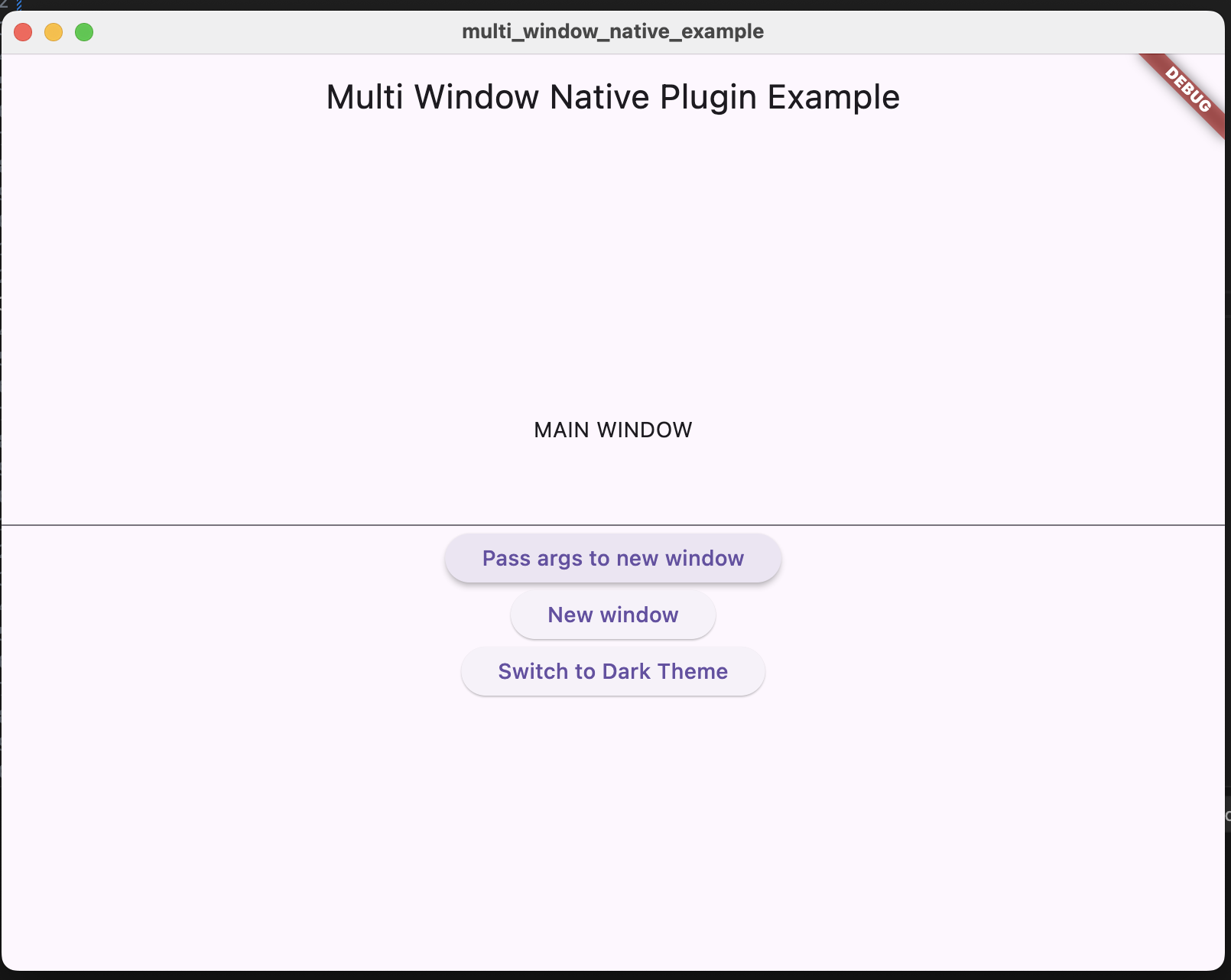 Main window with multi-window support
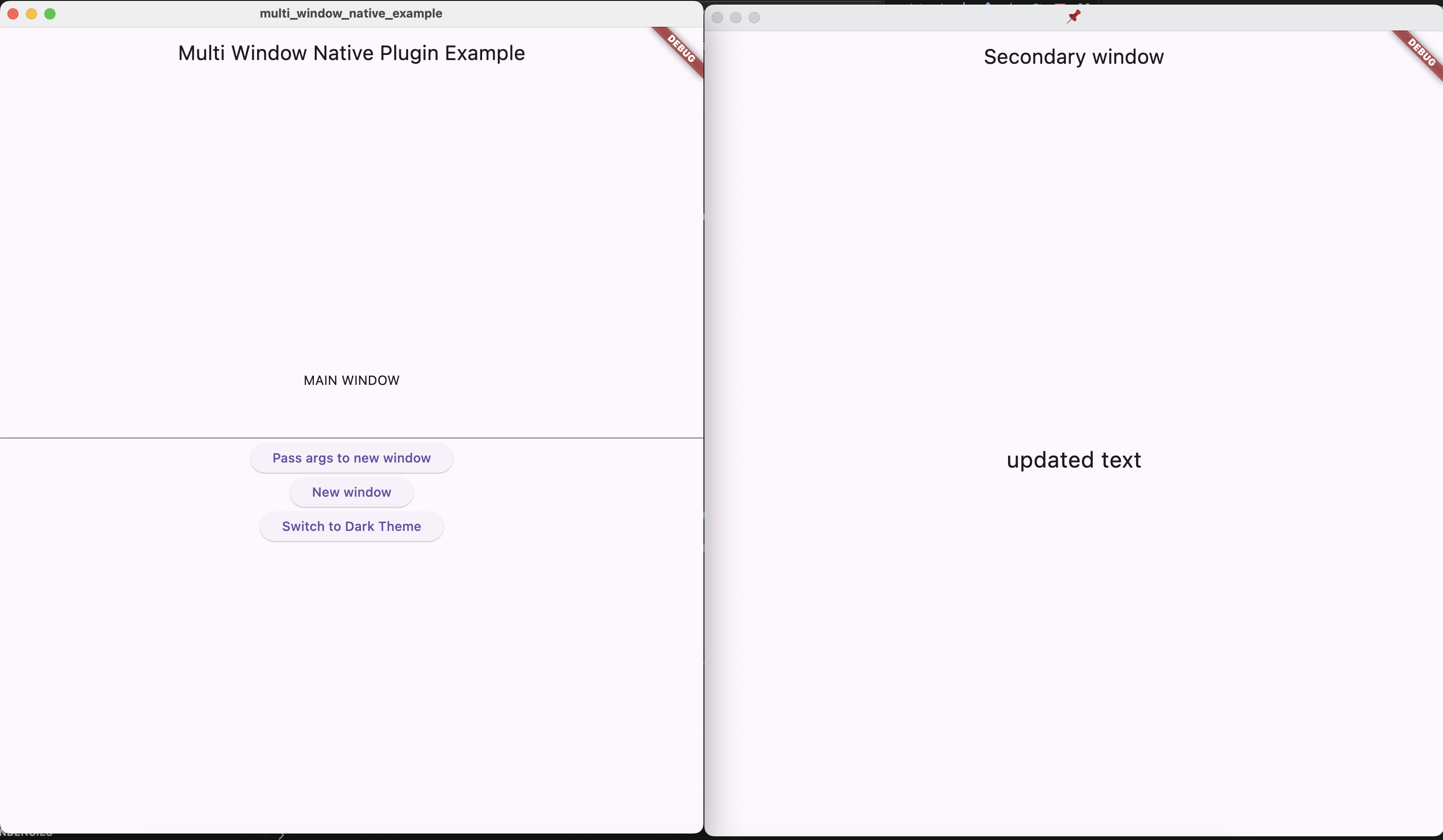 Example of a secondary window opened by the plugin
🛠️ Setup
macOS
No extra setup required. The plugin will automatically:
- Register plugins for newly created window engines.
- Keep track of all FlutterBinaryMessenger instances for broadcasting.
- Handle window focus and activation events.
- Manage dock icon clicks to restore hidden windows.
Windows
No extra setup required. The plugin will automatically:
- Register plugins for newly created window engines.
- Manage window messengers for cross-window communication.
- Handle window activation and focus to prevent freezing.
- Support custom window styling (optional).
📖 Usage
Import the package:
import 'package:multi_window_native/multi_window_native.dart';
Create a new instance and window:
final _multiWindowNative = MultiWindowNative();

void _openWindow() async {
  await _multiWindowNative.createWindow([
    'secondScreen', // Route name
    '{}', // Arguments as JSON string
    'light' // Theme mode
  ]);
}
To access window IDs, initialize the window manager early in your app. It offers methods such as windowFocus and windowClose to manage window lifecycle events like focusing and closing windows.
await windowManager.ensureInitialized();
Notify native when UI is ready to be rendered: The secondary window screen should call this in init state to notify native. NOTE - Its an mandatory step to avoid black screen issues.
@override
void initState() {
  super.initState();
  WidgetsBinding.instance.addPostFrameCallback((_) async {
    await WidgetsBinding.instance.endOfFrame;
    await _multiWindowNative.notifyUiRendered();
  });
}
Communication between windows:
Send updates from Dart to native (and broadcast to all windows):
await _multiWindowNative.notifyAllWindows(
  "updateText",
  {"message": "Hello from Main Window"},
);
Listen for updates in each window:
late String _listenerId;
String _text = "";

@override
void initState() {
  super.initState();
  _listenerId = MultiWindowNative.registerListener("updateText", (call) async {
    setState(() {
      _text = (call.arguments as Map)['message'] ?? "";
    });
  });
}

@override
void dispose() {
  MultiWindowNative.unregisterListener(
    methodName: "updateText", id: _listenerId);
  super.dispose();
}
📊 API Reference
Window Management
createWindow(List<String> args): Creates a new Flutter window with route, arguments, and theme.
closeWindow(): Closes the current window.
notifyUiRendered(): Informs native that the window is ready to display.
Window Title Management (New in v1.1.0)
generateUniqueTitle(String baseTitle): Generates a unique window title by appending a numeric suffix.
registerWindowTitle(String title): Registers a window title as used.
unregisterWindowTitle(String title): Unregisters a window title when window closes.
Communication
notifyAllWindows(String method, dynamic arguments): Broadcasts a method call to all windows.
registerListener(String method, MethodCallHandler handler): Registers a listener for method calls from native. Returns an id.
unregisterListener({required String methodName, required String id}): Unregisters a specific listener by method and id.
getMessengerCount(): Returns the number of active window messengers.
📌 Notes
-
Platform Support: Fully supports macOS and Windows with native implementations.
-
Linux Support: May be added in future releases.
-
Multiple Engines: Each secondary window runs its own Flutter engine.
-
Focus Management: Automatic handling of window activation and focus events to prevent UI freezing.
-
Window Lifecycle: Proper cleanup and shutdown of engines when windows close.
-
Custom Styling: Windows version supports custom borderless windows with draggable title bars.
-
Performance: Optimized messenger tracking and broadcasting for efficient inter-window communication.
🤝 Contributing
Contributions are welcome! Please feel free to submit a Pull Request.
📞 Support
For issues, feature requests, or questions, please file an issue on the GitHub repository.
📄 License
MIT License. See LICENSE for details.